Introduction
Phase is an open-source, end-to-end encrypted platform for creating, managing, and deploying application secrets and environment variables across your infrastructure.
- Import secrets from
.envfiles and inject them into any application or container at runtime. - Automate secret deployment to platforms like GitHub Actions, Kubernetes, AWS and more.
- Share secrets with your team and manage access to secrets with cryptographic RBAC.
- Manage secrets with environments, audit-logs, RBAC etc.
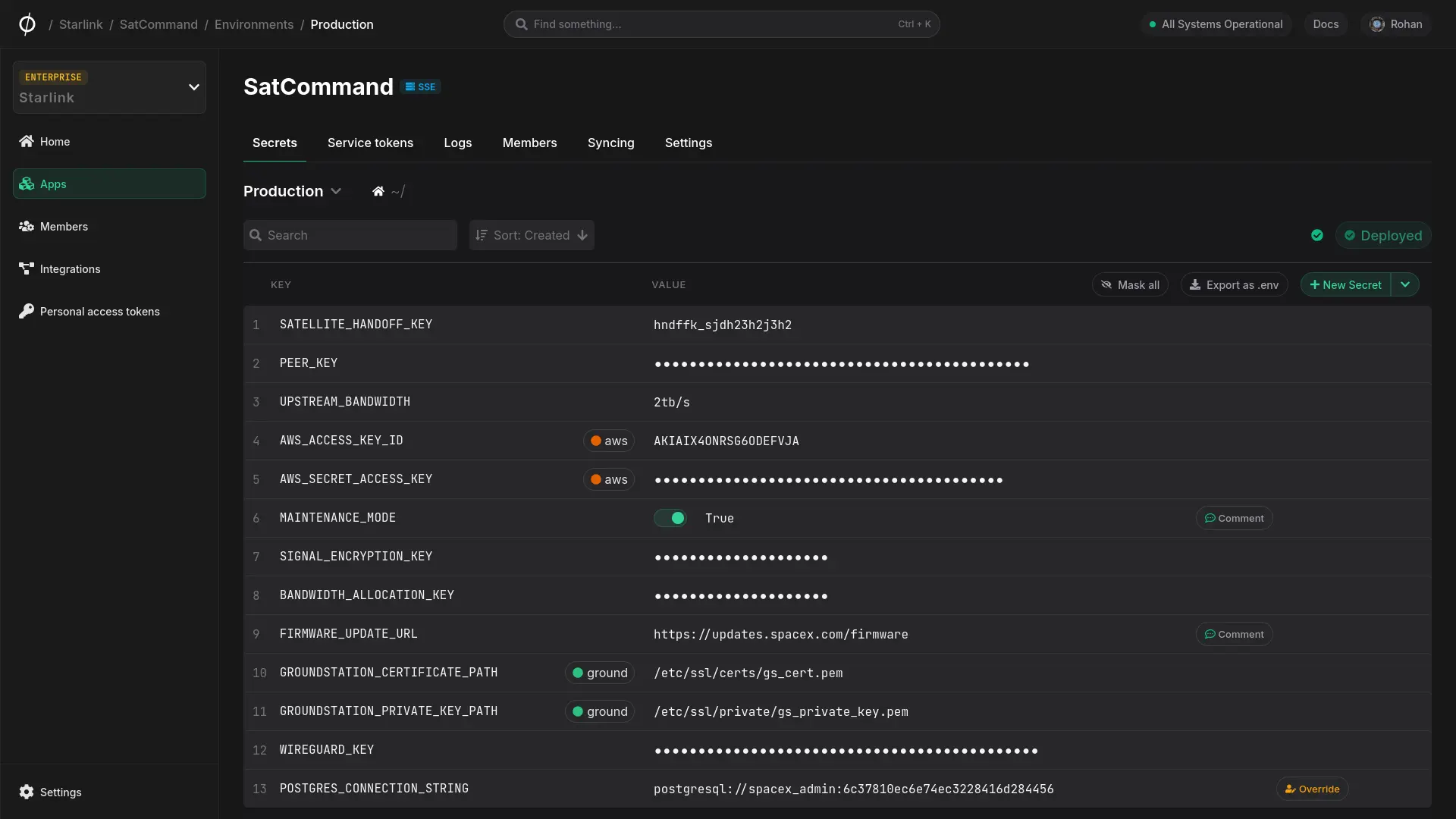
The Phase platform provides powerful secret management features including personal secret overrides, secret versioning & roll-back, secret referencing, RBAC, and much more. You can replace .env files with runtime secret injection with a fully-featured CLI, deploy secrets to third party services with native integrations, and build your own custom workflows and integrations with SDKs and APIs.
The platform is built on a sophisticated encryption architecture, while abstracting as much of the complexity of this implementation away from the user as possible.
Get started
Get set up with Phase in minutes by following the Quickstart guide. This Guide will walk you through setting up your account via the Phase Console, installing the CLI and importing your existing secrets.
About Phase
Secrets
Secrets in Phase are more than just key/value pairs. Explore referencing, overrides and more.
Environments
Environments let you manage secrets for different uses, such as development or production.
Security
A sophisticated security architecture is at the heart of Phase. Explore the details to learn more.
Integrate Phase
Seamlessly work with your preferred tools and platforms.


Self-host Phase
Deploy Phase on your own infrastructure, maintain full control over your data.


Ready to try?
To get started, create a new application in your Phase Console and set up the Phase CLI.