External Identities
External Identities allow you to use third-party platforms and services to serve as identity providers for clients seeking programmatic access to Phase. Instead of manually provisioning access tokens for each client on each machine or an instance on your infrastructure, you can use External Identities to establish a trusted relationship with a principal that will be used to validate the identity of the client and grant access to Phase. This enables dynamic authentication and authorization for clients such as the CLI, SDKs, Kubernetes Operator, or your own applications.
Example use cases:
- AWS: You have a fleet of EC2 instances in an autoscaling group (ASG). Instead of manually provisioning access tokens for each machine, you establish a trusted relationship with the instance profile attached to the ASG.
- Azure: You have workloads running on AKS or Azure VMs with Managed Identities. Instead of managing Service Account tokens, you trust the VM's system-assigned managed identity to authenticate automatically.
The authentication flow will be as follows:
Benefits:
- Automate the creation and provisioning of access tokens for every client on your infrastructure.
- Automatic token revocation after expiry
- Centralized management of trust relationships
Prerequisites
- Server-side encryption (SSE) enabled for the Service Account you want to use the External Identity with.
- A third-party platform or service that is supported by Phase
Supported External Identity Providers
Phase currently supports the following external identity providers:
- AWS IAM: Bind an AWS IAM User to a Phase Service Account
- Azure: Bind an Azure Managed Identity or Service Principal to a Phase Service Account
Configure an External Identity
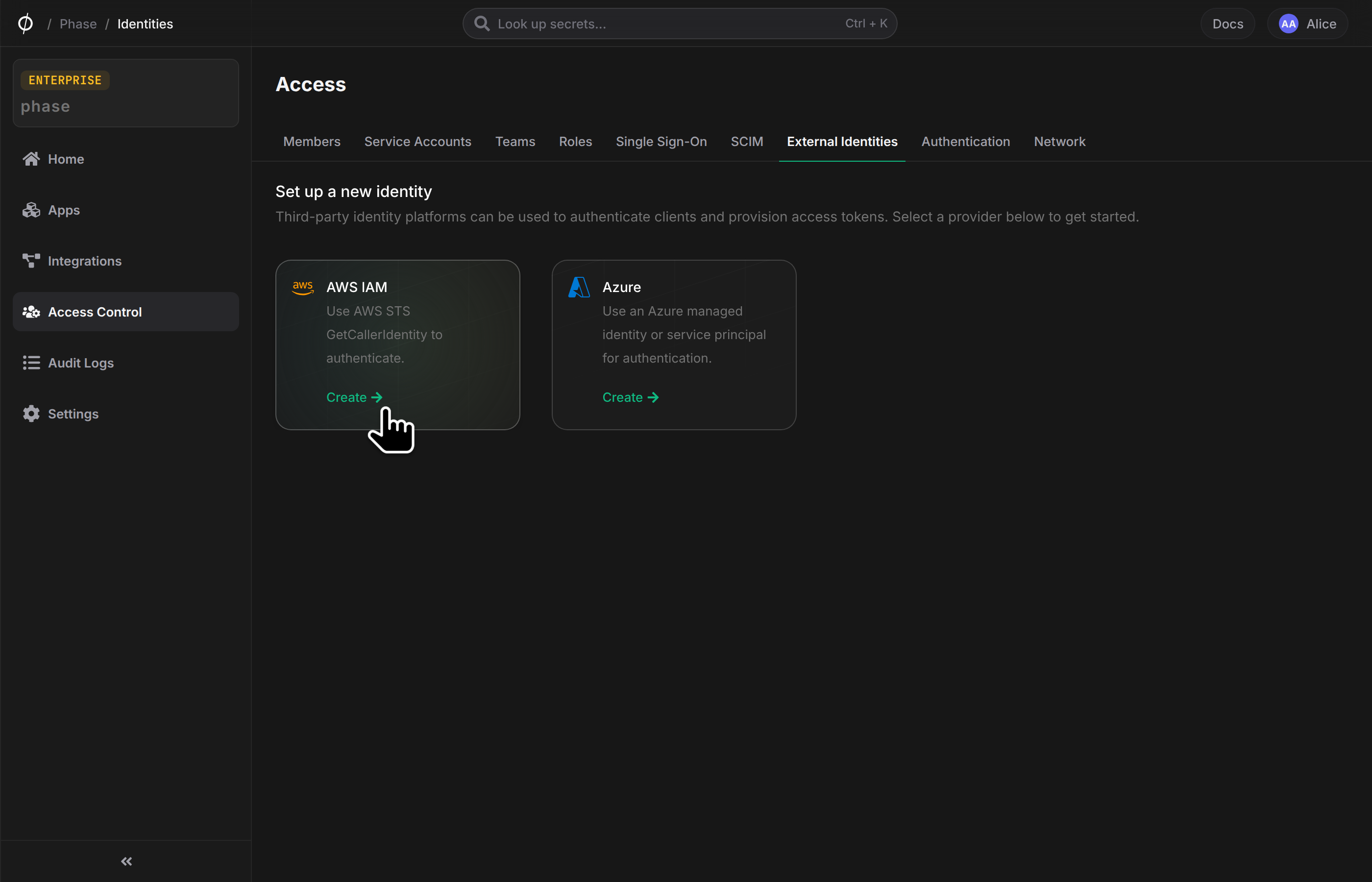
To set up an External Identity for use with a Phase Service Account, follow these steps. First, navigate to the Access Control page from the sidebar, and select External Identities. Then, choose a provider:
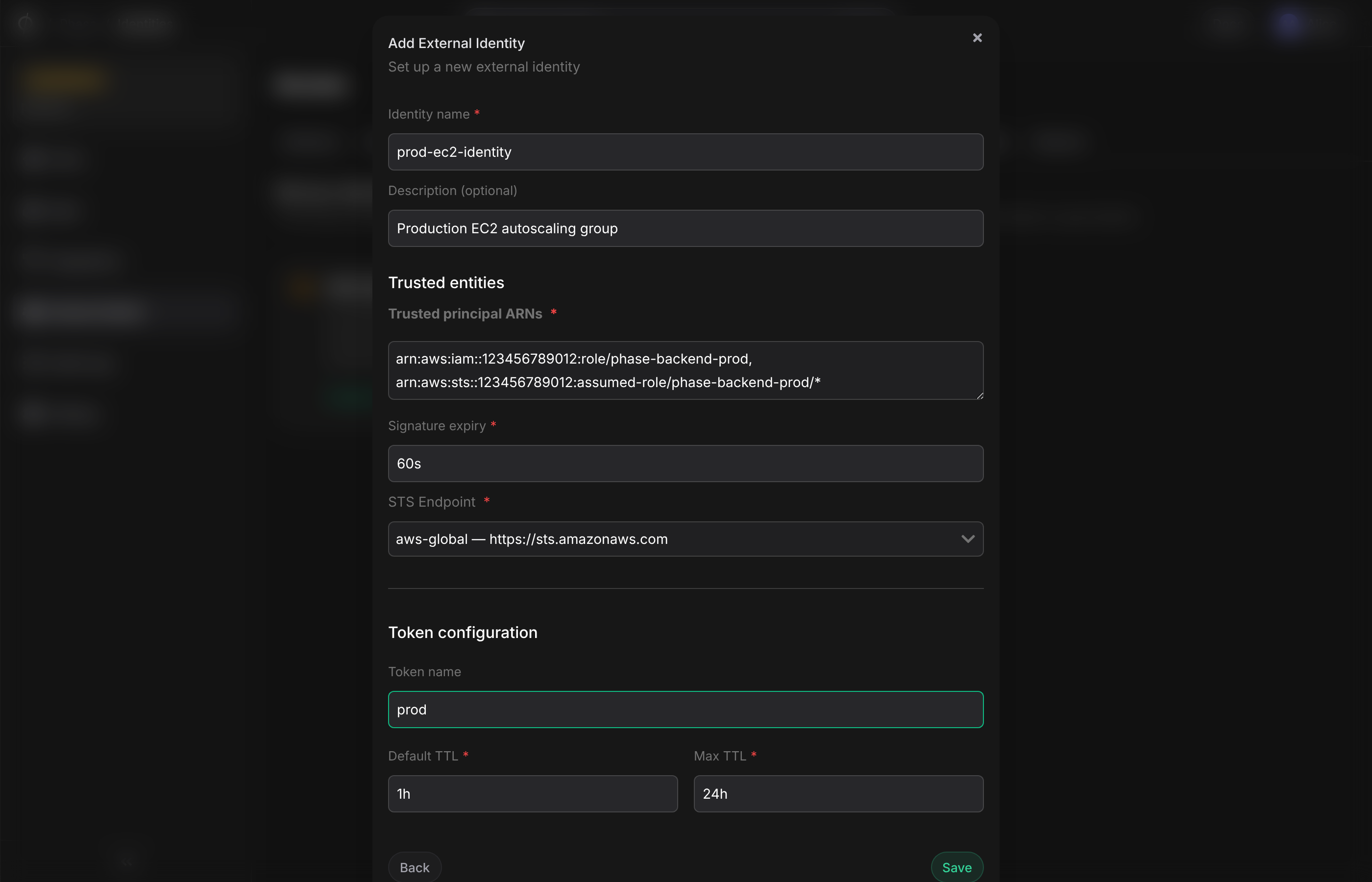
Then, enter the required information to configure the external identity. For all providers, you will need to provide basic information about the identity and how tokens are generated:
- Name
Identity Name- Type
- string
- Description
A name for the external identity.
- Name
Description- Type
- string
- Description
Optionally, a description for the external identity.
- Name
Token name- Type
- string
- Description
Optional name for tokens that will be generated for Service Accounts using this external identity. The default is the provider shortcode, e.g.
aws-iam.
- Name
Token Default TTL- Type
- number
- Description
The default TTL (in seconds) for tokens generated for Service Accounts using this external identity. Default is 3600 seconds (1 hour).
- Name
Token Max TTL- Type
- number
- Description
The default TTL (in seconds) for tokens generated for Service Accounts using this external identity. Default is 86400 seconds (24 hours).
Additionally, you will need to provide provider-specific information depending on the selected provider.
AWS IAM
For AWS IAM, you will need to provide the following information:
- Name
Trusted principal ARNs- Type
- comma-separated-string
- Description
The ARN(s) of the AWS IAM User(s) to bind to the Phase Service Account. Separate multiple ARNs with commas.
- Name
Signature expiry- Type
- number
- Description
The duration (in seconds) for which the signed requests from the AWS IAM User will be valid. Default is 60 seconds. The lower the better. This is to protect against replay attacks.
- Name
STS endpoint- Type
- string
- Description
Optionally, specify a custom AWS STS endpoint. If not provided, the default AWS STS endpoint will be used (
https://sts.amazonaws.com).
Azure
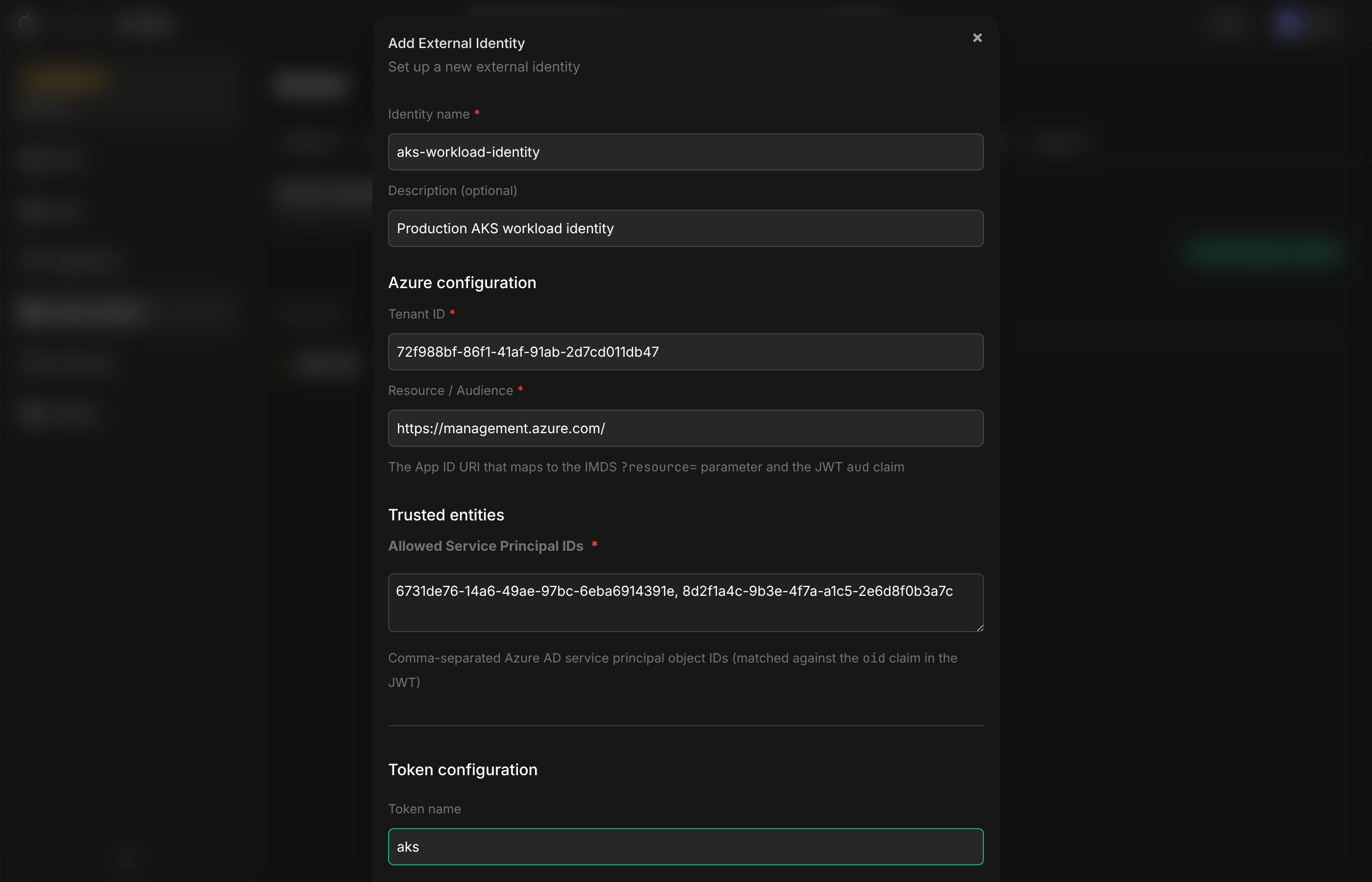
For Azure, you will need to provide the following information:
- Name
Tenant ID- Type
- string
- Description
Your Azure AD tenant ID (UUID format). Used to validate the
tidclaim in the JWT and to construct the OIDC discovery URL for key verification.
- Name
Resource / Audience- Type
- string
- Description
The App ID URI that maps to the IMDS
?resource=parameter and the JWTaudclaim. Default:https://management.azure.com/. This ensures tokens issued for other Azure resources cannot be reused.
- Name
Allowed Service Principal IDs- Type
- comma-separated-string
- Description
Azure AD service principal object IDs allowed to authenticate. Matched against the
oidclaim in the JWT. Separate multiple IDs with commas. These are the object IDs of Managed Identities or Service Principals.
To find a Service Principal's object ID, run: az ad sp show --id <appId> --query id -o tsv.
For Managed Identities (VMs, AKS, Functions), the principal ID is returned when you enable the identity:
az vm identity assign --resource-group <rg> --name <vm-name>
# Returns: { "principalId": "dcc518e4-...", ... }
You can also find it in the Azure Portal under the resource's Identity blade.
Manage External Identities
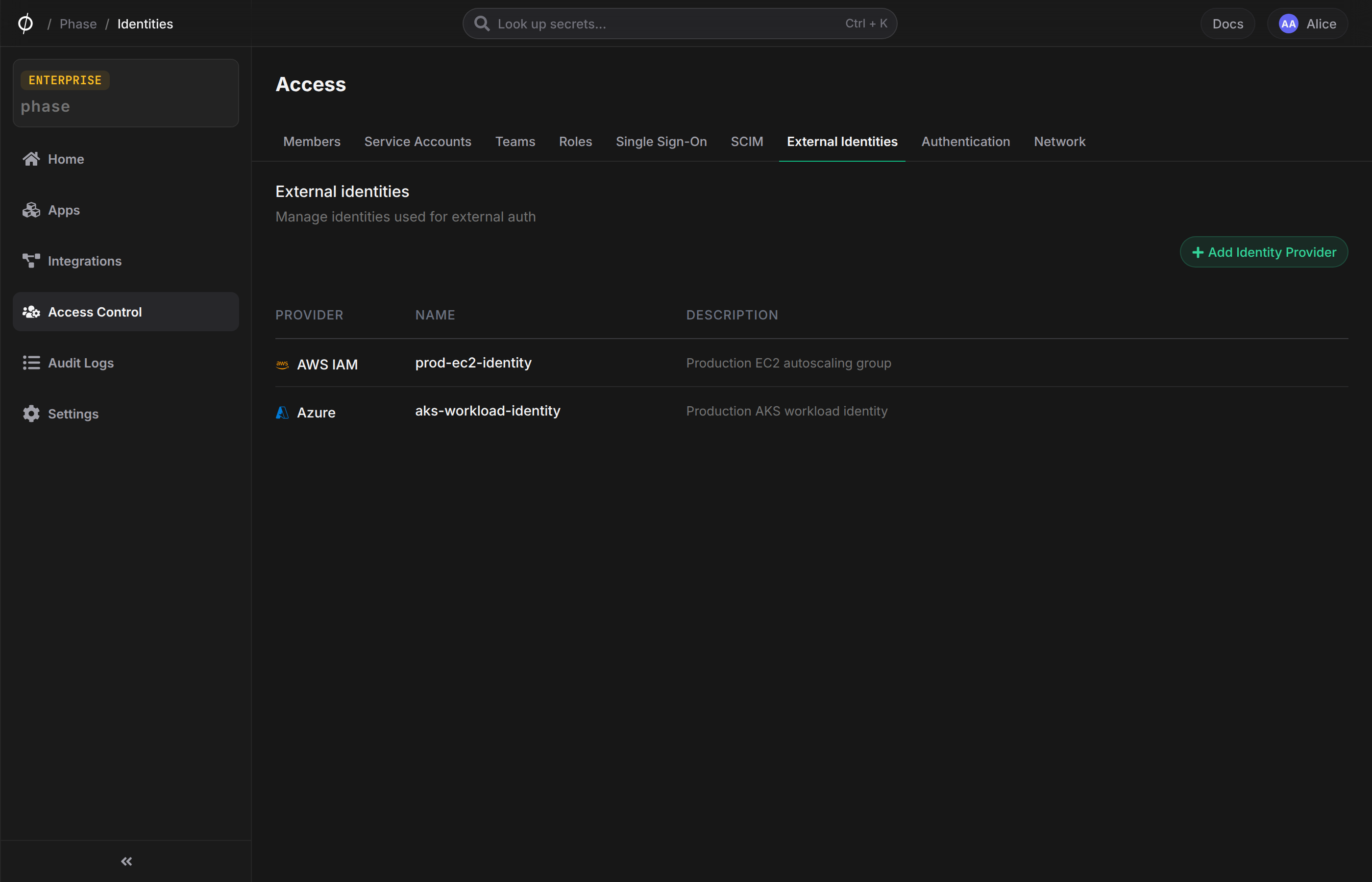
Once an External Identity is created, it will appear in the list on the External Identities page. From here, you can view details, edit configurations, or delete the identity.
Bind an External Identity to a Service Account
To use an External Identity, the Service Account must have Server-side KMS enabled.
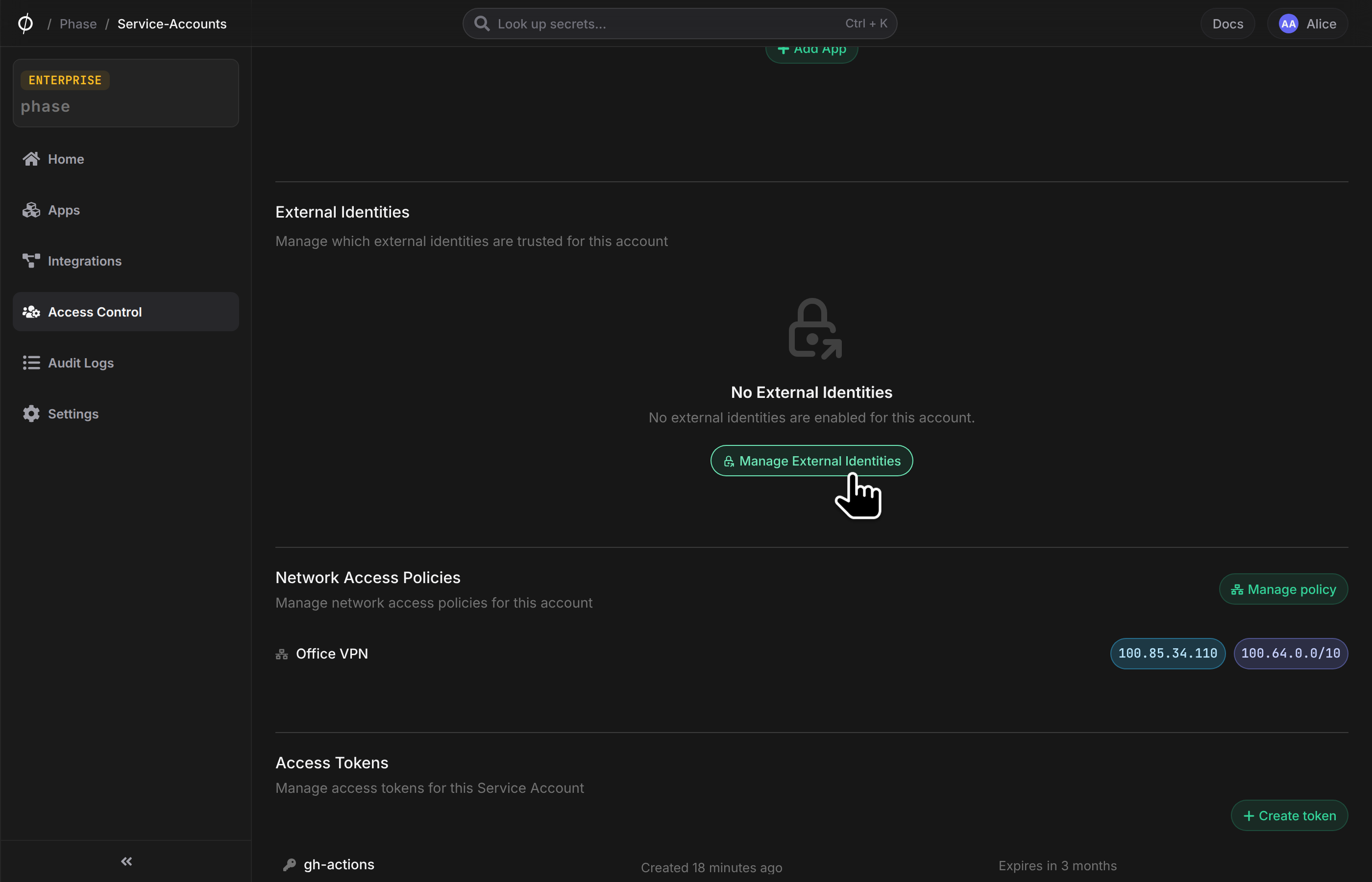
Once you have configured an External Identity, you can bind it to a Phase Service Account. To do this, navigate to the Service Accounts page, select the desired Service Account and click Manage to open the account detail page. Scroll down to the External Identities section and click Manage External Identities:
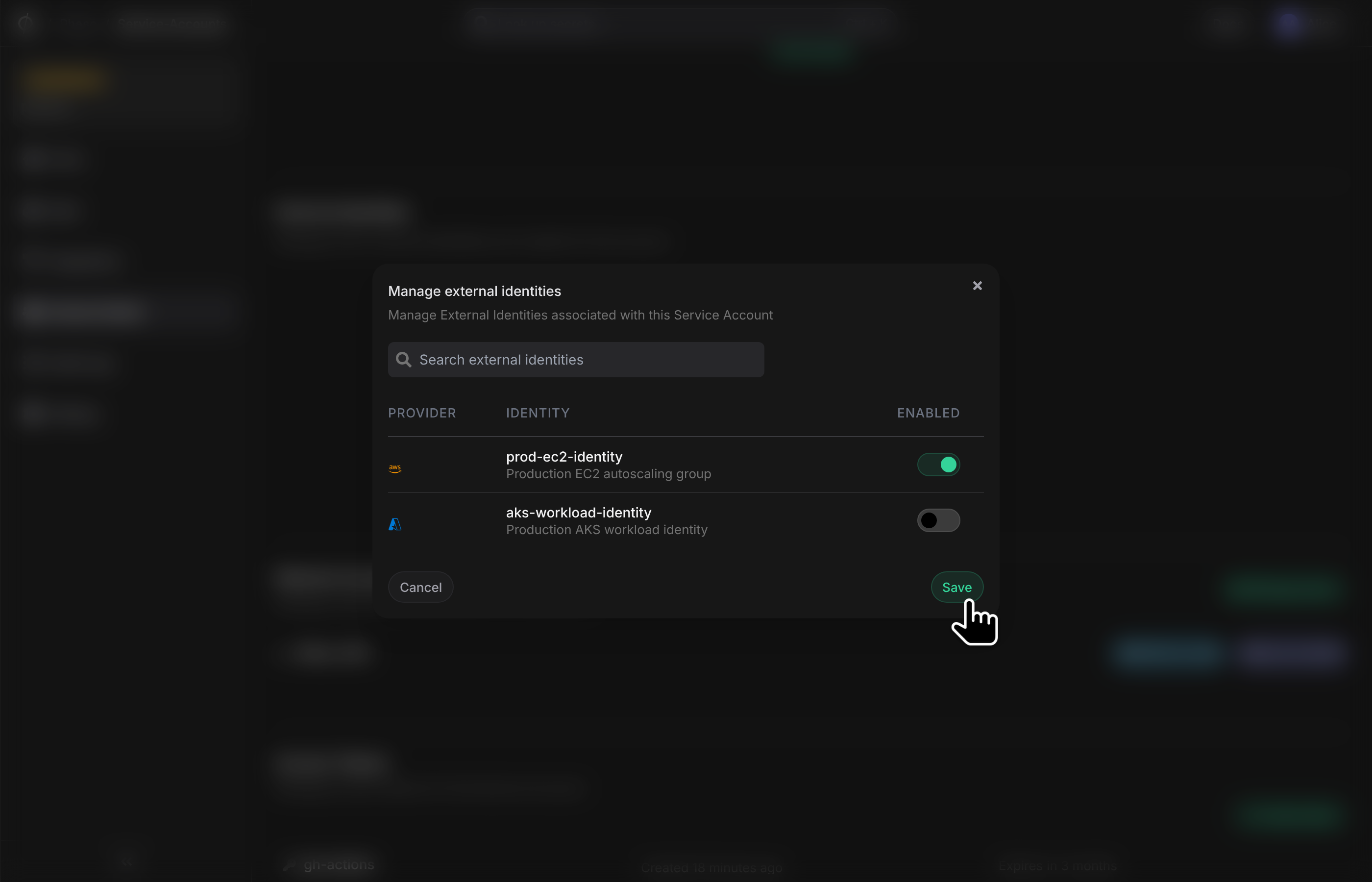
From the dialog, select the External Identity you want to bind to this Service Account and enable it using the toggle switch. Click Save to apply the changes:
Authenticate with External Identities
Once you have configured an External Identity and bound it to a Service Account, you can authenticate using the Phase CLI or the API.
CLI Authentication
To authenticate using an External Identity, use the phase auth command with the appropriate --mode option:
# AWS IAM
phase auth --mode aws-iam --service-account-id 0f1a2b3c-4d5e-6789-abcd-ef0123456789

# Azure (Managed Identity, Service Principal, or az login)
phase auth --mode azure --service-account-id 0f1a2b3c-4d5e-6789-abcd-ef0123456789
Options:
--service-account-id(Required): The ID of the Service Account that has the External Identity bound to it--ttl(Optional): Token TTL in seconds. Defaults to the configured Default TTL of the external identity--no-store(Optional): Print the access token & metadata to STDOUT without logging in--azure-resource(Optional, Azure only): Azure AD resource/audience for the token request. Default:https://management.azure.com/
API Authentication
You can also authenticate programmatically using the Phase API. For detailed information about the authentication endpoints and request formats, see the Public API documentation.
Learn More
- CLI Commands: See the CLI Commands documentation for complete authentication options
- API Reference: Check the Public API documentation for programmatic authentication