Vercel
You can use Phase to sync secrets with your Vercel projects.
When secret syncing is enabled, secrets stored inside Phase will be treated as the source of truth. Any secrets in the target Vercel environment will be overwritten. Please import your secrets into Phase before continuing.
Prerequisites
- Sign up for the Phase Console and create an App.
- Enable Server-side Encryption (SSE) for the App from the Settings tab.
Step 1: Authentication
Create a Vercel Token
-
Go to Vercel's Dashboard and log in.
-
Click on your user icon in the top right and select Account Settings.
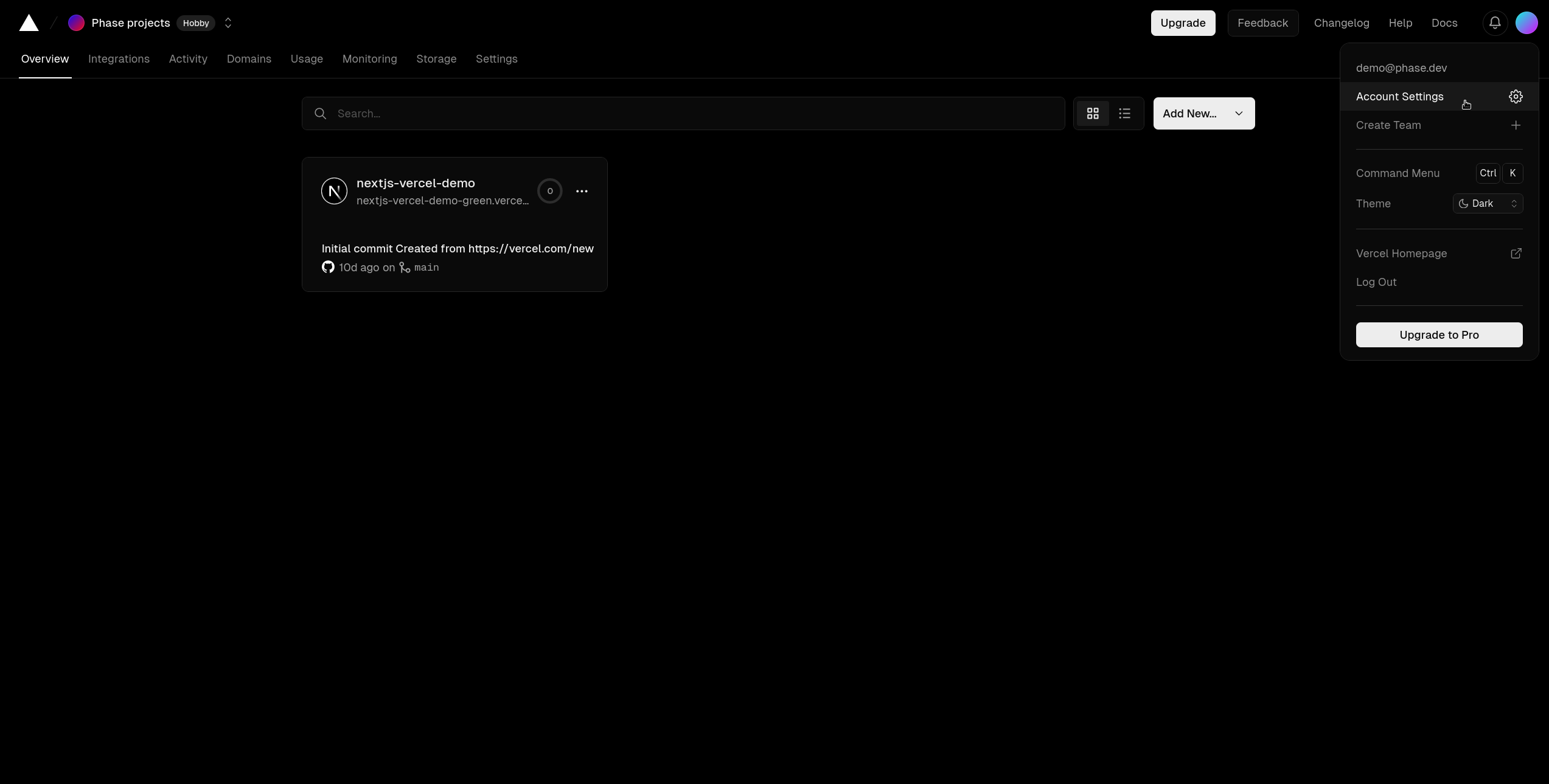
- In account settings, click on Tokens from the menu bar in the left.
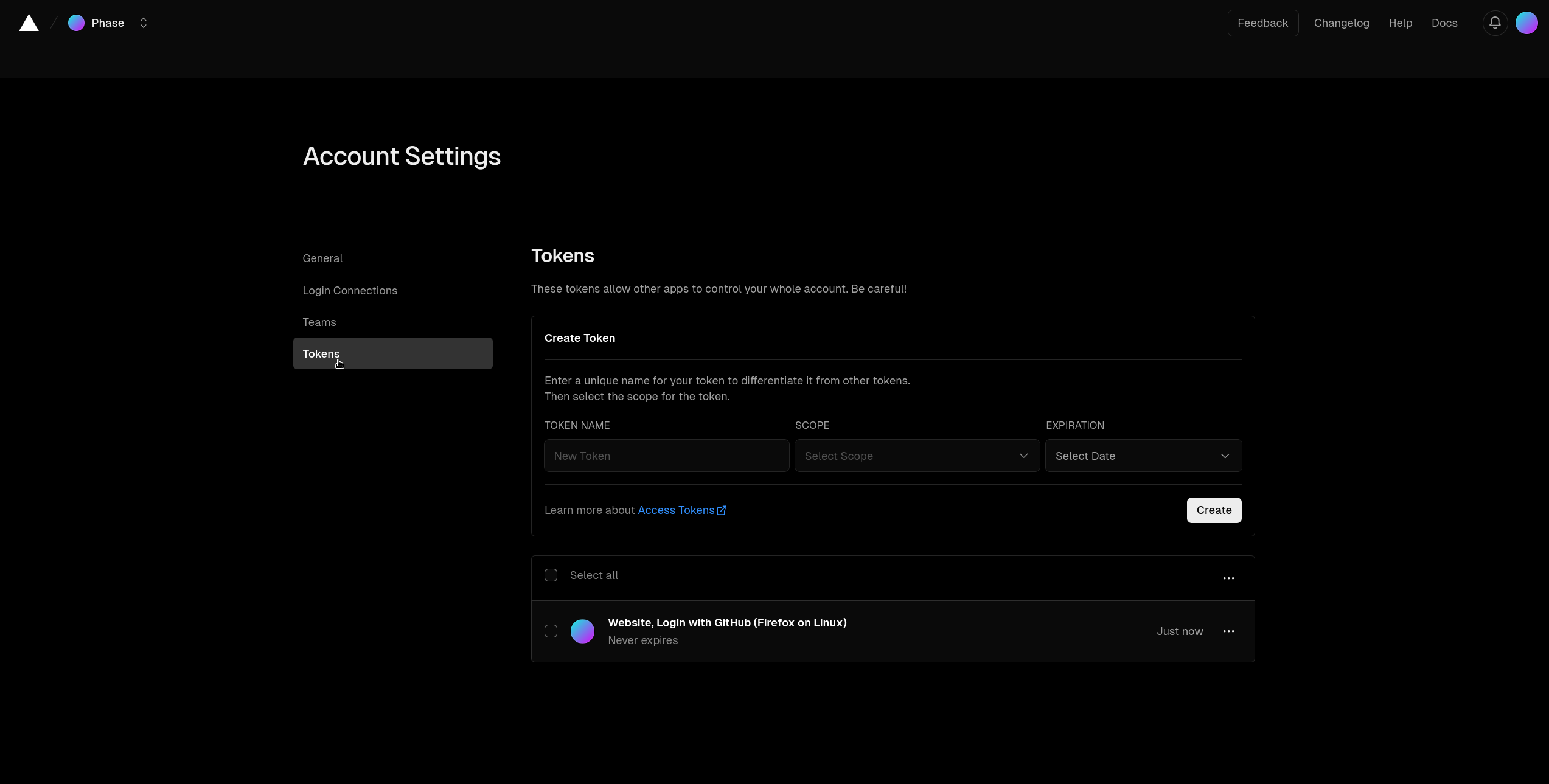
- Create a new Token with a descriptive name (eg.
phase-console-vercel-sync) , set the Scope toFull Account, choose an Expiration and click Create. (Note: If you choose an expiry option other thanNo Expiration, you will need to manually update this token in Phase when it expires.)
Alternatively, you may create a token with a narrower scope to a specific team. Keep in mind that this will prevent the Phase Console from being able to list your projects and sync secrets to them.
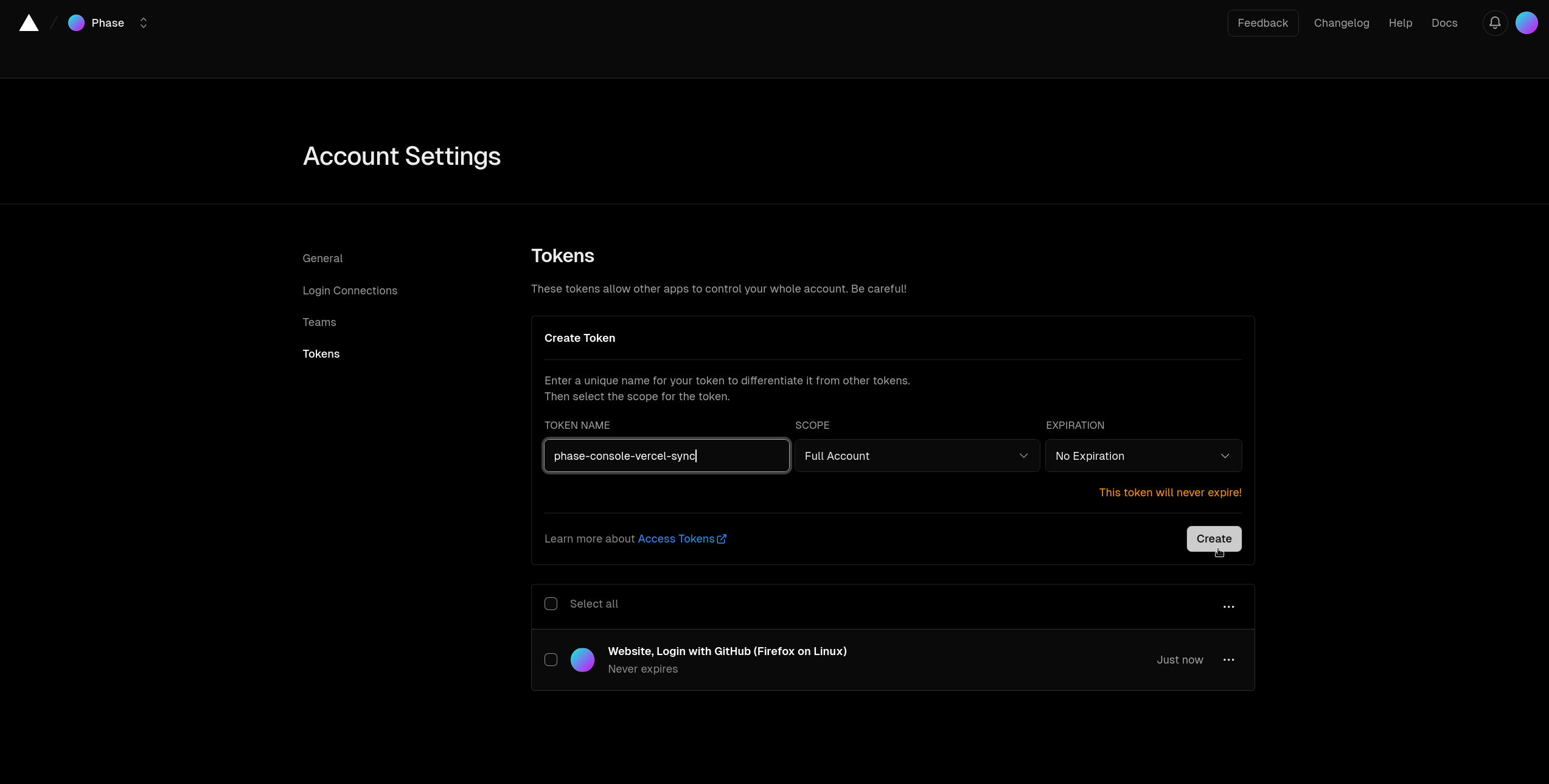
- Once the
Tokenhas been created simply copy it by clicking the clipboard.
Store authentication credentials in Phase
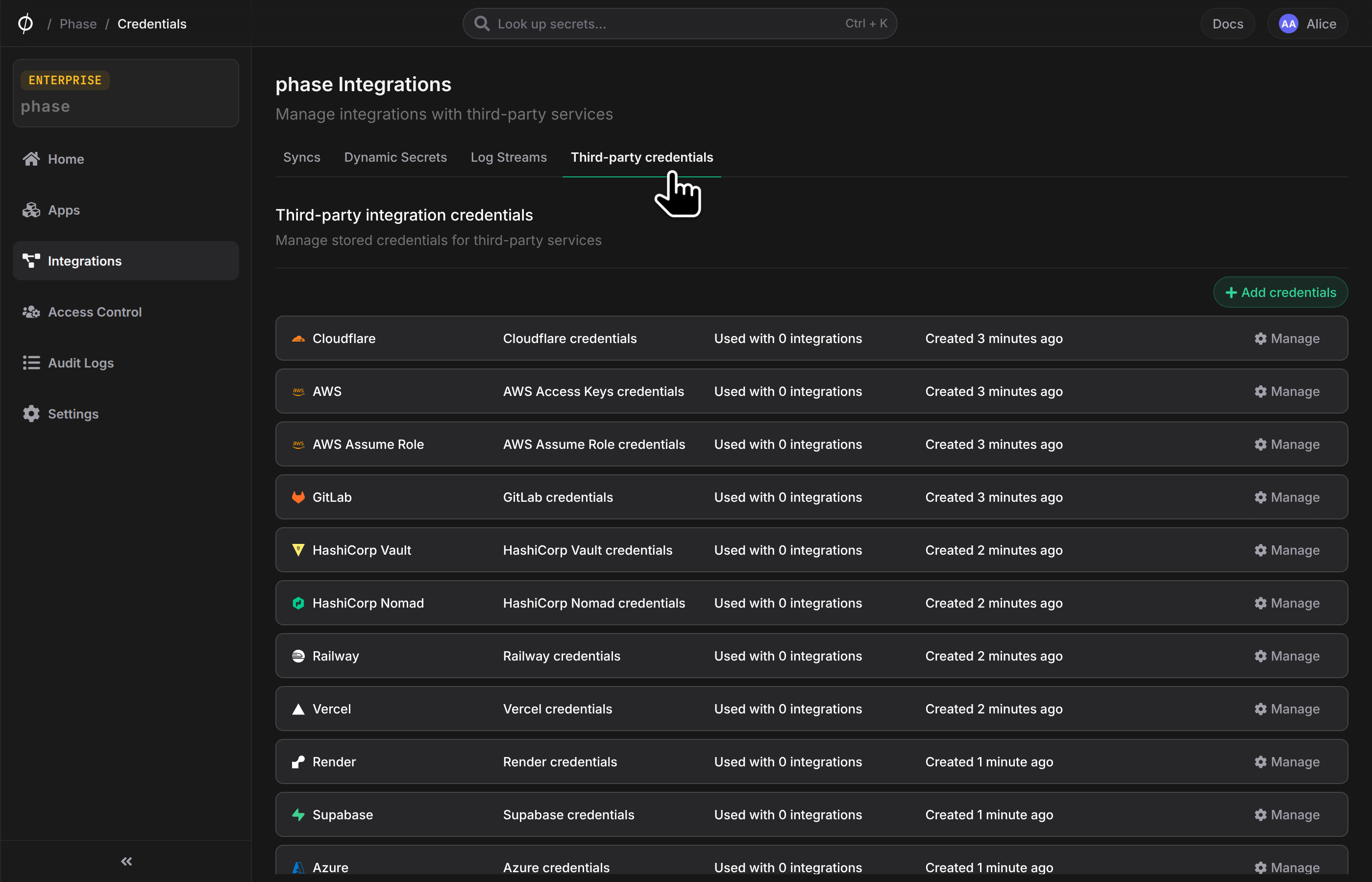
- Go to Integrations from the sidebar and click on Third-party credentials in the integrations tab.
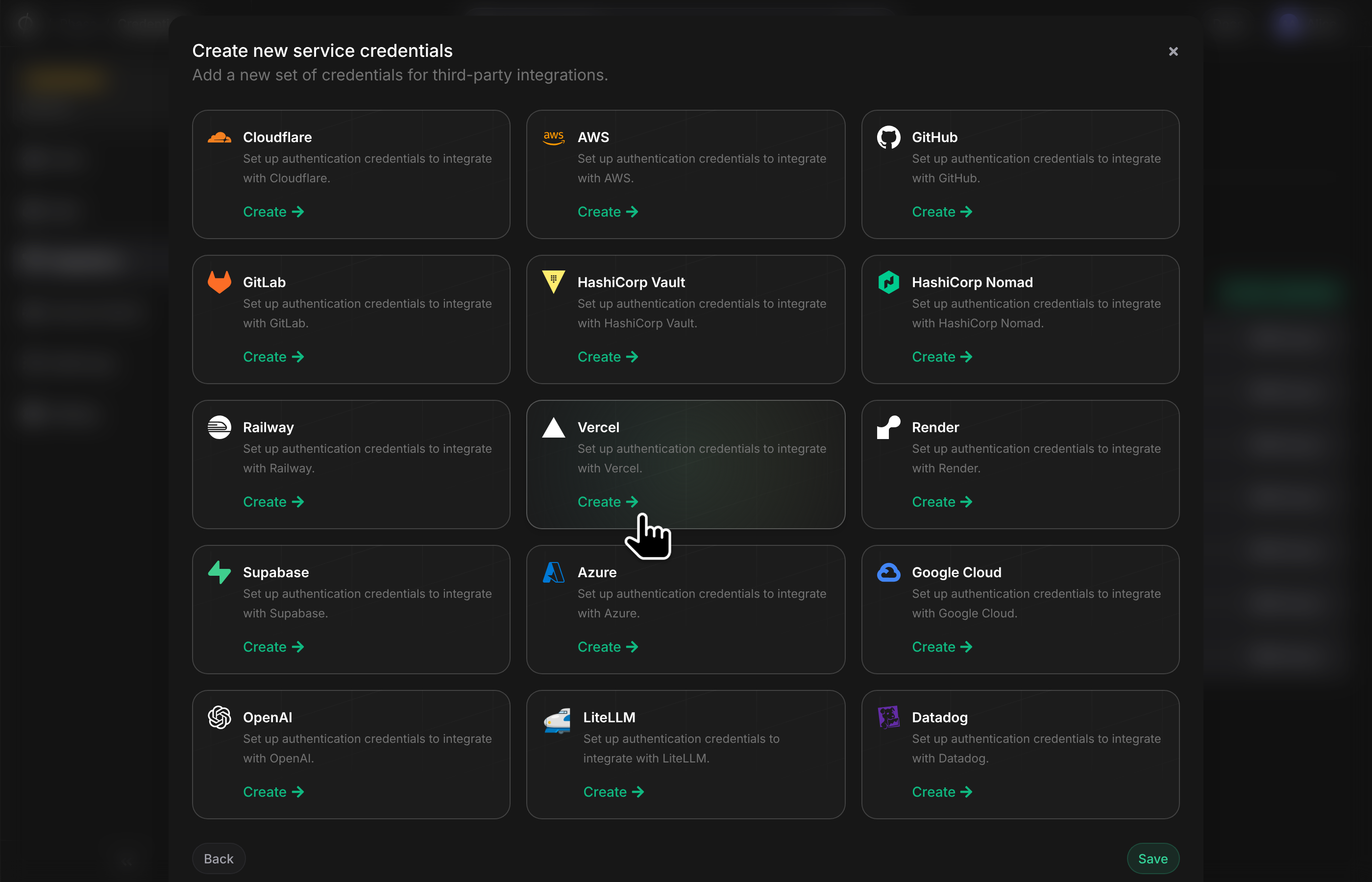
- Click on Vercel
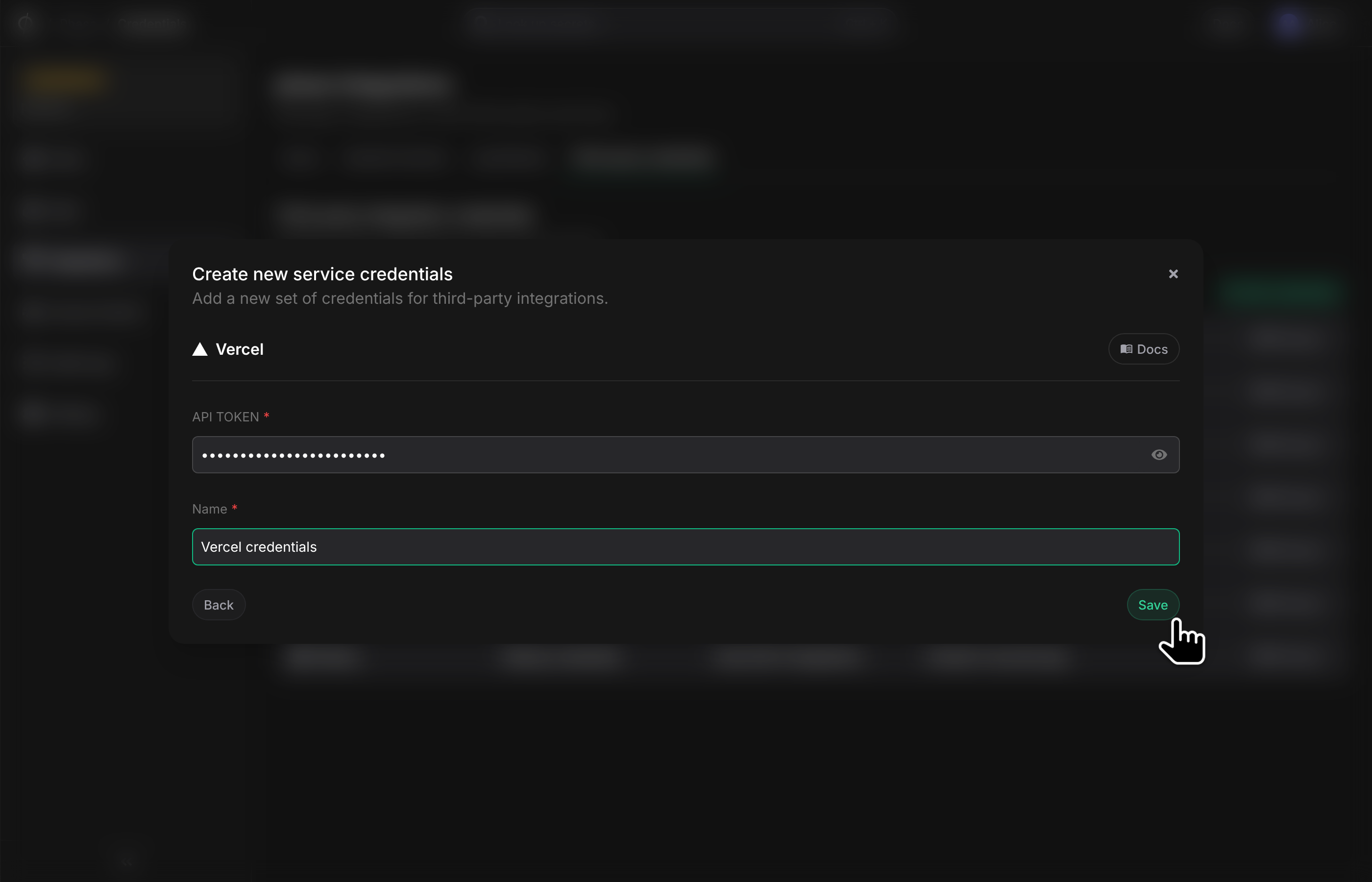
- Paste your Vercel
API Tokenand add a descriptive name for the service credential and click Save
Step 2: Set up a secret sync
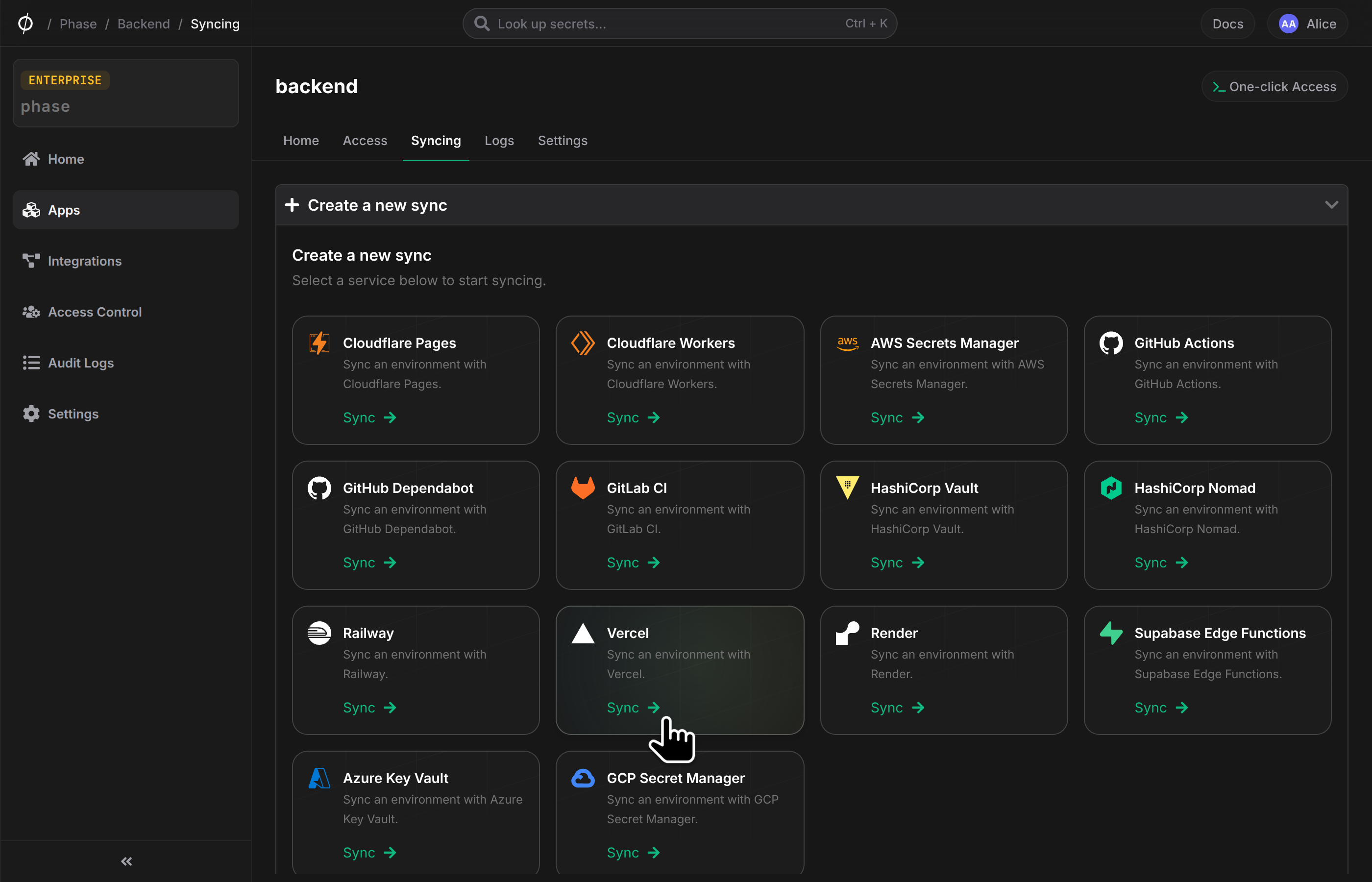
- Go to your App in the Phase Console and go to the Syncing tab. Select Vercel under the 'Create a new Sync' menu.
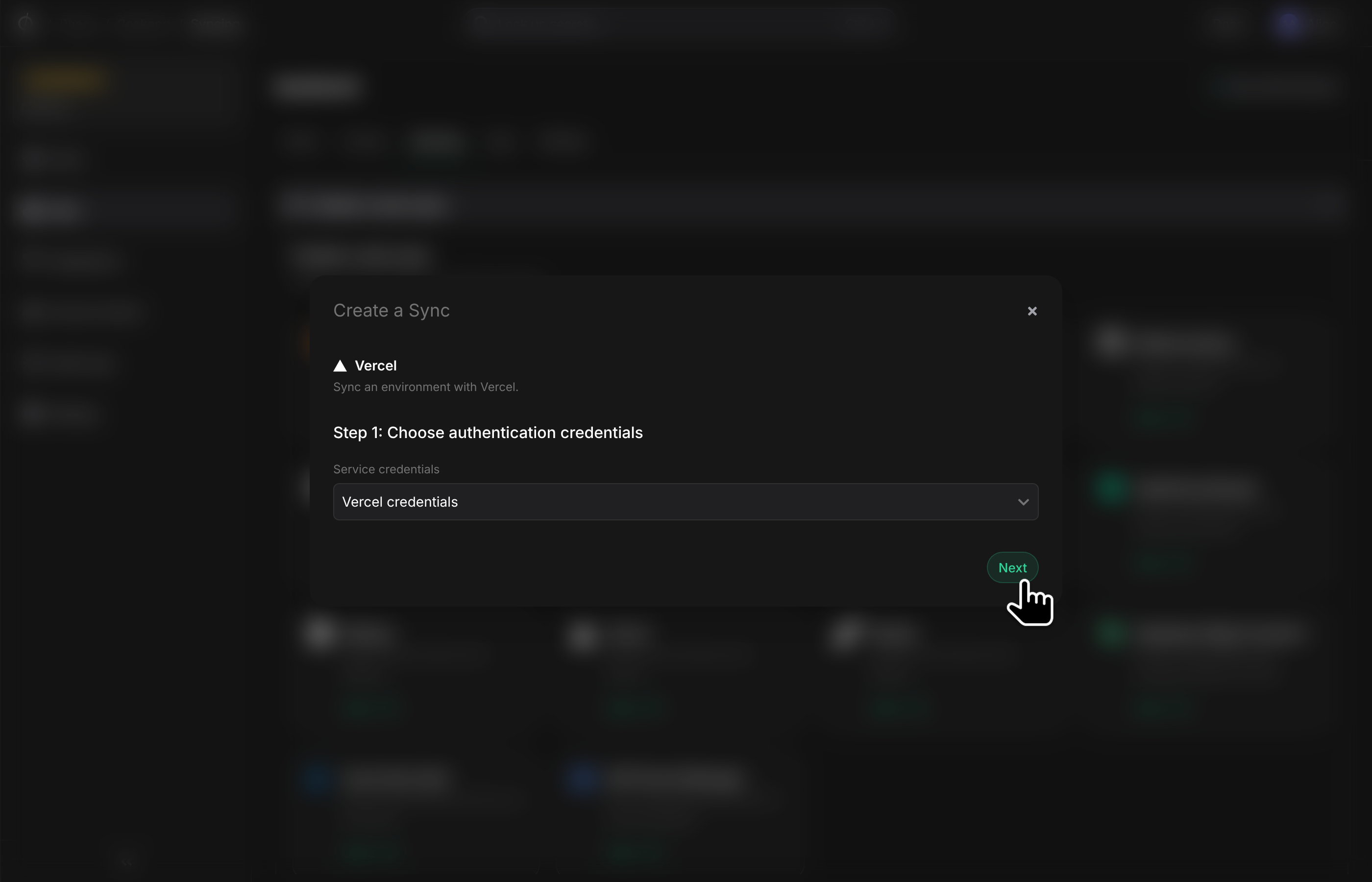
- Choose the credentials you added in the previous step as the authentication mode, and click Next.
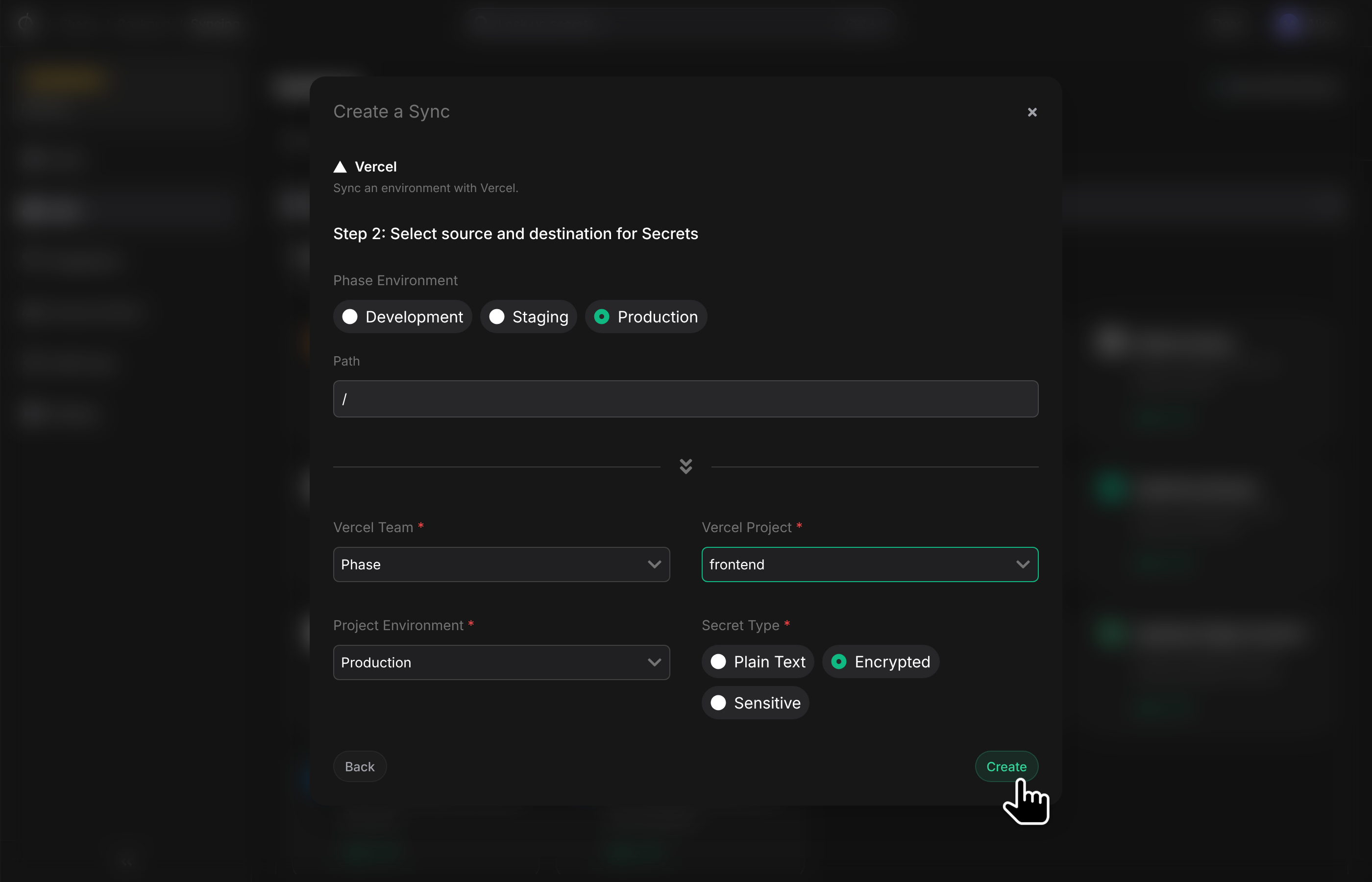
- Next, configure the source and destination for your secrets. Pick an Environment from your App as the source. To configure the destination for the sync, choose a Vercel Project from the list of available Projects, as well as the Target Environment and the Secret Type.
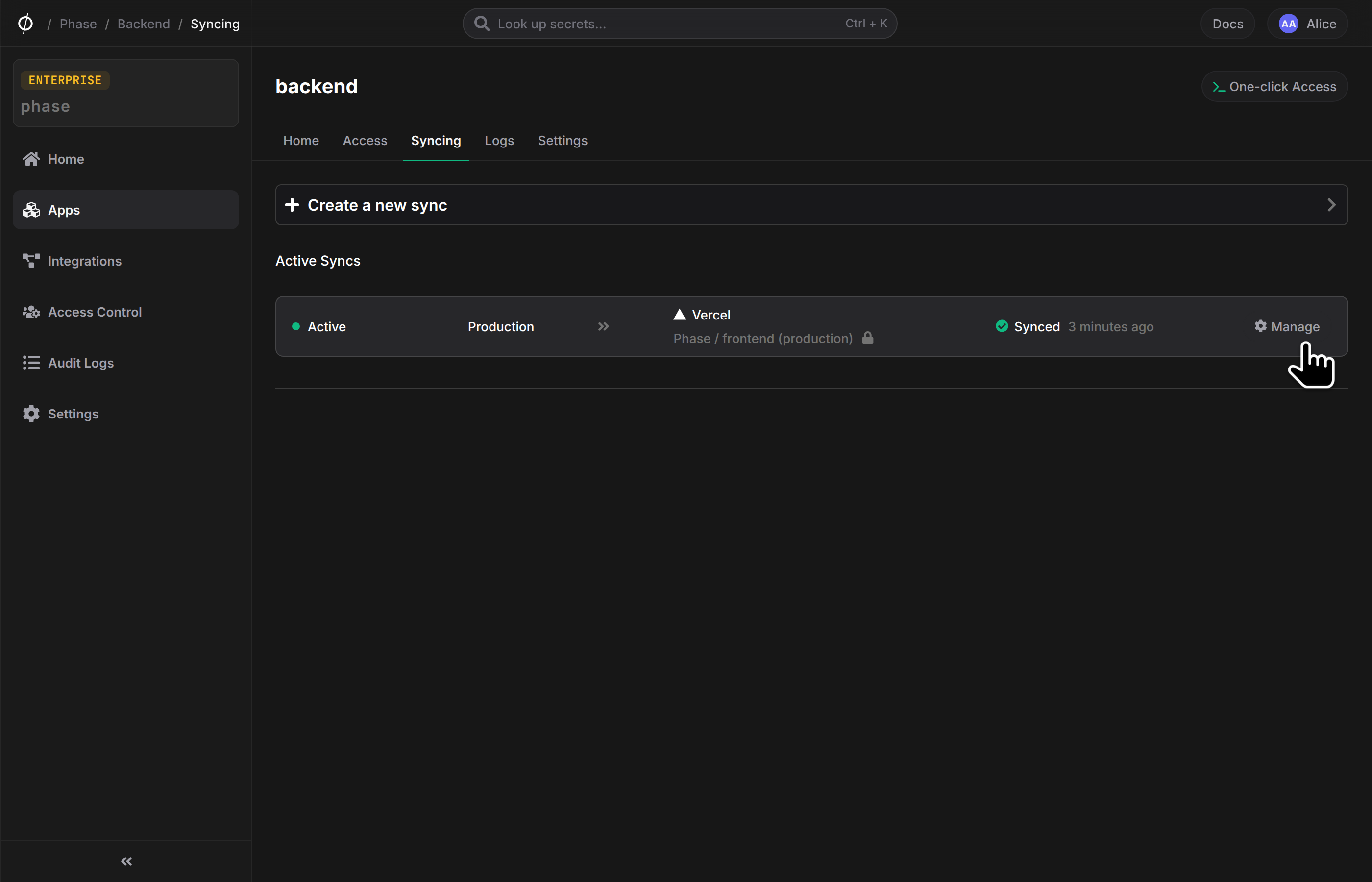
- Once set up, your secrets will automatically be synced to the chosen destination project in Vercel. You can manage your sync from the Syncing tab of your App, or from the Integrations screen.
Important considerations
- Environment variables that you may have already created in Vercel scoped to 'All Environments' will remain untouched and not managed by Phase. This may lead to unwanted duplication of environment variables, if the same secret key exists in Phase. While supplying secrets to your applications, Vercel will prioritize values of environment variables created in specific environments managed by Phase over those scoped to 'All Environments'. Example:
FOO=BAR(in Production environment) will be supplied to your application overFOO=BAZ(in All Environments). This is a fundamental limitation of the Vercel platform. - If you select 'All' Target Environments in Phase as the sync destination, your secrets will be synced to each of your environments in the Vercel project individually.
For example:
Phase: FOO=BAR -> Vercel Target Environment: All
Secrets in Vercel:
- Development:
FOO=BAR - Preview:
FOO=BAR - Staging:
FOO=BAR - CustomEnv:
FOO=BAR - Production:
FOO=BAR
Reserved environment variable keys by Vercel
The following secret keys are reserved or prepopulated by Vercel for technical reasons on their end that Phase will automatically filter for and not sync with Vercel to avoid errors.
Environment variables that are reserved by Vercel Serverless Function runtimes that Phase will filter for.
AWS_SECRET_KEYAWS_EXECUTION_ENVAWS_LAMBDA_LOG_GROUP_NAMEAWS_LAMBDA_LOG_STREAM_NAMEAWS_LAMBDA_FUNCTION_NAMEAWS_LAMBDA_FUNCTION_MEMORY_SIZEAWS_LAMBDA_FUNCTION_VERSIONNOW_REGIONTZLAMBDA_TASK_ROOTLAMBDA_RUNTIME_DIR
Environment Variables that are allowed by Vercel Serverless Function runtimes that Phase will not filter for:
AWS_ACCESS_KEY_IDAWS_SECRET_ACCESS_KEYAWS_SESSION_TOKENAWS_REGIONAWS_DEFAULT_REGION
System environment variables:
Vercel provides a set of Environment Variables that are automatically populated by the System, such as the URL of the Deployment or the name of the Git branch deployed.
VERCEL- An indicator to show that System Environment Variables have been exposed to your project's Deployments. Example:1.CI- An indicator that the code is running in a Continuous Integration environment. Example:1. Note: This Variable is only exposed during Build Step.VERCEL_ENV- The Environment that the app is deployed and running on. The value can be either production, preview, or development.VERCEL_URL- The domain name of the generated deployment URL. Example: *.vercel.app. The value does not include the protocol scheme https://. Note: This Variable cannot be used in conjunction with Standard Deployment Protection. See Migrating to Standard Protection.VERCEL_BRANCH_URL- The domain name of the generated Git branch URL. Example: -git-.vercel.app. The value does not include the protocol scheme https://.VERCEL_PROJECT_PRODUCTION_URL- A production domain name of the project. We select the shortest production custom domain, or vercel.app domain if no custom domain is available. Note, that this is always set, even in preview deployments. This is useful to reliably generate links that point to production such as OG-image URLs. The value does not include the protocol schemehttps://.VERCEL_REGION- The ID of the Region where the app is running. Example:cdg1. Note: This Variable is only exposed during Runtime for Vercel Functions.VERCEL_DEPLOYMENT_ID- The unique identifier for the deployment, which can be used to implement Skew Protection. Example:dpl_7Gw5ZMBpQA8h9GF832KGp7nwbuh3.VERCEL_SKEW_PROTECTION_ENABLED- When Skew Protection is enabled in Project Settings, this value is set to 1. Example:1.VERCEL_AUTOMATION_BYPASS_SECRET- The Protection Bypass for Automation value, if the secret has been generated in the project's Deployment Protection settings.VERCEL_GIT_PROVIDER- The Git Provider the deployment is triggered from. Example:github.VERCEL_GIT_REPO_SLUG- The origin repository the deployment is triggered from. Example:my-site.VERCEL_GIT_REPO_OWNER- The account that owns the repository the deployment is triggered from. Example:acme.VERCEL_GIT_REPO_ID- The ID of the repository the deployment is triggered from. Example:117716146.VERCEL_GIT_COMMIT_REF- The git branch of the commit the deployment was triggered by. Example: improve-about-page.VERCEL_GIT_COMMIT_SHA- The git SHA of the commit the deployment was triggered by. Example:fa1eade47b73733d6312d5abfad33ce9e4068081.VERCEL_GIT_COMMIT_MESSAGE- The message attached to the commit the deployment was triggered by. Example: Update about page.VERCEL_GIT_COMMIT_AUTHOR_LOGIN- The username attached to the author of the commit that the project was deployed by. Example:johndoe.VERCEL_GIT_COMMIT_AUTHOR_NAME- The name attached to the author of the commit that the project was deployed by. Example:John Doe.VERCEL_GIT_PREVIOUS_SHA- The git SHA of the last successful deployment for the project and branch. Example:fa1eade47b73733d6312d5abfad33ce9e4068080. Note: This Variable is only exposed when an Ignored Build Step is provided.VERCEL_GIT_PULL_REQUEST_ID- The pull request id the deployment was triggered by. If a deployment is created on a branch before a pull request is made, this value will be an empty string.
Framework environment variables
# Next.js
"NEXT_PUBLIC_VERCEL_ENV",  # The Environment that the app is deployed and running on. The value can be either production, preview, or development.
"NEXT_PUBLIC_VERCEL_URL",  # The domain name of the generated deployment URL. Example: *.vercel.app. The value does not include the protocol schemehttps://. Note: This Variable cannot be used in conjunction with Standard Deployment Protection. See Migrating to Standard Protection.
"NEXT_PUBLIC_VERCEL_BRANCH_URL",  # The domain name of the generated Git branch URL. Example: *-git-*.vercel.app. The value does not include the protocol scheme https://.
"NEXT_PUBLIC_VERCEL_PROJECT_PRODUCTION_URL",  # A production domain name of the project. We select the shortest production custom domain, or vercel.app domain if no custom domain is available. Note, that this is always set, even in preview deployments. This is useful to reliably generate links that point to production such as OG-image URLs. The value does not include the protocol scheme https://.
"NEXT_PUBLIC_VERCEL_AUTOMATION_BYPASS_SECRET",  # The Protection Bypass for Automation value, if the secret has been generated in the project's Deployment Protection settings.
"NEXT_PUBLIC_VERCEL_GIT_PROVIDER",  # The Git Provider the deployment is triggered from. Example: github.
"NEXT_PUBLIC_VERCEL_GIT_REPO_SLUG",  # The origin repository the deployment is triggered from. Example: my-site.
"NEXT_PUBLIC_VERCEL_GIT_REPO_OWNER",  # The account that owns the repository the deployment is triggered from. Example: acme.
"NEXT_PUBLIC_VERCEL_GIT_REPO_ID",  # The ID of the repository the deployment is triggered from. Example: 117716146.
"NEXT_PUBLIC_VERCEL_GIT_COMMIT_REF",  # The git branch of the commit the deployment was triggered by. Example: improve-about-page.
"NEXT_PUBLIC_VERCEL_GIT_COMMIT_SHA",  # The git SHA of the commit the deployment was triggered by. Example: fa1eade47b73733d6312d5abfad33ce9e4068081.
"NEXT_PUBLIC_VERCEL_GIT_COMMIT_MESSAGE",  # The message attached to the commit the deployment was triggered by. Example: Update about page.
"NEXT_PUBLIC_VERCEL_GIT_COMMIT_AUTHOR_LOGIN",  # The username attached to the author of the commit that the project was deployed by. Example: johndoe.
"NEXT_PUBLIC_VERCEL_GIT_COMMIT_AUTHOR_NAME",  # The name attached to the author of the commit that the project was deployed by. Example: John Doe.
"NEXT_PUBLIC_VERCEL_GIT_PULL_REQUEST_ID",  # The pull request id the deployment was triggered by. If a deployment is created on a branch before a pull request is made, this value will be an empty string. Example: 23.