Authentication Tokens
Phase provides secure authentication tokens for both human users and service accounts. These tokens enable programmatic access to Phase through our API, CLI, and SDKs while maintaining strict access controls and security standards.
Service Account Tokens
Service Account Tokens are used to authenticate your Service Account when making API requests. These tokens inherit the permissions and access levels of the service account they belong to.
Creating a Service Account Token
Follow these steps to create a new Service Account Token:
-
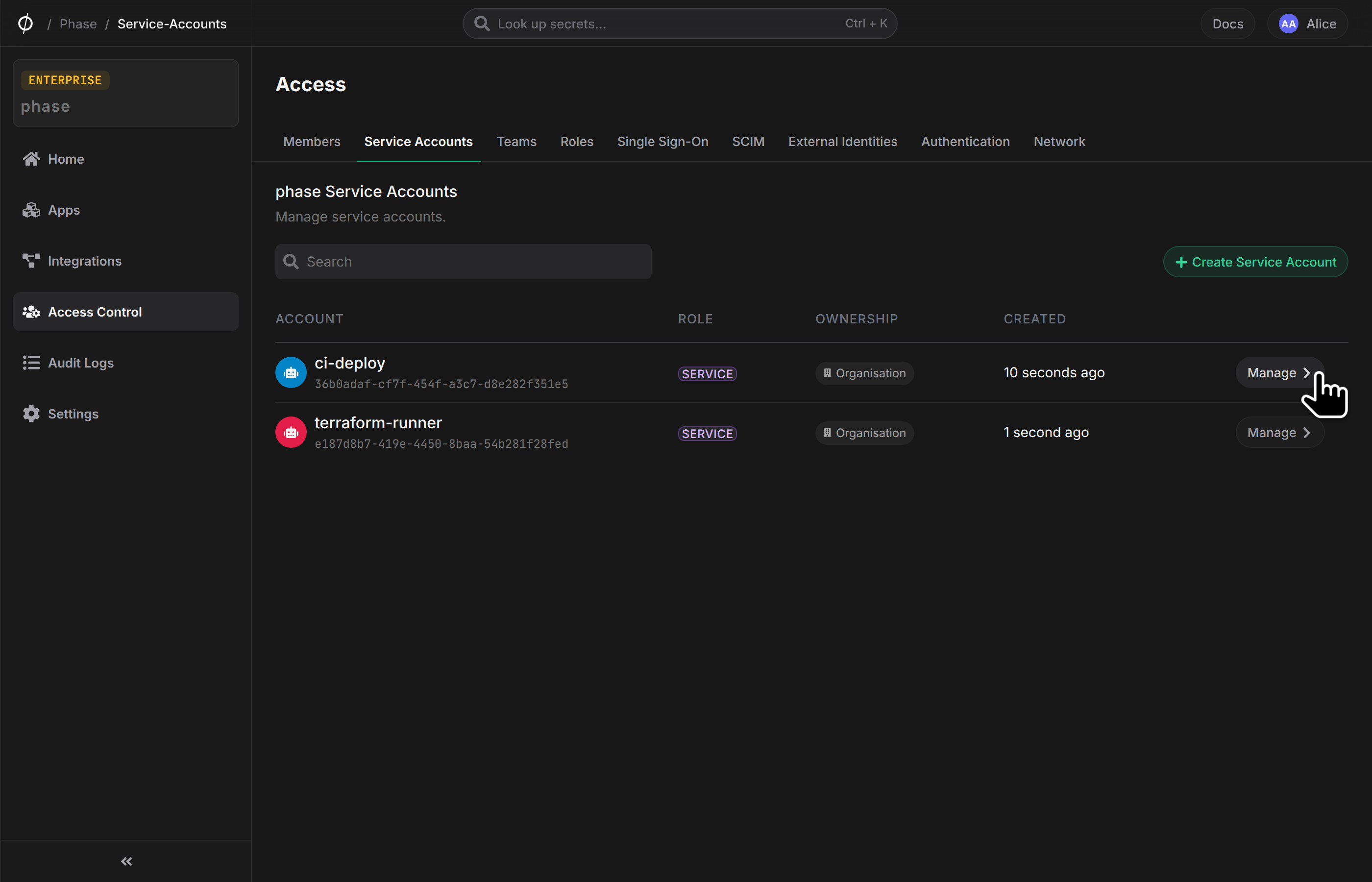
Navigate to Service Account Management by heading to Access Control and clicking on the Service Accounts tab From the Service Account tab in Access Control, find the Service Account you want to create a Service Token for and click the Manage button.
-
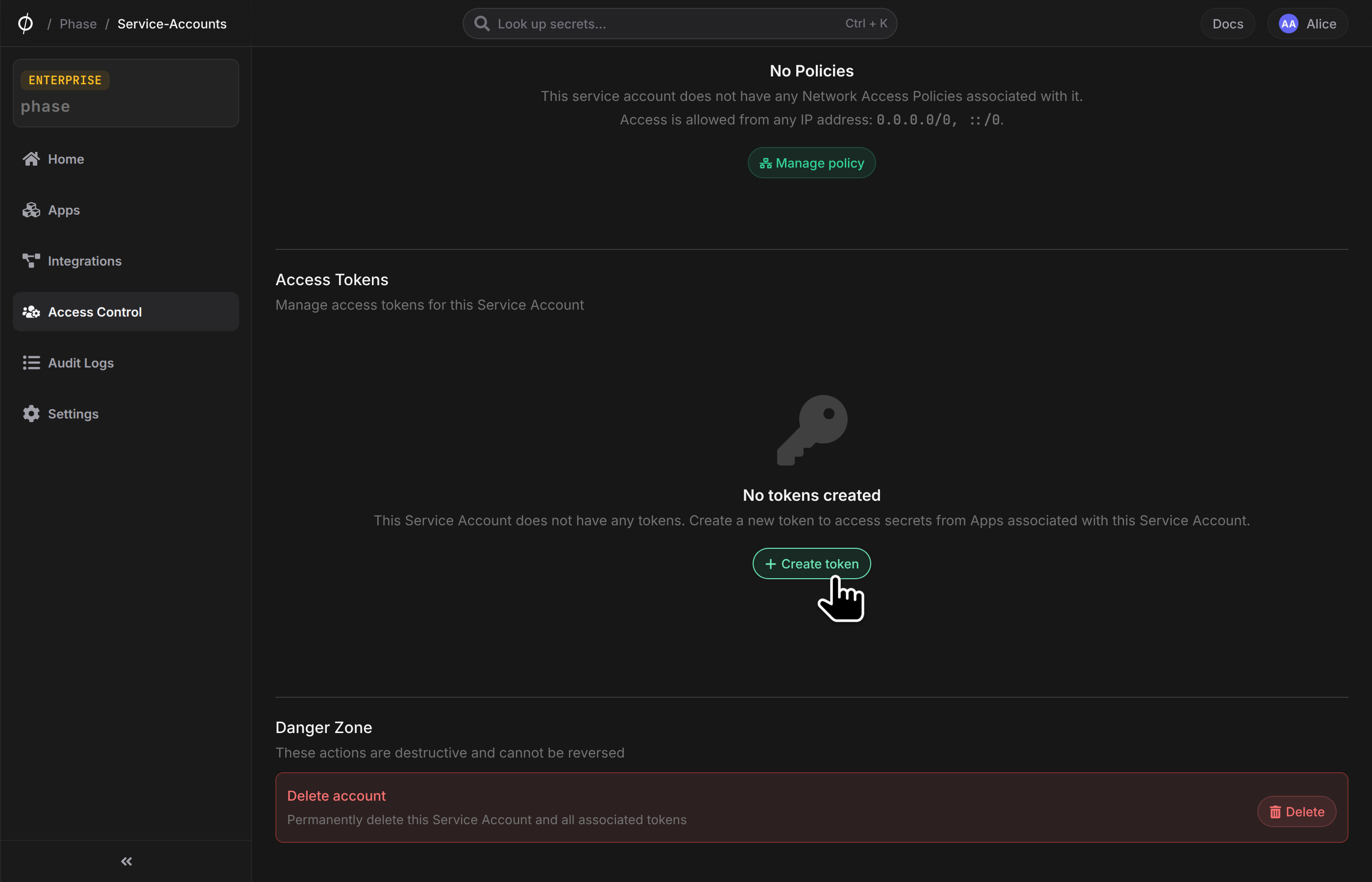
Create New Token Click the + Create Token button to begin the token creation process.
-
Configure Token Settings
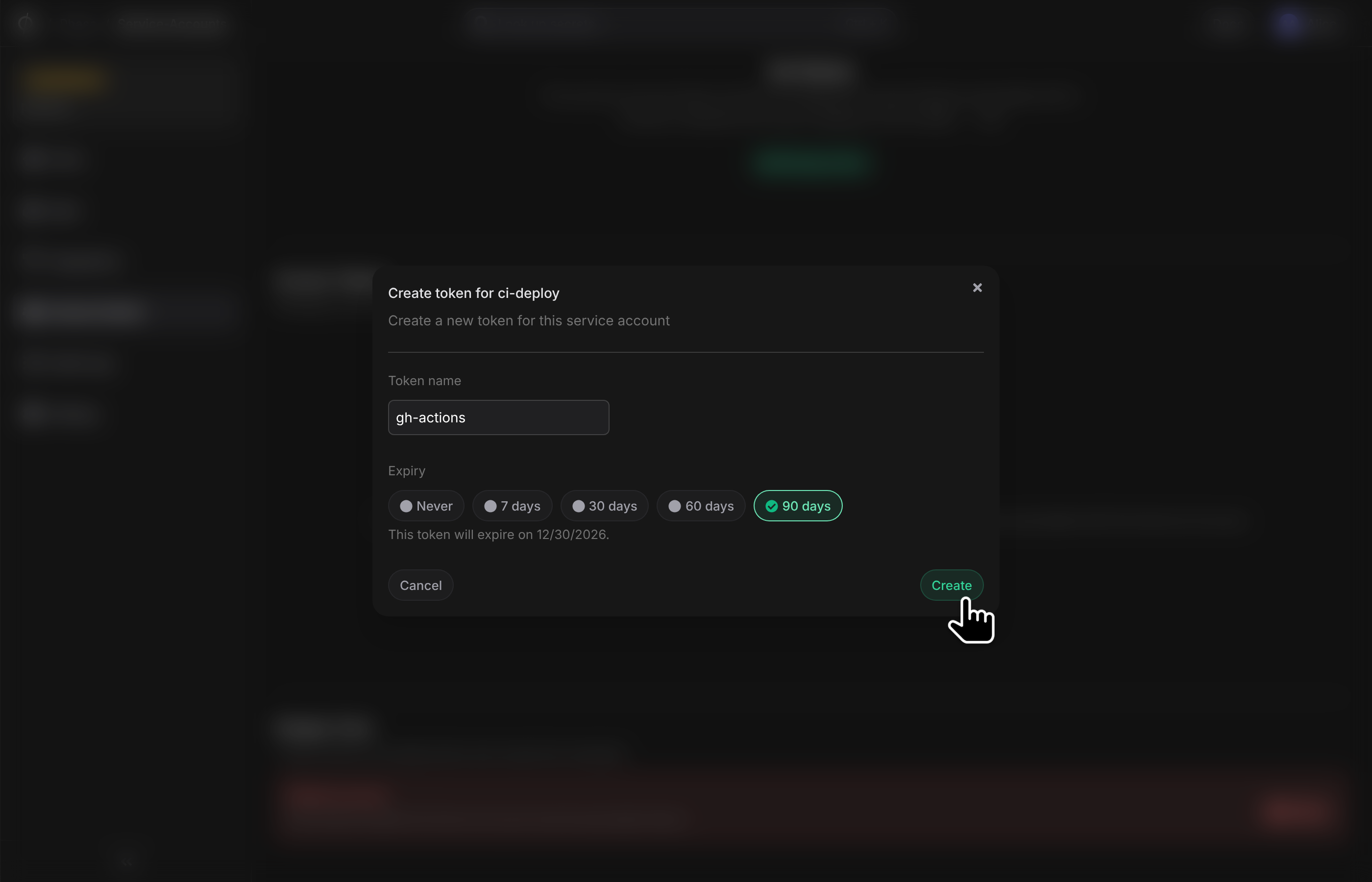
- Provide a suitable Token name
- Set an Expiry date
- Click Create to generate the token
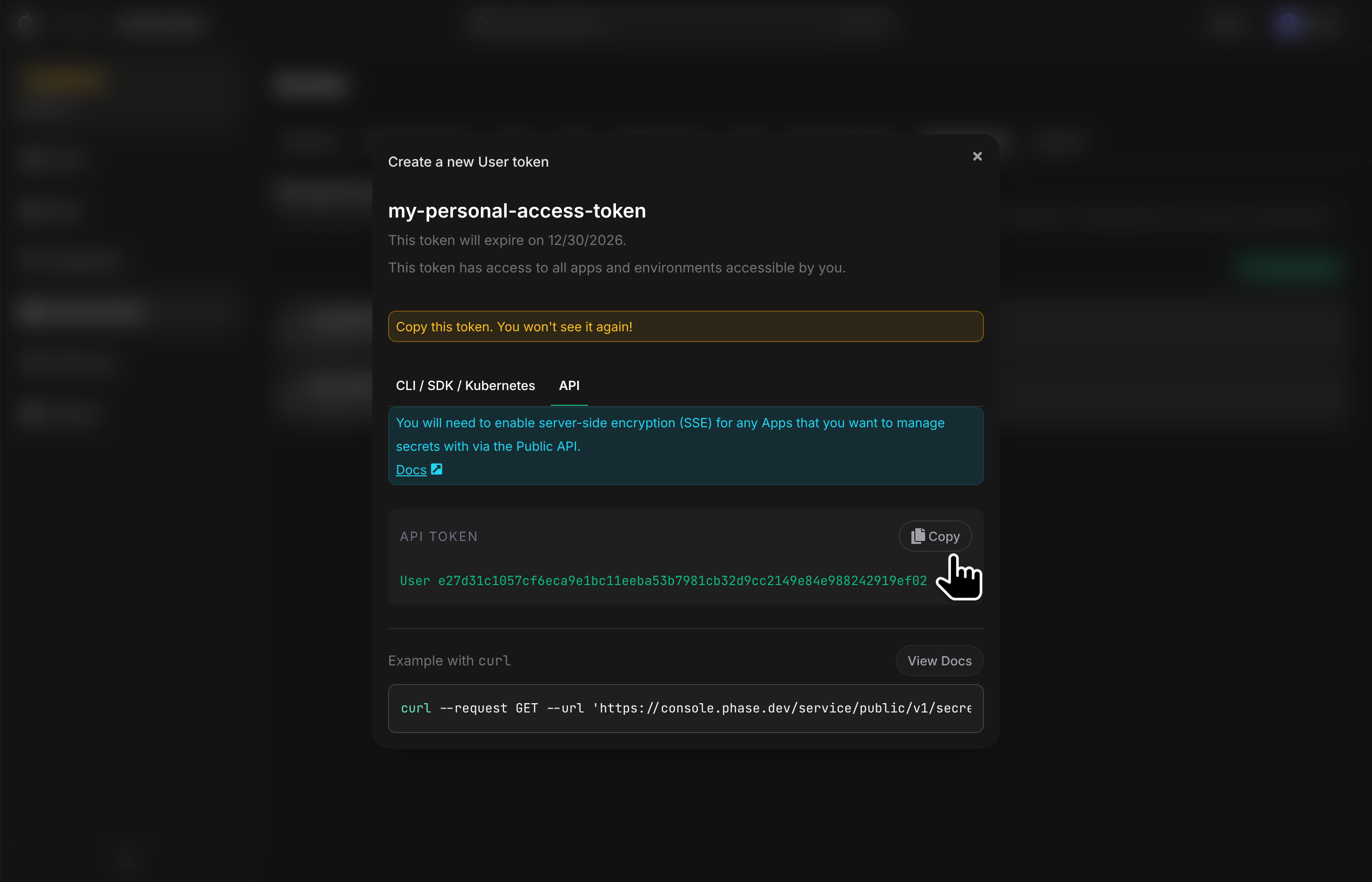
Personal Secret Token
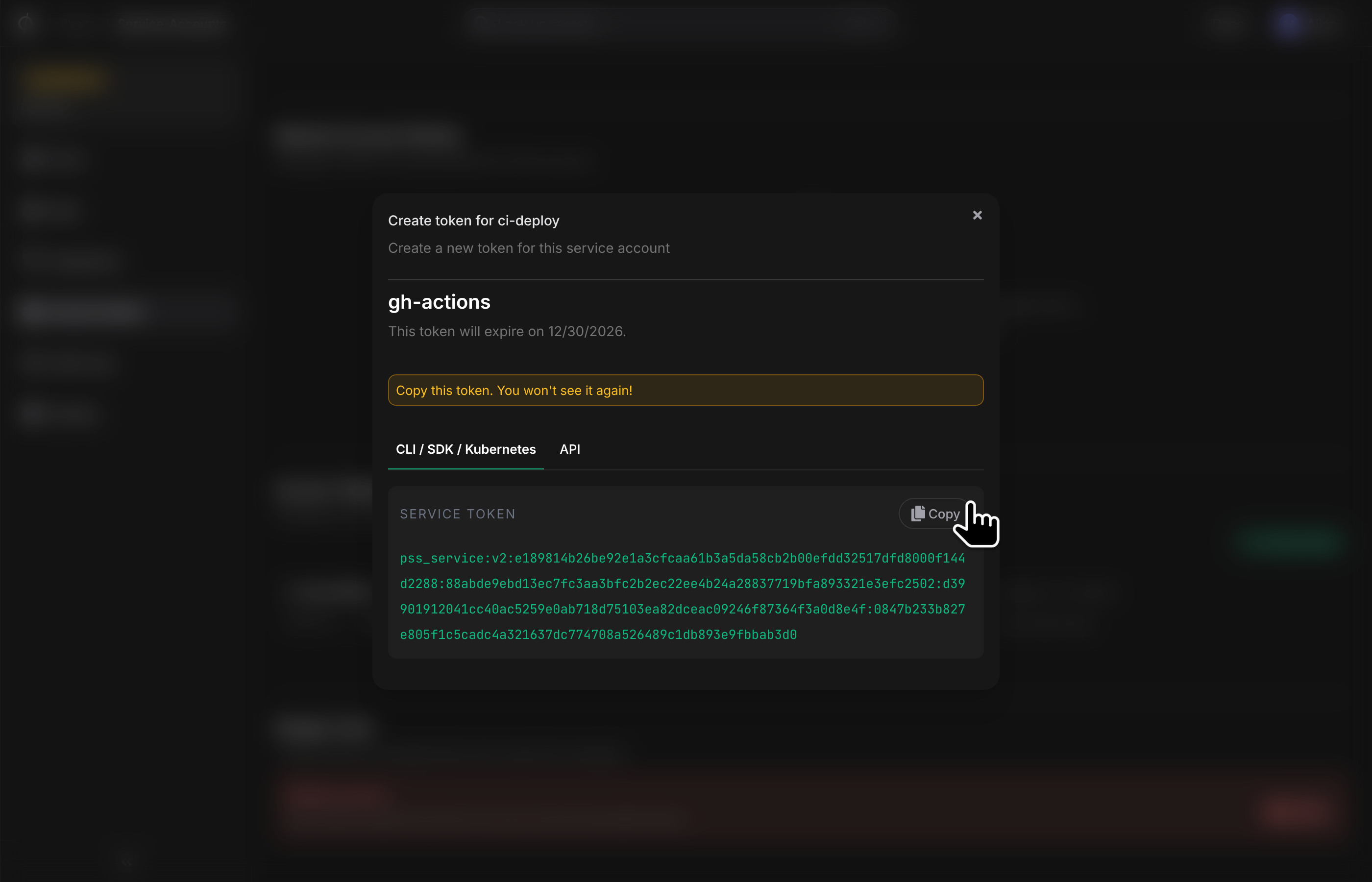
This token contains cryptographic key material and is intended for use with clients such as the CLI, SDKs, or the Kubernetes operator.
- Copy the Token
Copy the token based on your client needs.
Important: For security reasons, you won't be able to view the token after exiting the page or closing the popup.
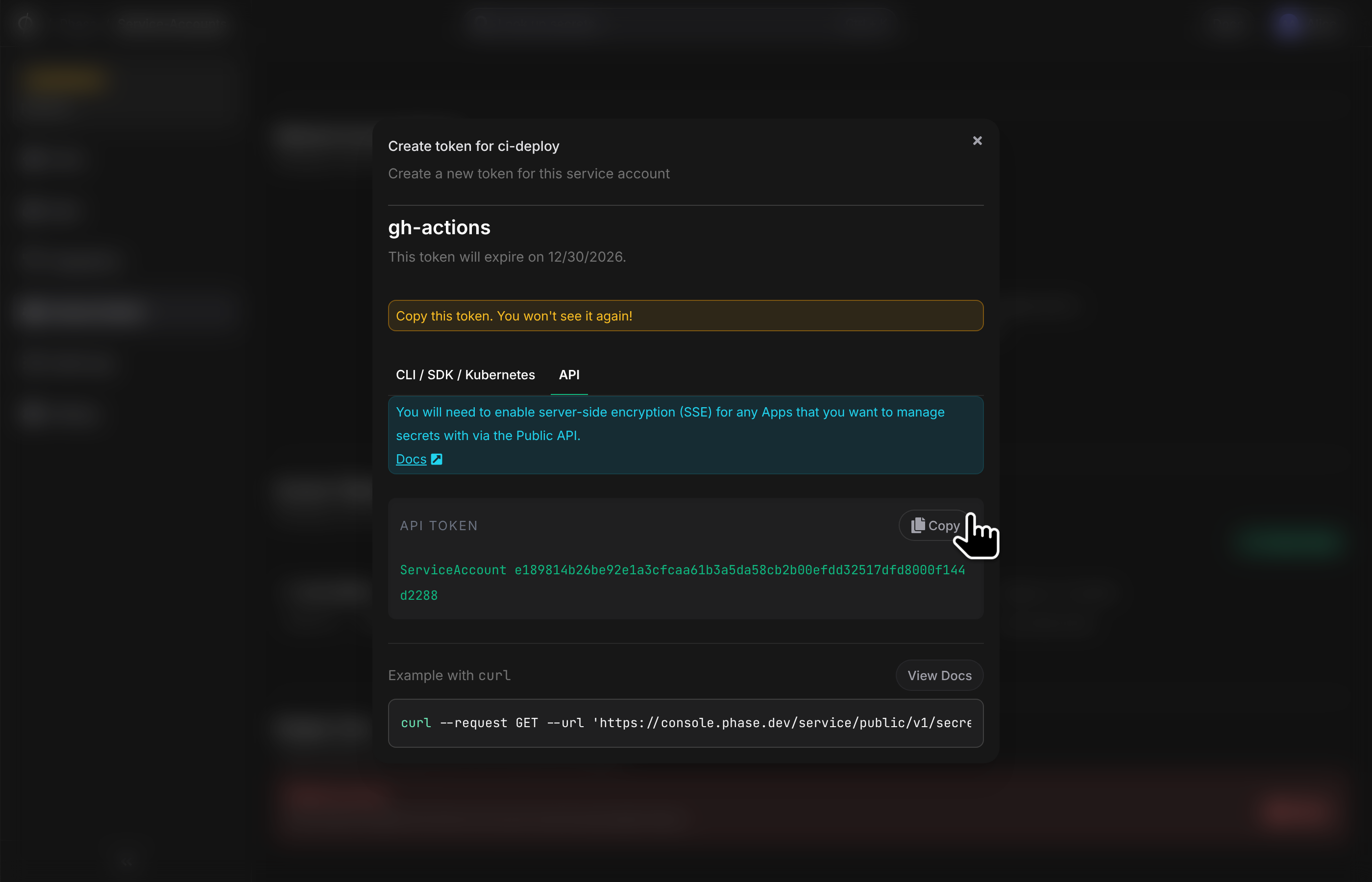
REST API Token
The REST API token is an alternative authentication method that can be used to fetch application secrets when Server-side Encryption is enabled on a particular app.
Save this token securely - it's required for API authentication.
Personal Access Tokens (PATs)
Personal Access Tokens allow you to interact with Phase programmatically while inheriting your user permissions. These tokens are ideal for development workflows, testing, and accessing personal secret overrides.
Creating a Personal Access Token
Follow these steps to create a new Personal Access Token:
-
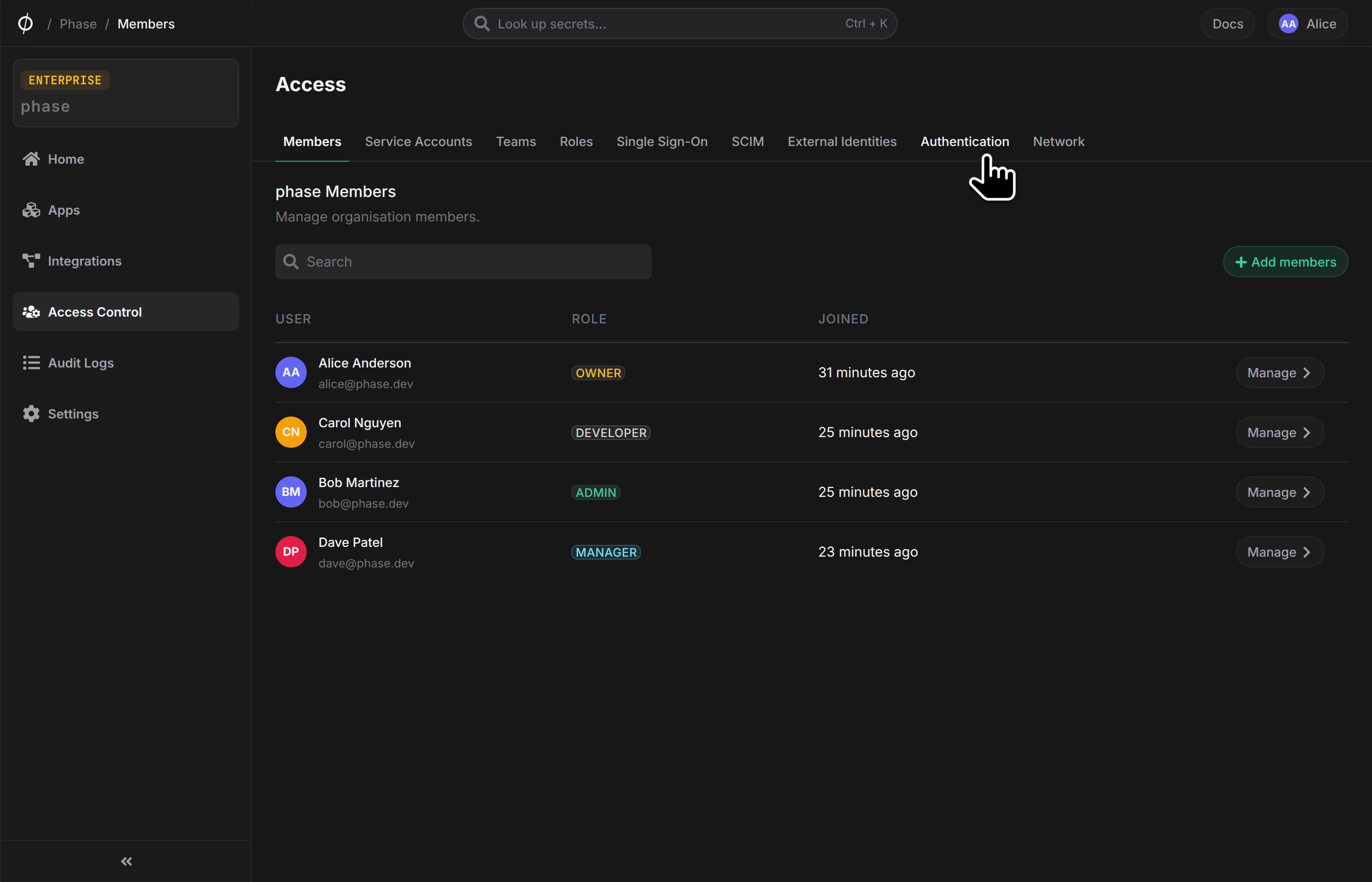
Navigate to Personal Access Tokens management by heading to Access Control and clicking on the Authentication tab
-
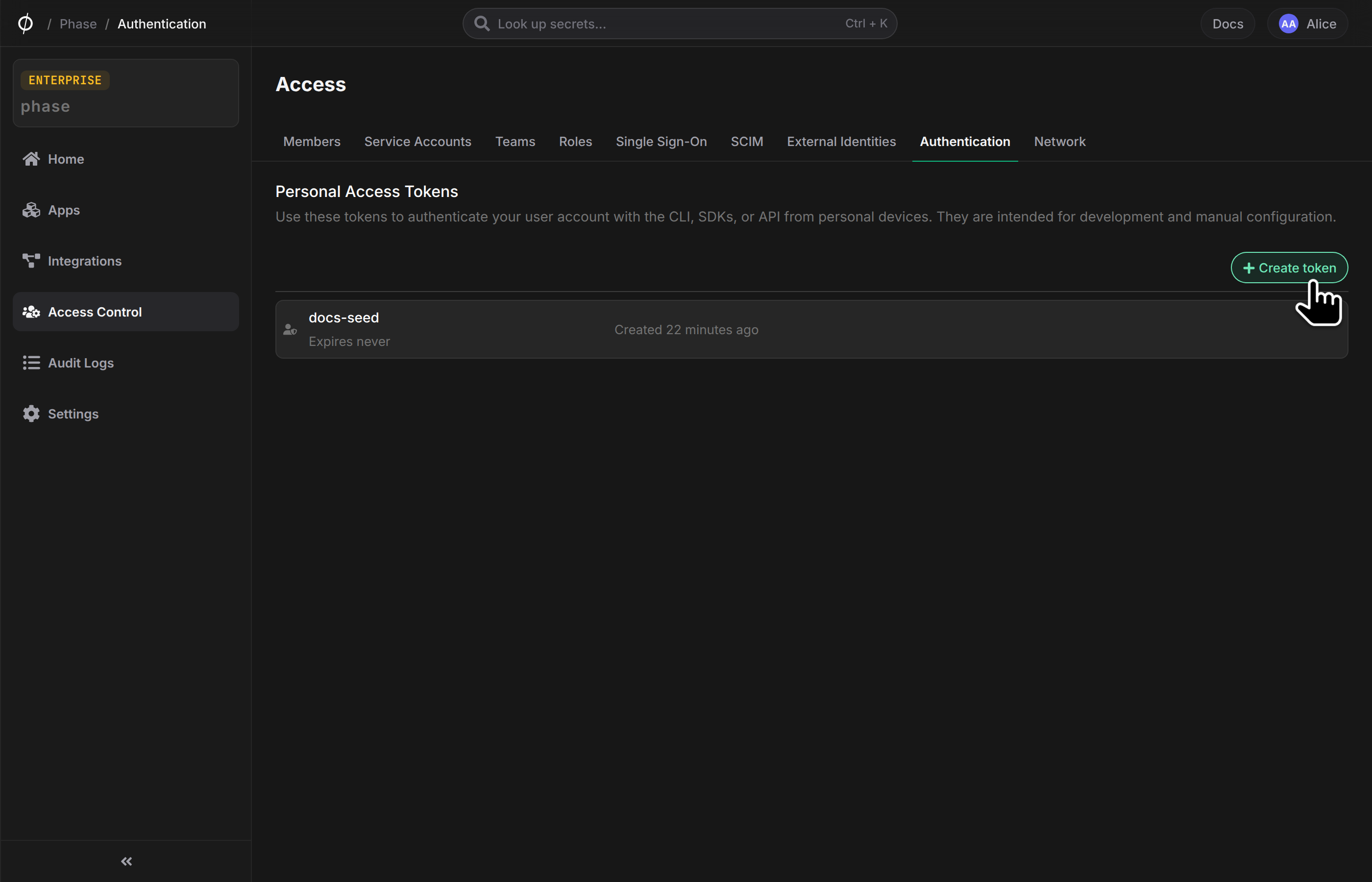
Create New Token Click the "Create New Token" button to start the token creation process.
-
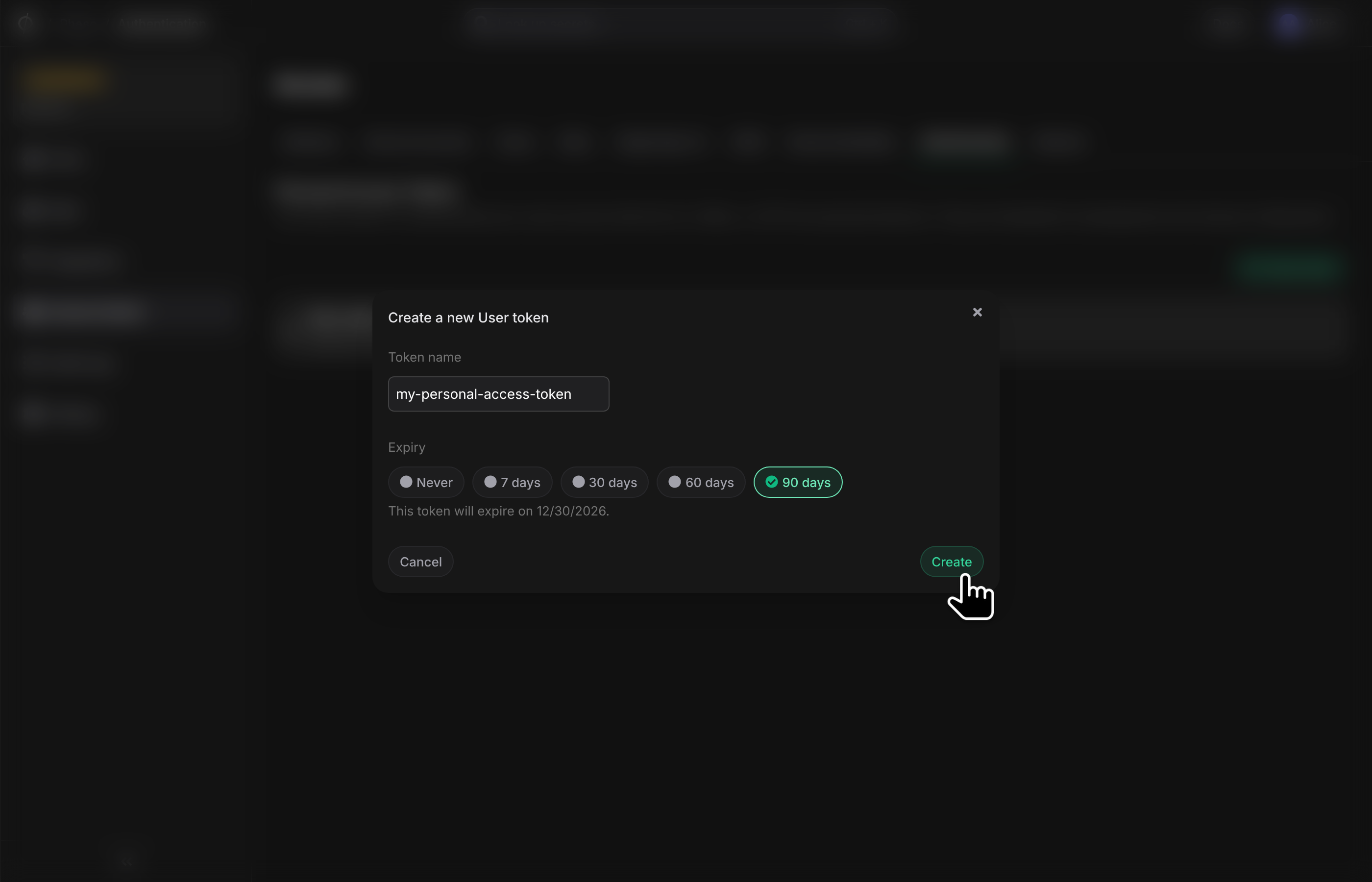
Configure Token Settings
- Enter a descriptive name for your token
- Select an expiry date
- Click "Create" to generate the token
Personal Secret Token
This token contains cryptographic key material and is intended for use with clients such as the CLI, SDKs, or the Kubernetes operator.
Important: Copy this token immediately after creation - you won't be able to access it again.
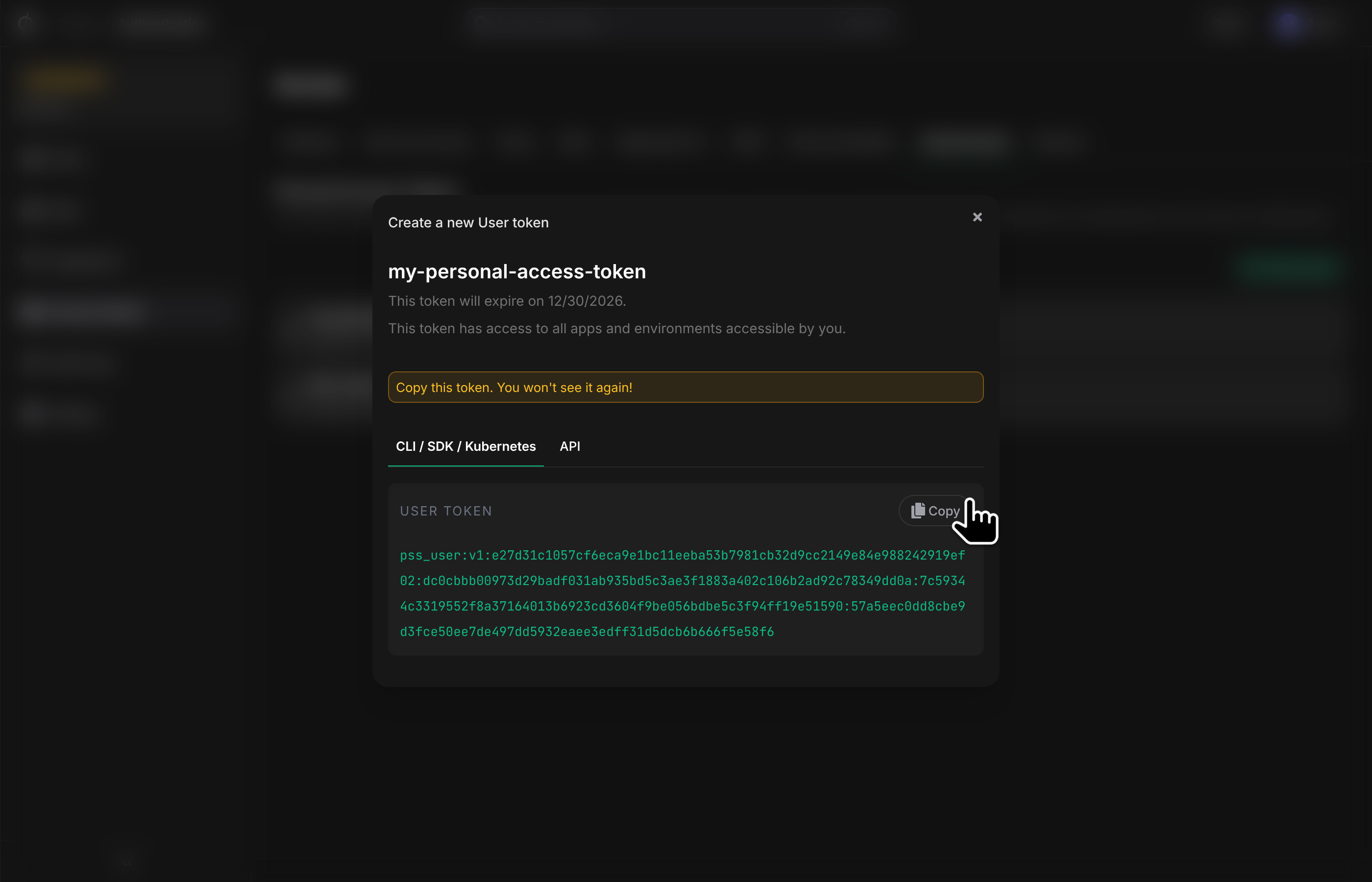
REST API Token
The REST API token is an alternative authentication method that can be used to fetch application secrets when Server-side Encryption is enabled on a particular app.
Save this token securely - it's required for API authentication.