Rotating Secrets
Rotating Secrets are credentials for third-party services that Phase mints, exposes, and revokes automatically on a schedule. The active credential surfaces alongside your regular secrets — SDKs, CLI, REST clients, and sync integrations pick up rotated values with no application-side changes.
Rotating Secrets are available on the Pro plan and above. SSE (Server-Side Encryption) must be enabled on the App.
How it works
For each Rotating Secret, Phase runs a continuous lifecycle:
- Mint — at the configured cadence, Phase creates a fresh credential at the provider.
- Expose — the new value is encrypted with the Environment key and surfaced under the env-variable names you chose.
- Expire — the previous credential enters its revocation-delay window. It remains valid at the provider so callers have time to pick up the new value.
- Revoke — once the delay elapses, Phase asks the provider to revoke the previous credential.
Every step is recorded as an event with actor, IP, and provider response excerpt.
Rotation strategies
Two values control the shape of rotation:
| Parameter | Effect |
|---|---|
| Rotation interval | How often Phase mints a new credential. |
| Revocation delay | How long Phase waits before revoking the previous credential. Must be less than the interval. |
- Instant (
revocation delay = 0) — the previous credential is revoked the moment the new one mints. Use when you control all clients and can refresh them atomically. - Delayed revoke (
revocation delay > 0) — both credentials are valid for the duration of the delay. Use when consumers may have cached the previous value.
A common pattern is a 30-day interval with a 10–15 day revocation delay.
Supported Providers
Create a Rotating Secret
In the Secrets tab, open an Environment and click New Secret → Rotating Secret.
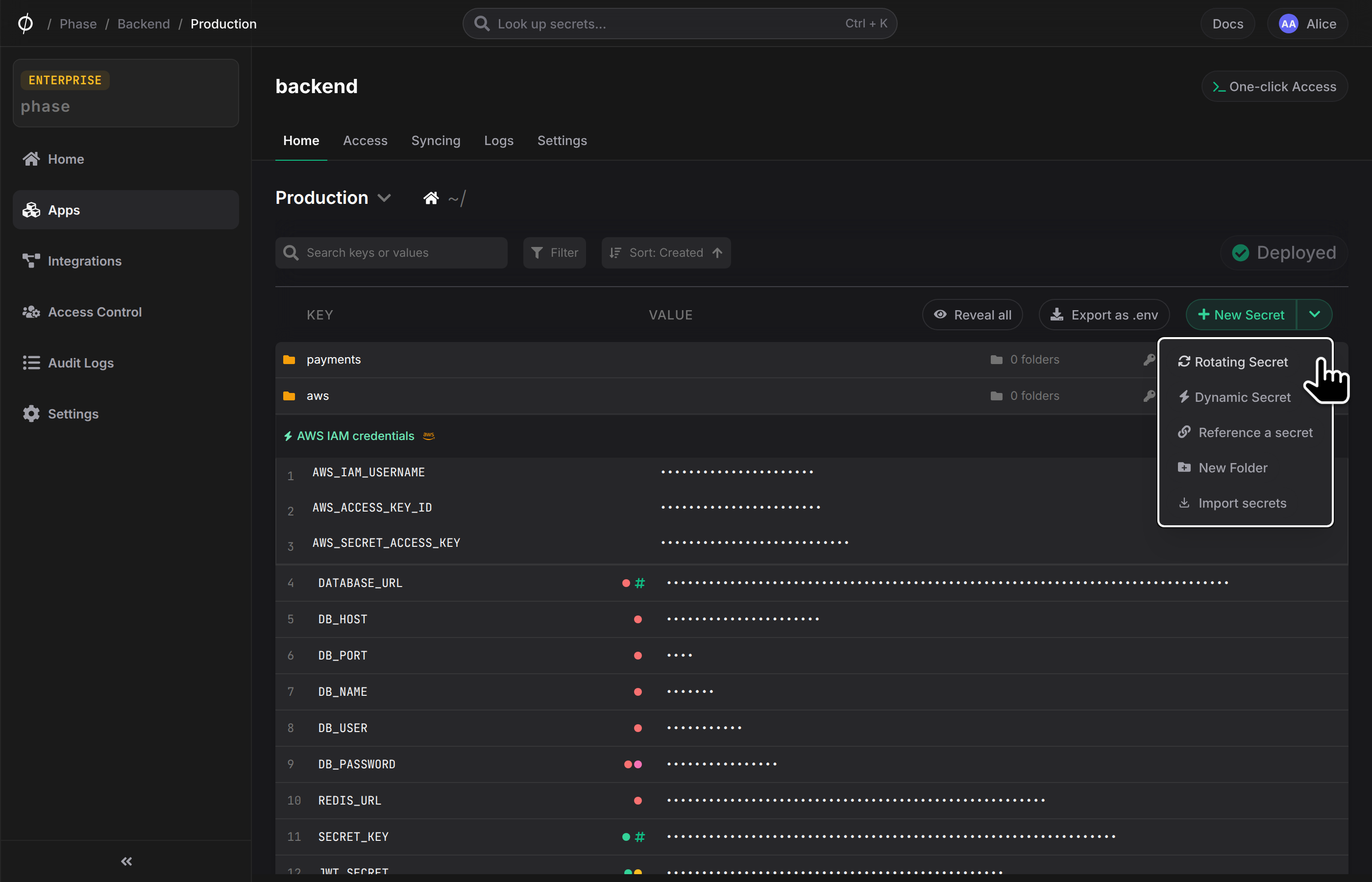
You need to enable Server-side Encryption (SSE) on the App from the Settings tab before creating a Rotating Secret.
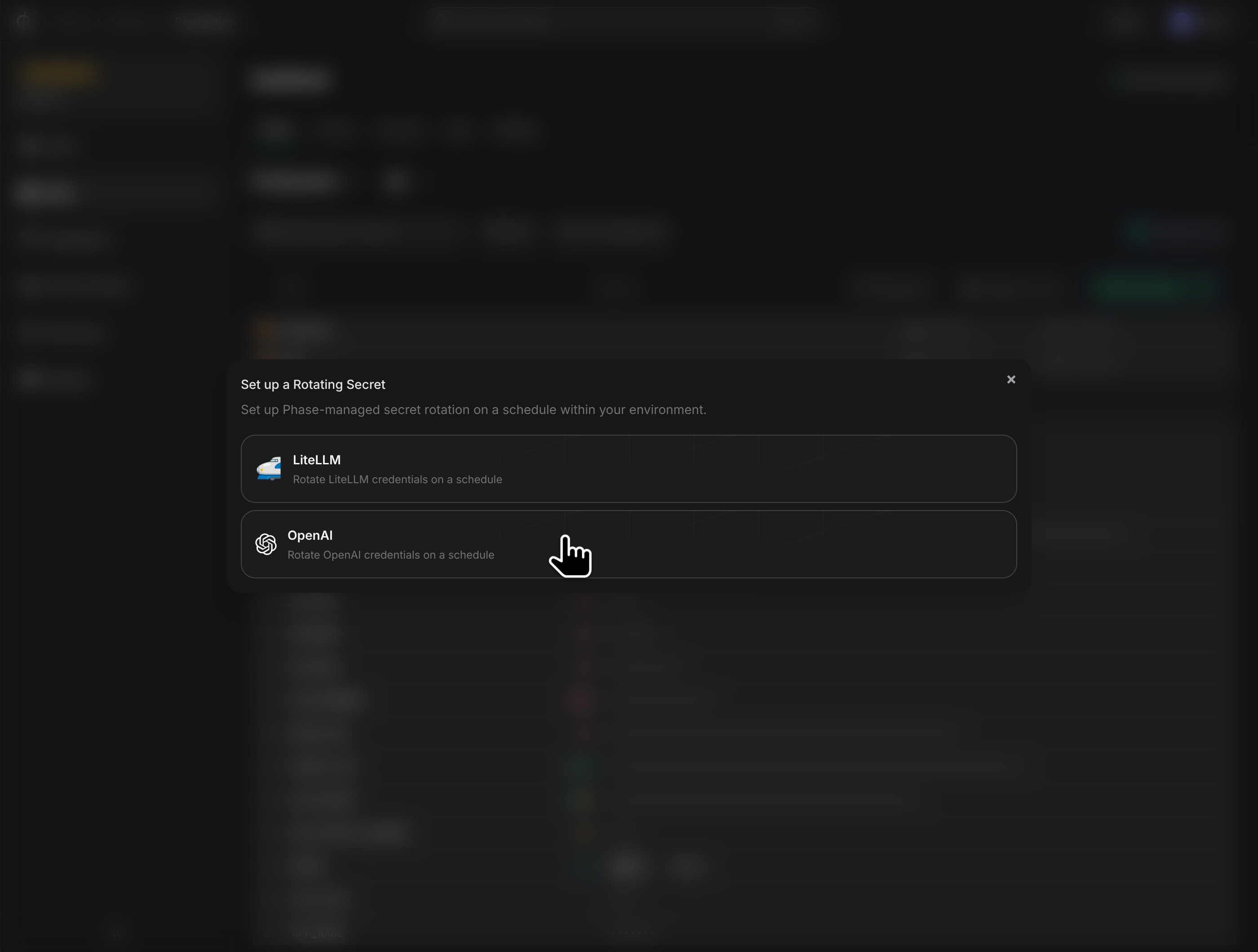
The dialog has three steps:
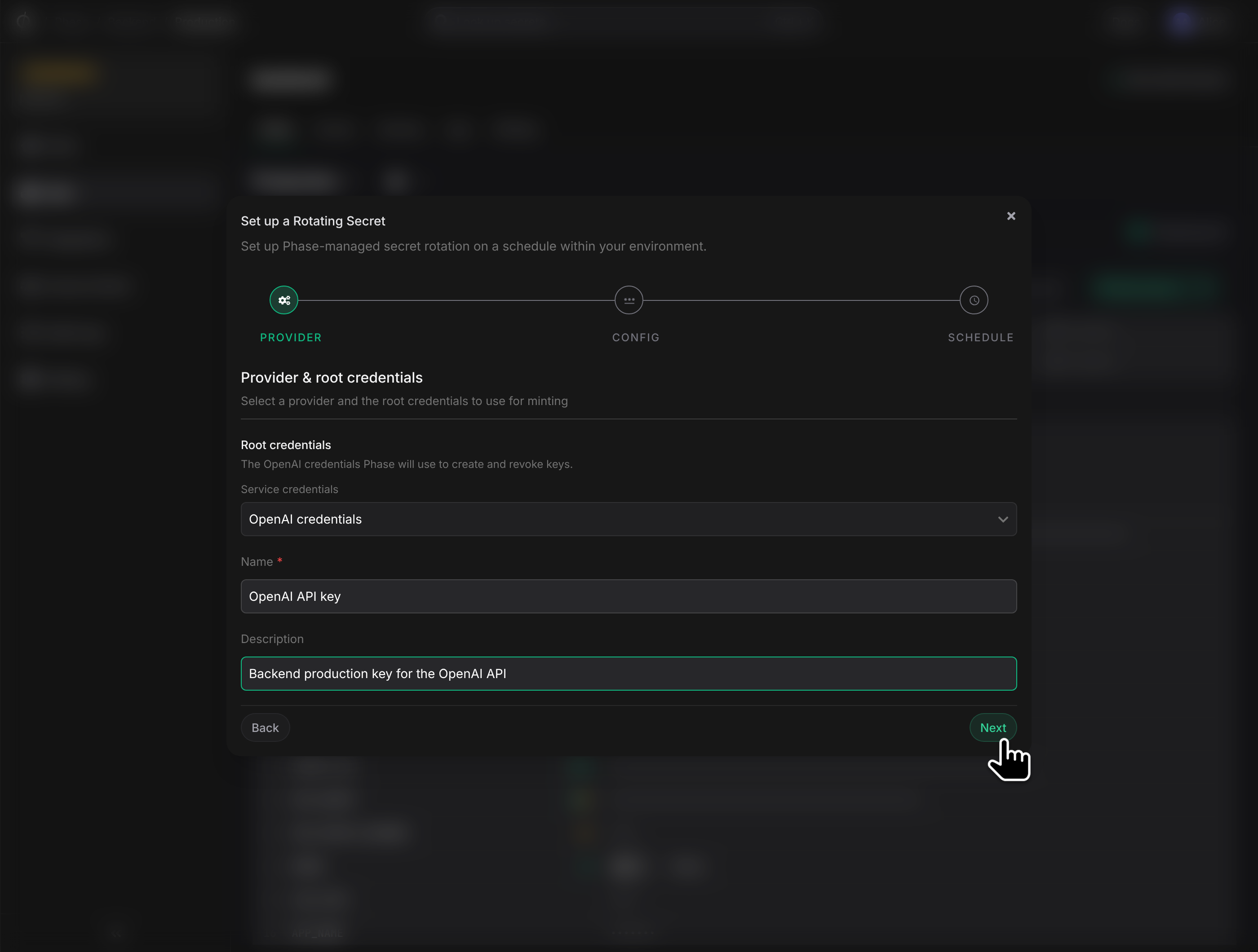
1. Provider & root credentials
Pick the provider and the root credentials Phase will use to mint and revoke. If you haven't saved credentials for this provider yet, you'll be prompted to create them. Give the Rotating Secret a name and optional description.
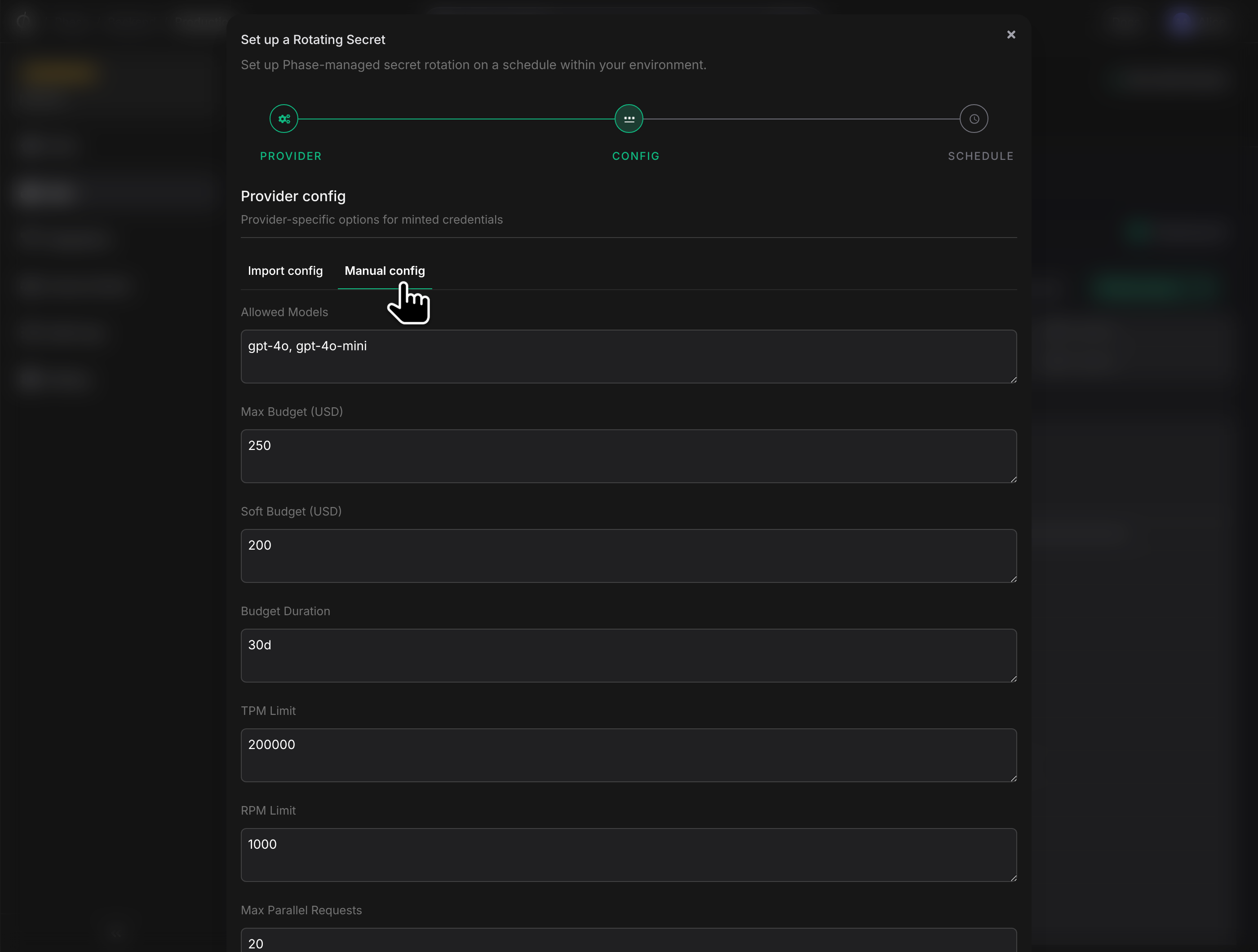
2. Provider config
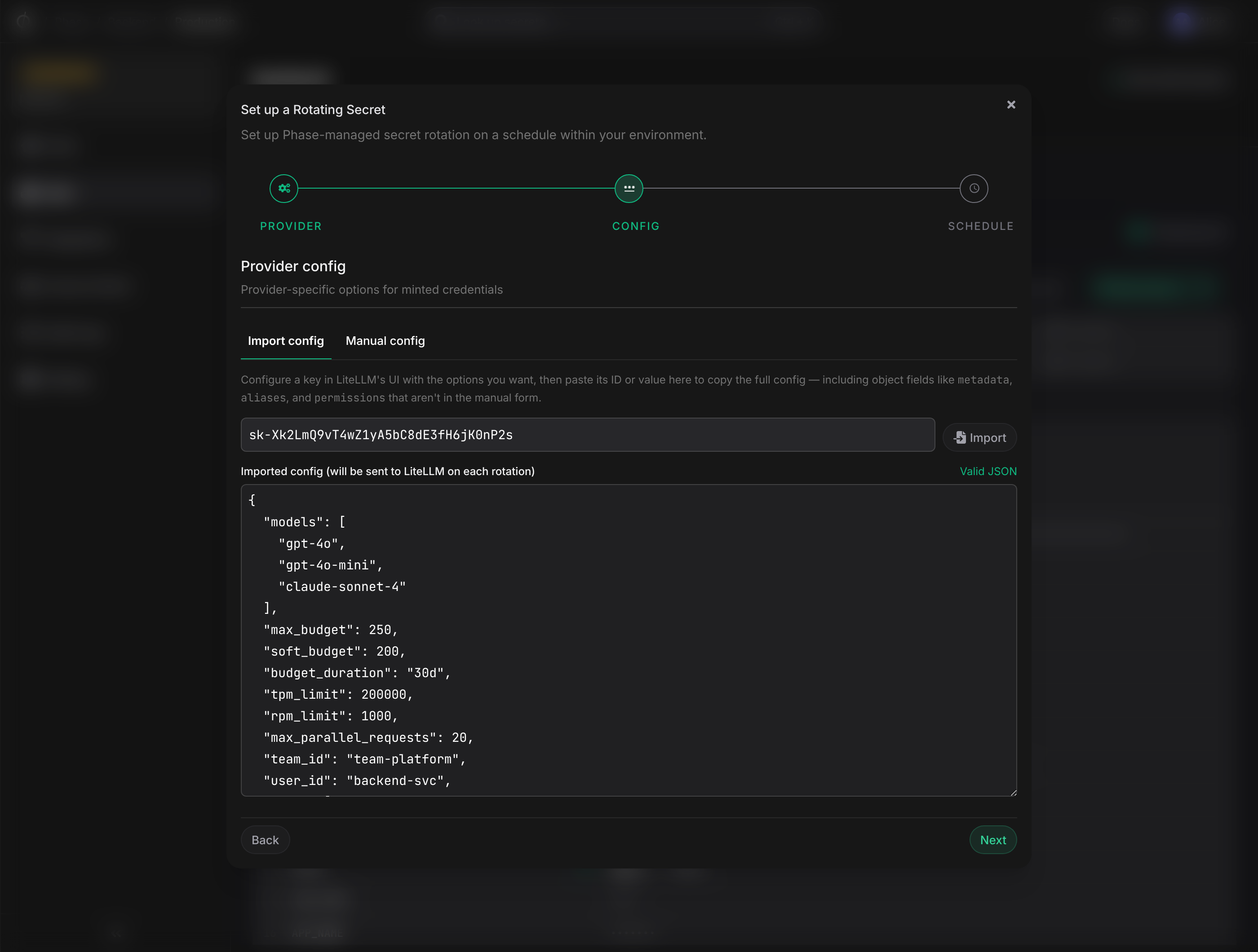
Configure the policy each minted credential should carry (model allowlists, spend caps, scopes, project ids — provider-specific). Two ways to fill it in:
- Import config — paste an existing credential id or value from the provider. Phase fetches the policy and shows it as editable JSON. The fastest way to mirror an existing key.
- Manual config — fill in a curated set of common fields directly.
The full JSON is sent to the provider on every rotation, so fields outside the manual form's curated set still flow through if you set them via Import.
3. Schedule & outputs
- Rotation interval — how often a new credential is minted.
- Revocation delay — how long Phase waits before revoking the previous credential.
- Outputs — each provider yields one or more values per credential (e.g. an API key and a key id). Choose an env-variable name for each.
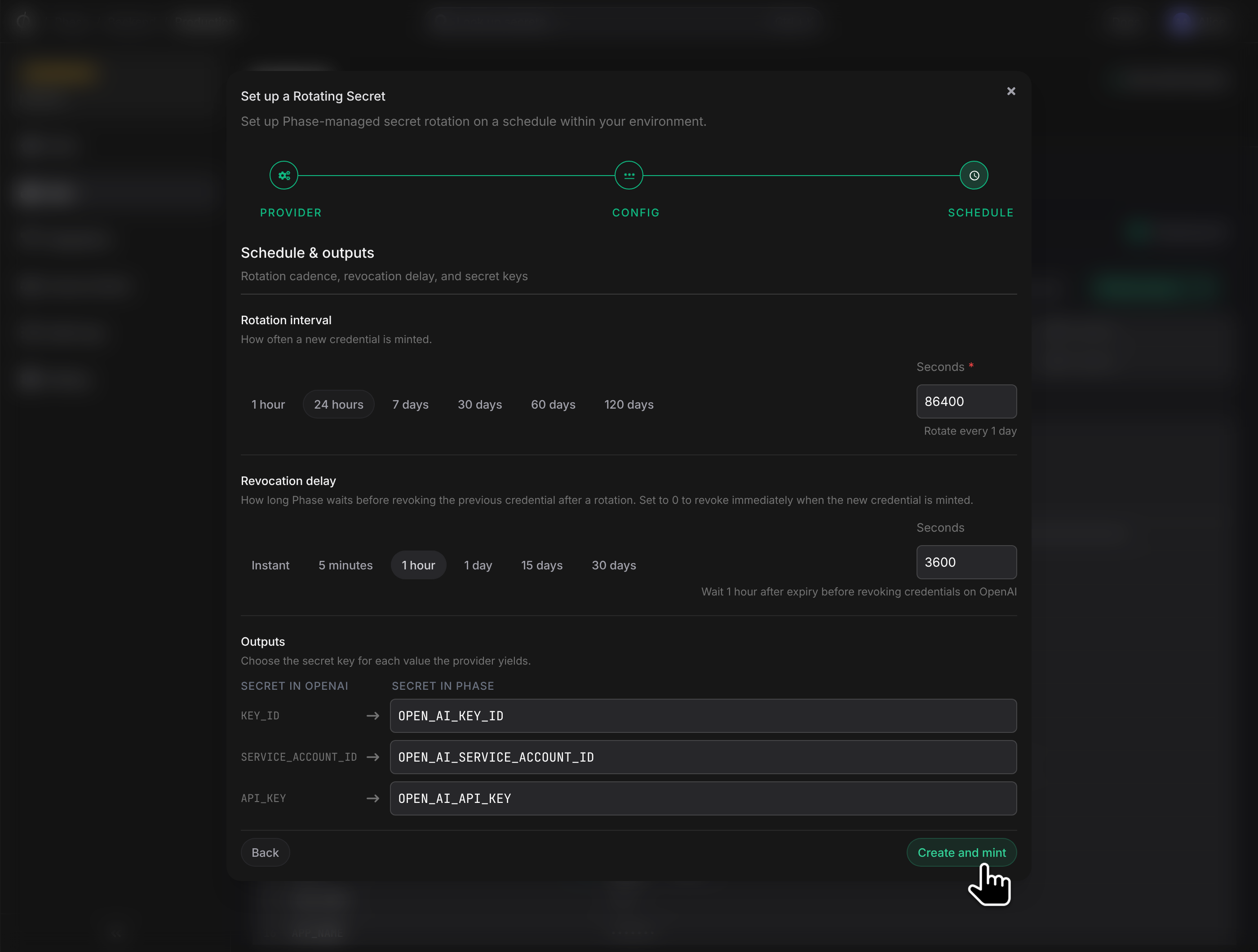
Click Create and mint. Phase mints the first credential synchronously and persists it. If the initial mint fails, the transaction rolls back with the provider's error — nothing partial is left behind.
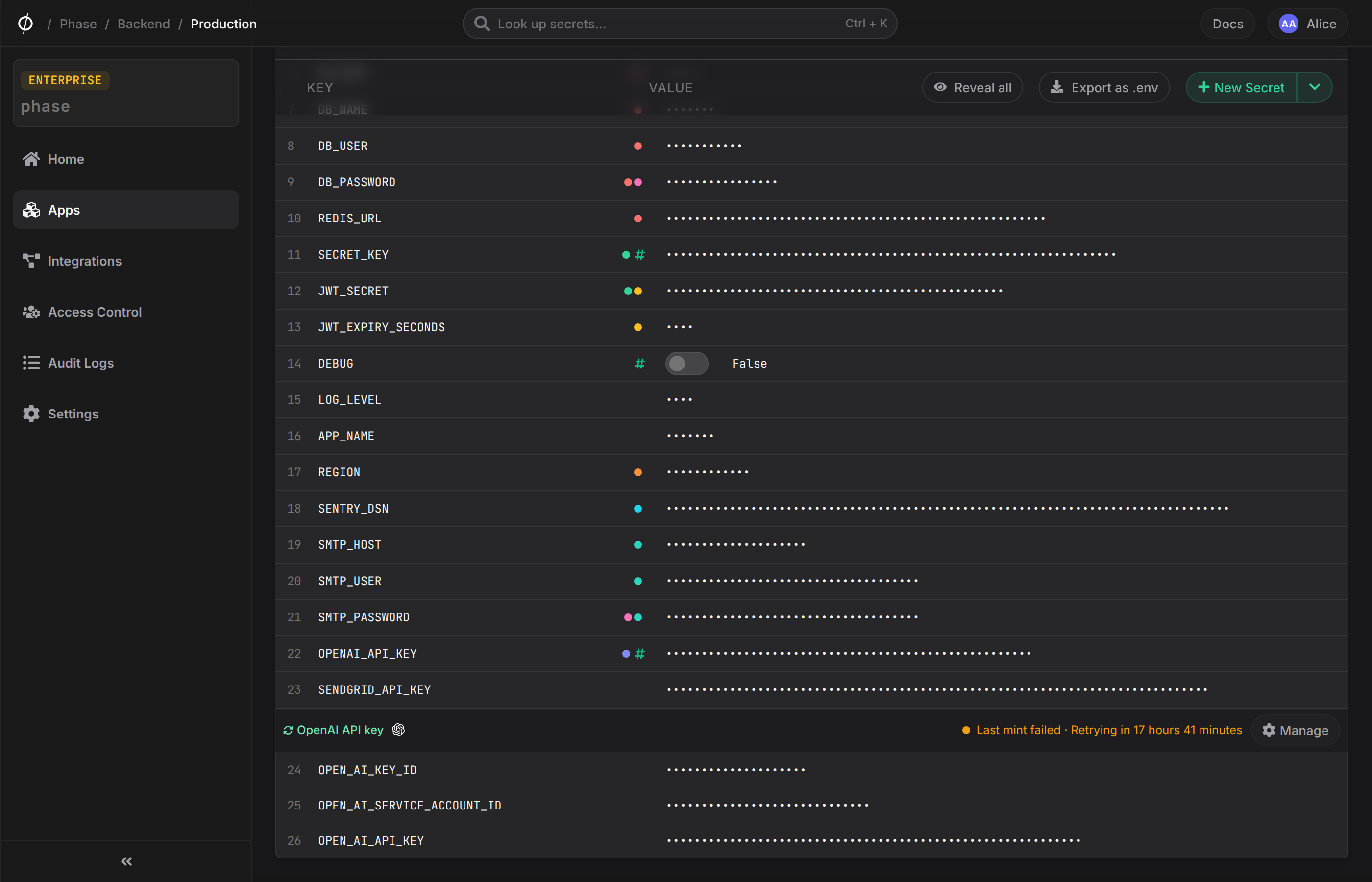
The Rotating Secret group
In an Environment, outputs from the same Rotating Secret are grouped under a header with the secret's name and a Manage button. Each output renders as a normal secret row with a reveal toggle and a rotation status indicator.
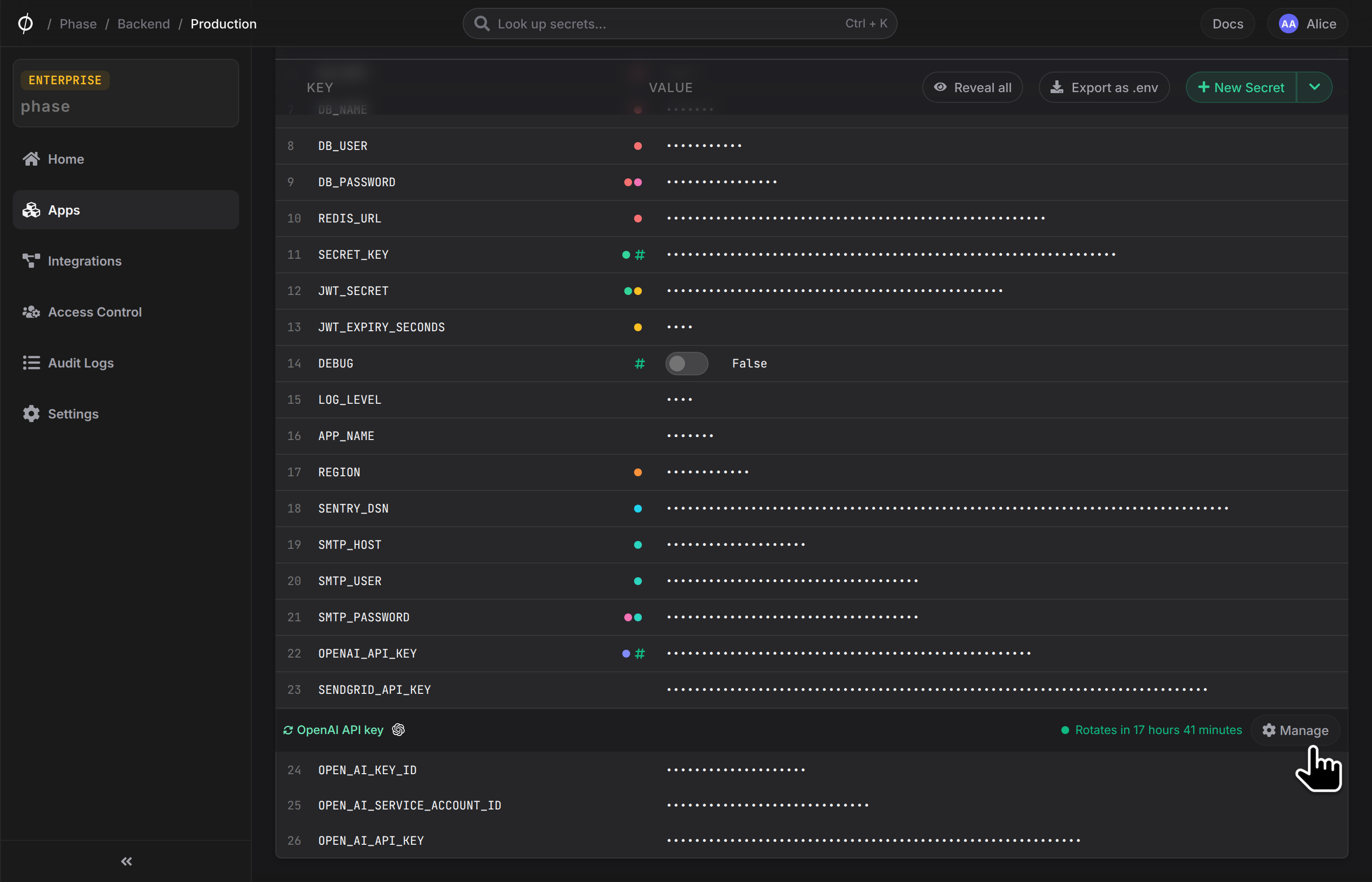
What you can and can't edit on a rotating row:
| Field | Editable | Owner |
|---|---|---|
| Value | No | Engine — overwritten on every rotation |
| Path | No | Engine — fixed at the path the rotating secret lives under |
| Key (variable name) | Yes | User — renames are mirrored into the rotating secret's key_map and reused on the next mint |
Type (secret/sealed/config) | Yes | User |
| Comment | Yes | User |
| Tags | Yes | User |
| Personal overrides | No | Not supported on rotating outputs — they'd contradict the auto-rotation semantic |
Reveals are logged in the standard audit log. References work as usual — ${ROTATED_KEY} resolves to the current active credential.
REST and SDK clients can identify rotating rows via the lifecycle: "rotating" field on the secret response (see the Secrets API reference).
Manage a Rotating Secret
Click Manage on the group header. The dialog has three tabs:
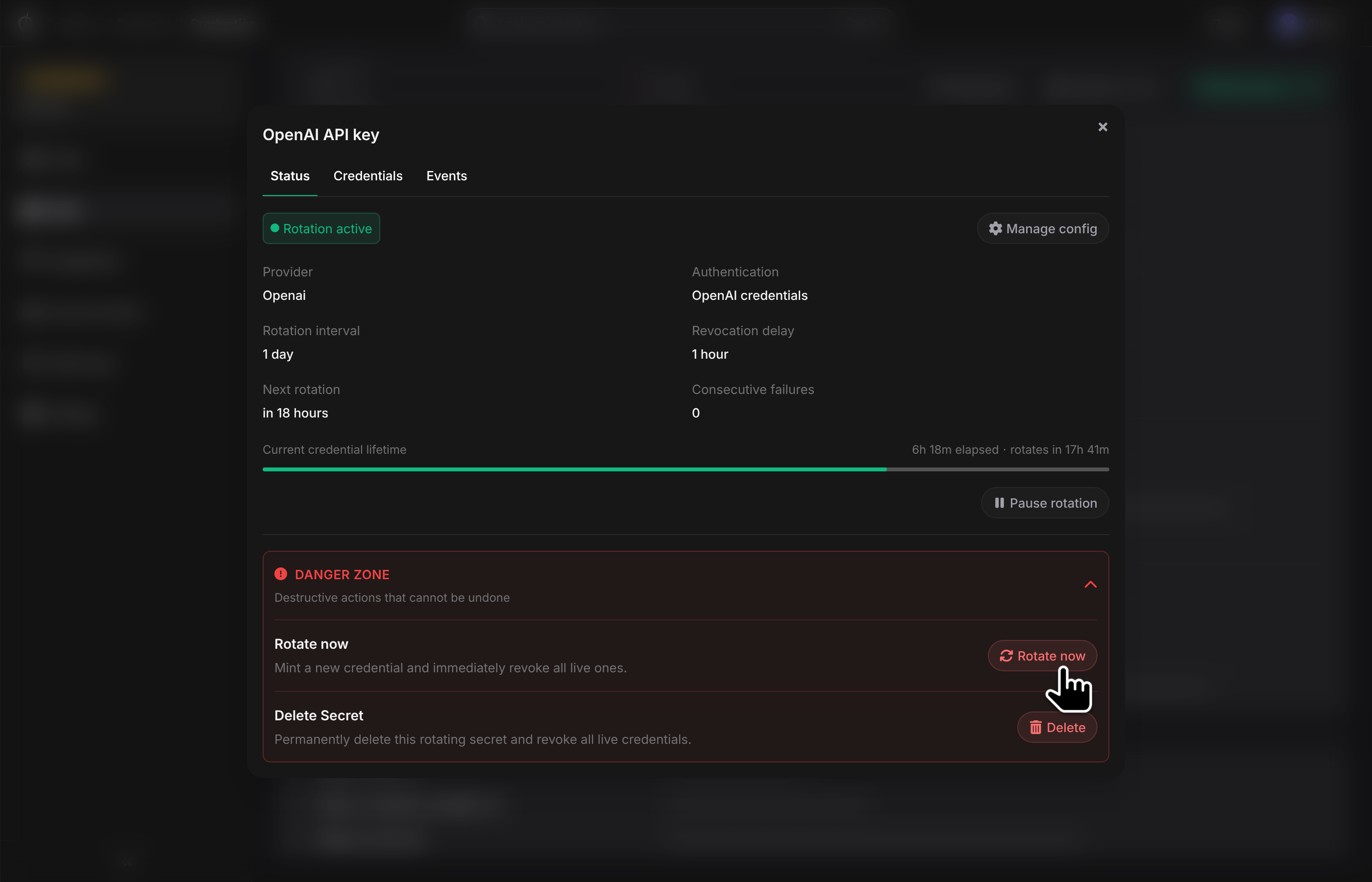
Status
Rotation interval, revocation delay, next scheduled rotation, current health, and recent failure (if any). Actions:
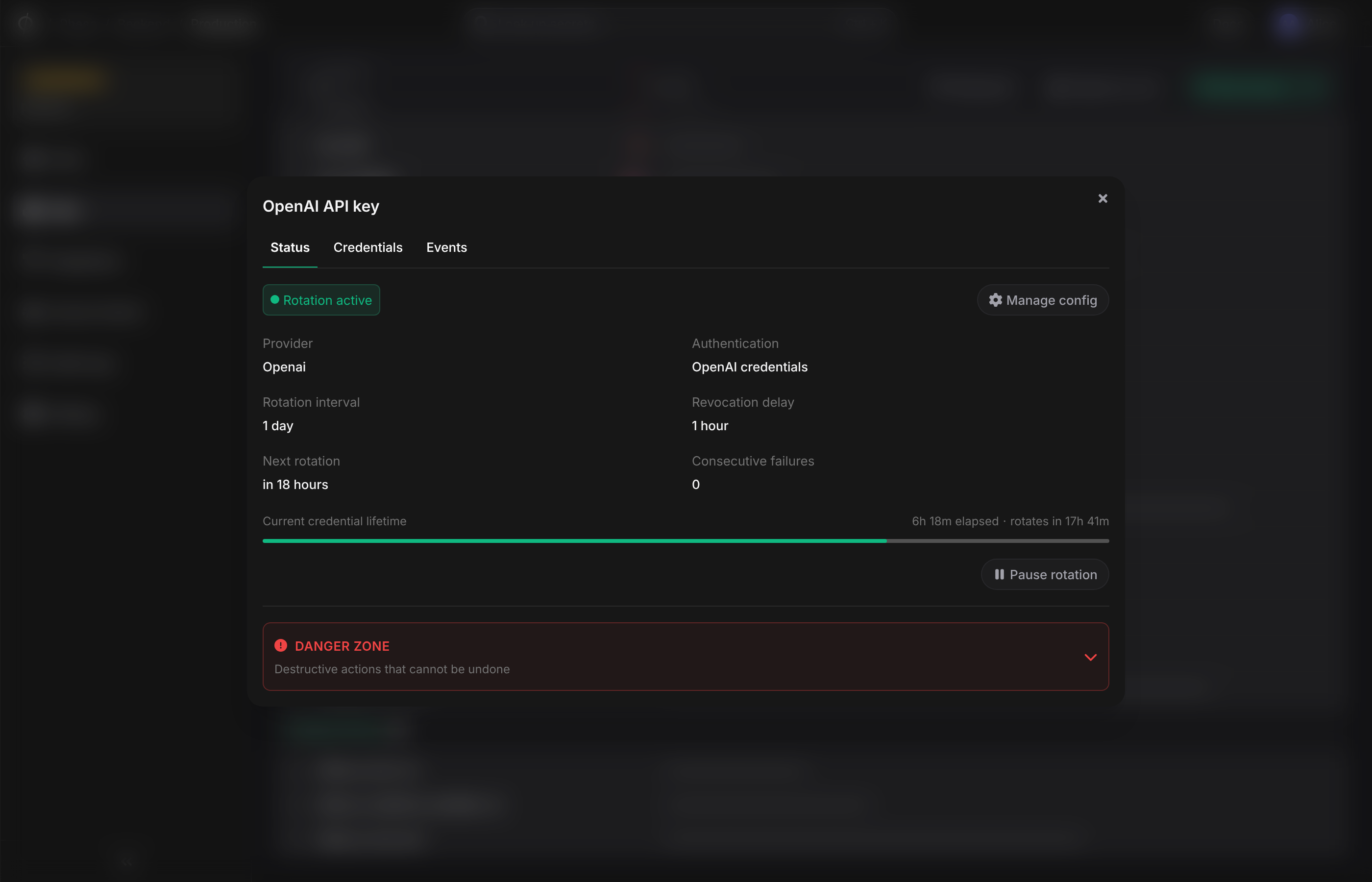
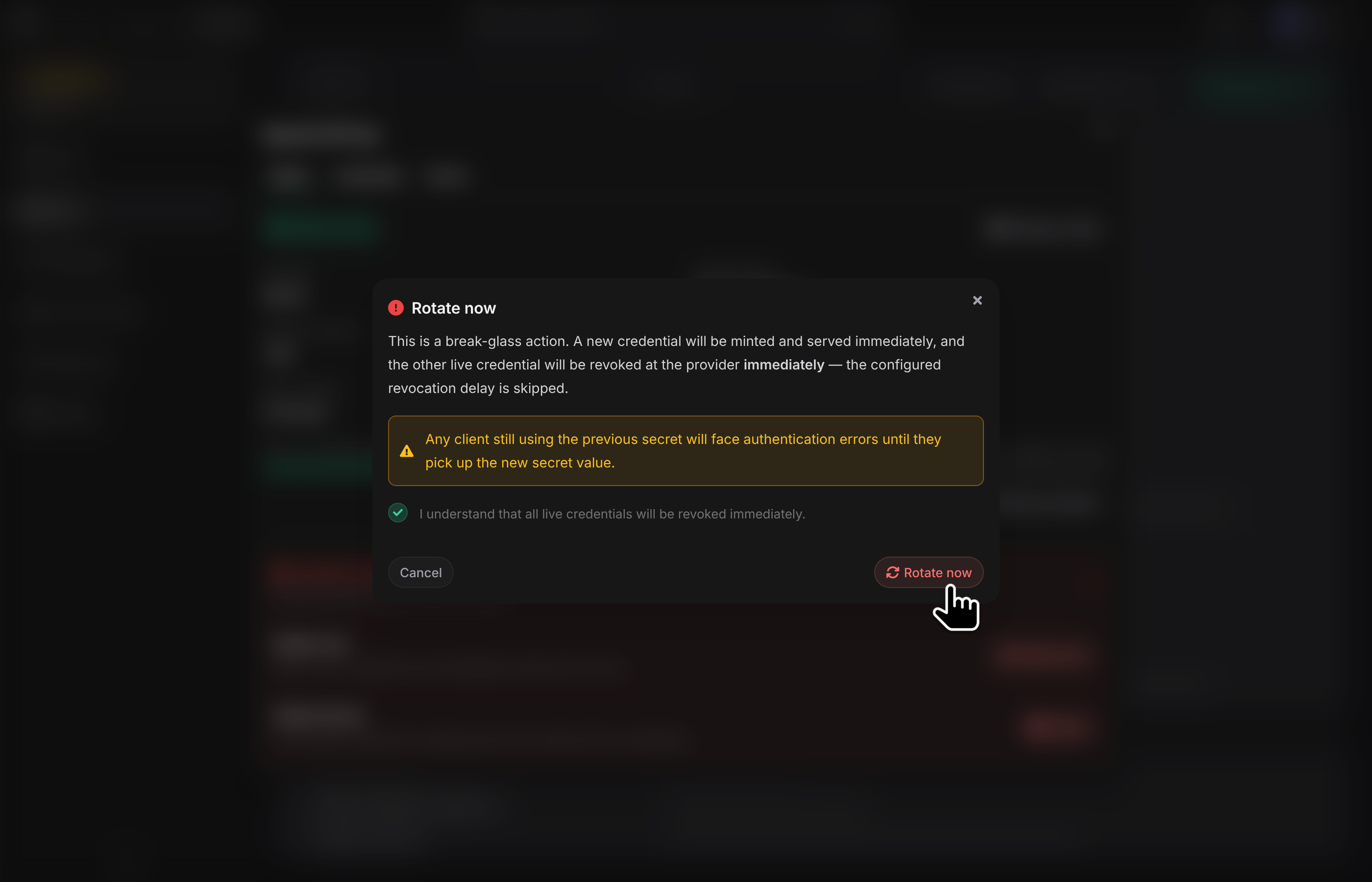
- Rotate now — a break-glass action. Mints a fresh credential and immediately revokes every other live credential at the provider, skipping the configured revocation delay. The schedule resets to one interval from now. Use this when you believe an existing credential has been compromised. The confirmation dialog requires you to tick "I understand that all live credentials will be revoked immediately" before it proceeds — any consumer still using a previous credential will start receiving auth errors until it picks up the new value.
- Pause / Resume — stop the rotation schedule. The current credential continues to work at the provider.
- Delete — soft-delete the Rotating Secret. Phase cancels scheduled jobs, revokes all active and expiring credentials at the provider, and removes the outputs from the Environment.
Credentials
Every credential Phase has minted, with status, identifiers, and timestamps. Non-terminal credentials have a Revoke action.
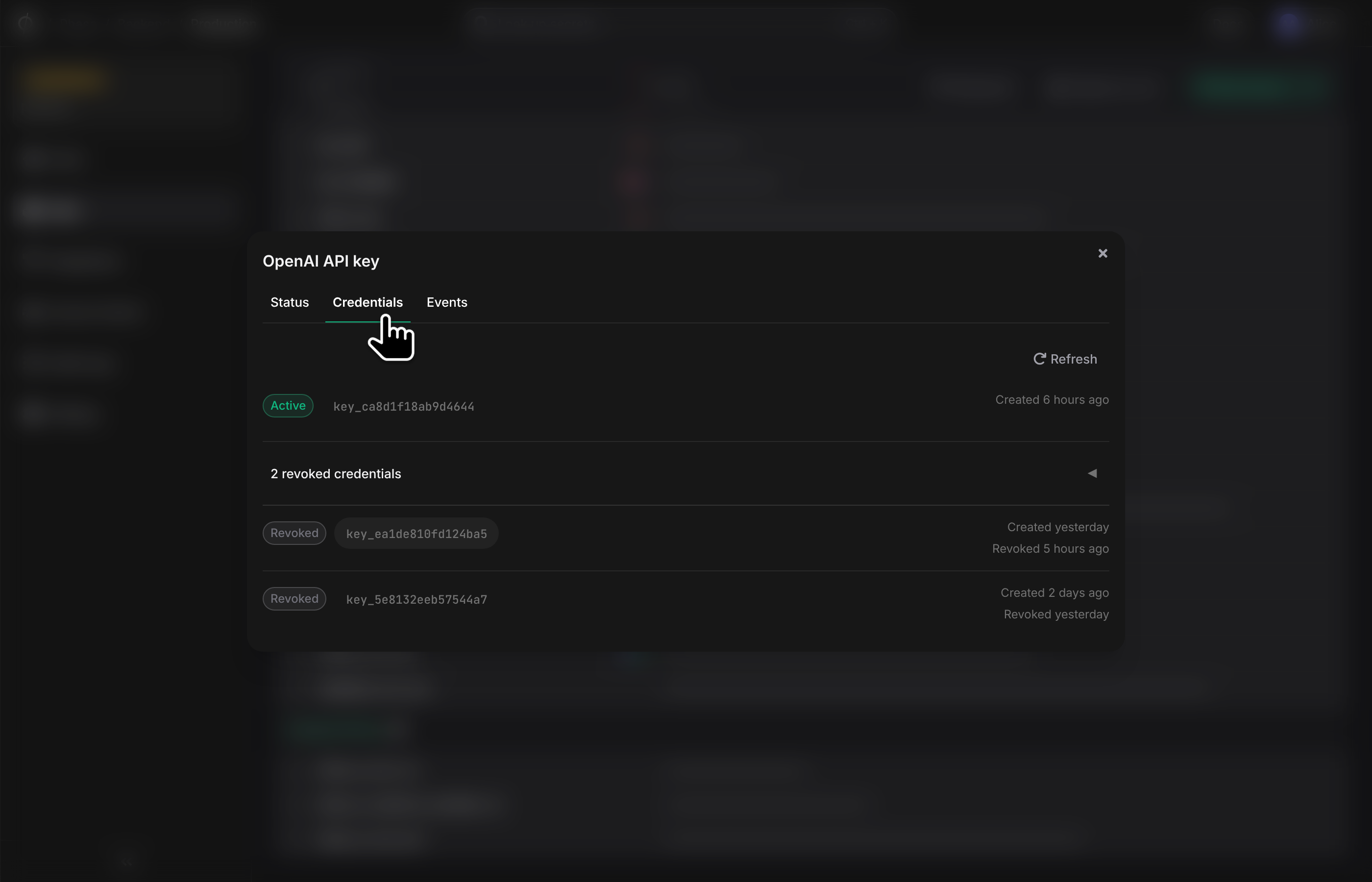
| Status | Meaning |
|---|---|
Active | Currently exposed credential. |
Expiring | Within the revocation-delay window — still valid at the provider. |
Expiring soon | An Expiring credential within 24 hours of revoke. |
Revoking | Revoke job in flight. |
Revoked | Successfully revoked at the provider. |
Mint failed | Provider rejected the mint. |
Revoke failed | All retries exhausted. The credential may still be live at the provider — investigate at the provider's dashboard. |
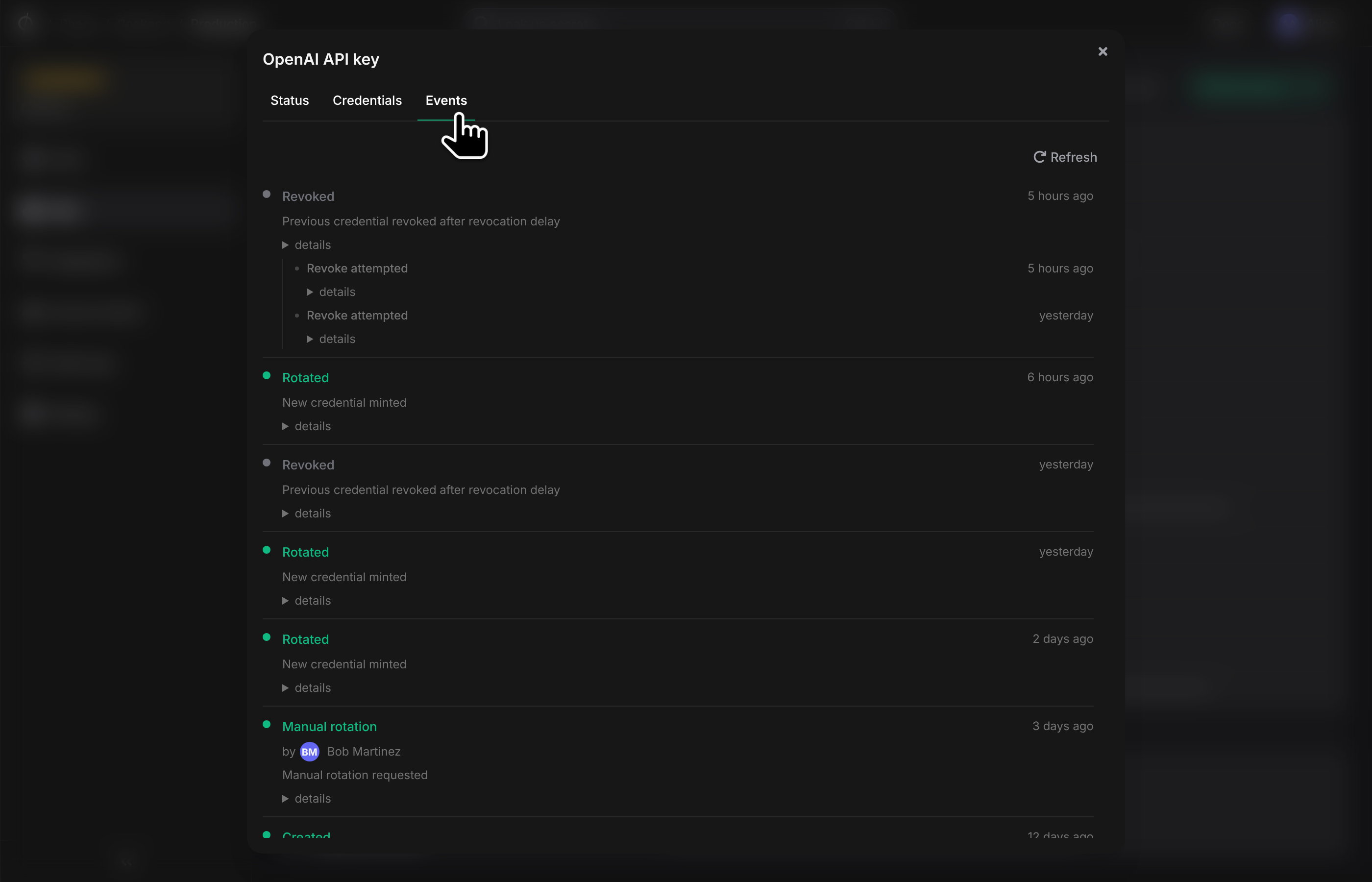
Events
Chronological log of every lifecycle event — mint attempts, rotations, revoke attempts, health transitions, manual operations. Each event records the actor, IP, user agent, and a sanitised provider response excerpt.
Health and failure handling
| Health | Meaning |
|---|---|
Healthy | Recent rotations and revokes are succeeding. |
Degraded | At least one transient failure recently. Phase is retrying with exponential backoff. |
Failed | The schedule is paused. Either an auth/config/quota error has stopped rotation, or transient failures have exceeded the retry budget. |
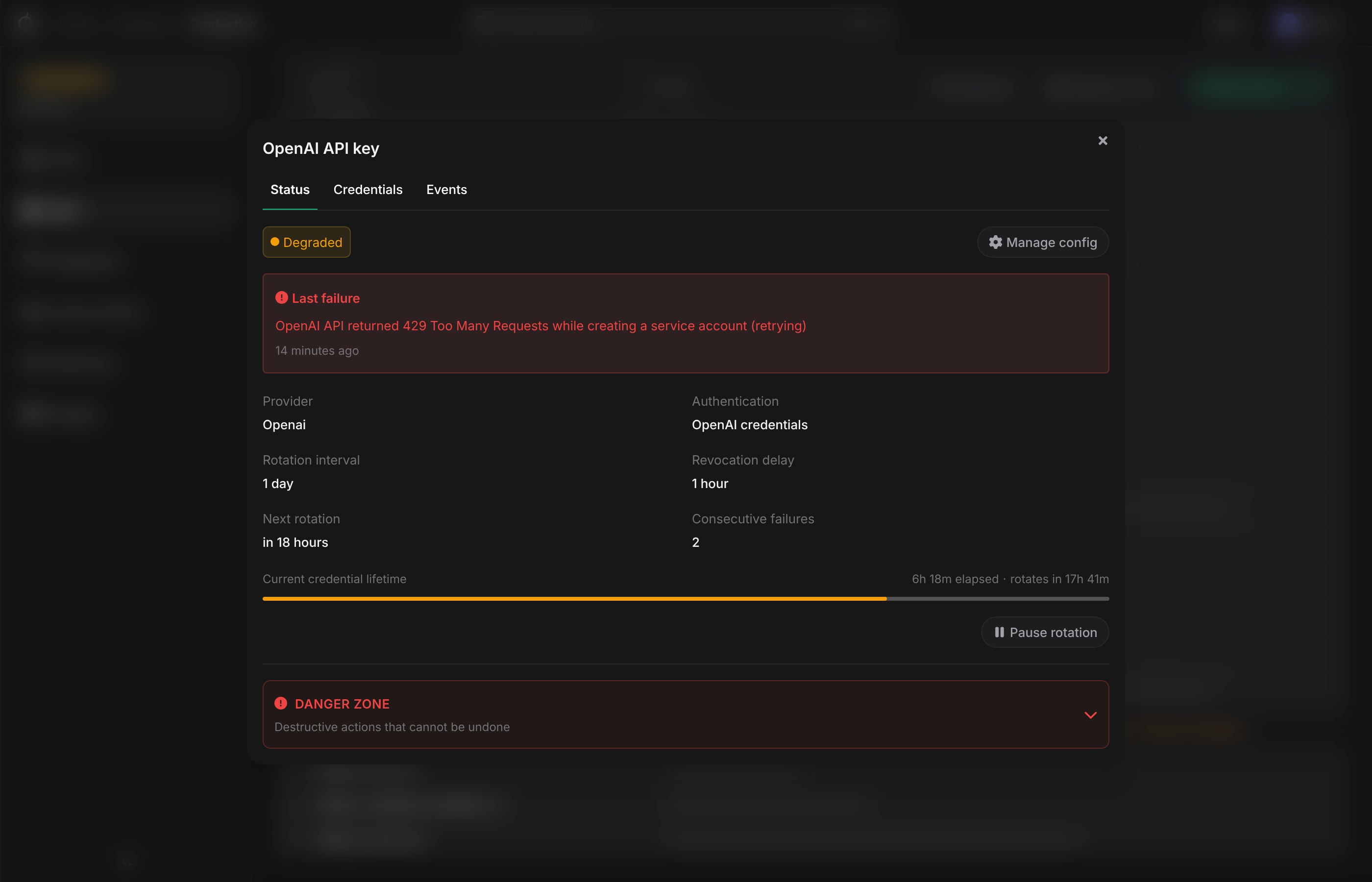
When health flips to Failed, the previously-active credential continues to work — your application keeps running on the credential it has — but no new credentials are minted until you resolve the issue and click Resume.
What triggers each state
Phase classifies every provider error before deciding what to do with it.
- Transient (network blip, 5xx, 429) — the rotation is marked
Degradedand the next attempt is scheduled with exponential backoff. After several consecutive transient failures, the rotation escalates toFailedand pauses. - Auth (401, 403 — typically because the saved root credentials were rotated or revoked at the provider) —
Failedimmediately. The rotation pauses; fixing the root credentials and clicking Resume picks rotation back up. - Config (400, validation rejections from the provider — for example a policy field the provider no longer accepts) —
Failedimmediately. Edit the config and resume. - Quota (plan limits hit at the provider) —
Failedimmediately. Either lift the limit at the provider or change the config to fit within it.
Failed always pauses the schedule. Degraded keeps the schedule running on backoff.
Email notifications
Phase emails the relevant people whenever a rotation transitions from Healthy into Degraded or Failed. Recipients:
- All
OwnerandAdminmembers of the organisation. - The user who originally configured the rotation, if different.
The email includes the app, environment, provider, consecutive failure count, and the most recent error reason — enough to triage without opening the console. A second email goes out when a Degraded rotation escalates to Failed; a successful rotation after a failure transitions back to Healthy silently (no recovery email — the Status tab and the next scheduled rotation indicate things are running again).
Recipients are resolved at send time, so role changes between the failure and the email reaching the queue are reflected.
Permissions
Rotating Secrets are gated by two separate permissions:
Secrets— reading the rotated value. The active credential surfaces alongside regular secrets, so anyone withSecrets:readcan read the value via the UI, CLI, REST, or sync integrations.RotatingSecrets— managing the rotation config: create, edit, pause/resume, delete, manual rotate, and revoke a credential. Defaults:Owner,Admin, andManagerget full access;DeveloperandServiceget read-only.
Audit trail
- Rotation lifecycle — every state transition and provider call is recorded on the Rotating Secret and visible in the Events tab.
- Secret reads — every reveal and every fetch via REST/public API is recorded as a normal
READevent in the standard audit log.