OpenAI — Rotating Secrets
Phase rotates OpenAI project service-account API keys on a schedule. Each rotation creates a new service account in the project you pick, surfaces its API key as the active value in your Environment, and deletes the previous service account after the configured revocation delay. Minted keys are scoped to a single project — never to your whole organization.
See Rotating Secrets for the general lifecycle.
Prerequisites
- An OpenAI organization with at least one project
- An OpenAI admin API key with permission to manage project service accounts (used by Phase to call the org admin endpoints — Phase does not mint admin keys, only project SAs)
Authentication setup
Phase needs an OpenAI admin API key to manage project service accounts. Create a dedicated key rather than reusing one used elsewhere.
- Go to platform.openai.com/settings/organization/admin-keys.
- Click Create new admin key, name it (e.g.
phase-rotation). - Under Permissions, set Organization Administration to Write. Leave other scopes on None.
- Click Create admin key and copy the
sk-…value.
Add OpenAI credentials to Phase
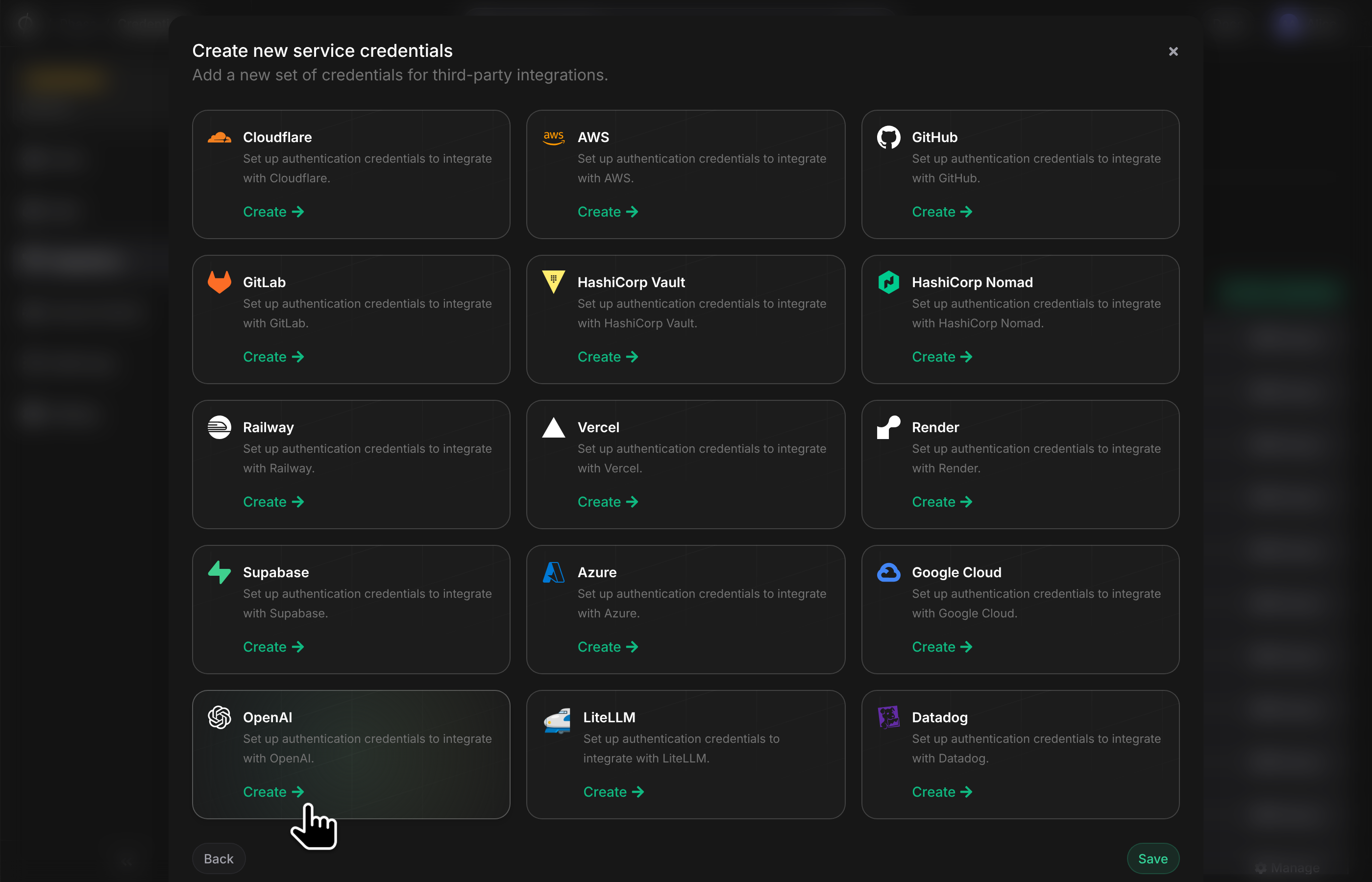
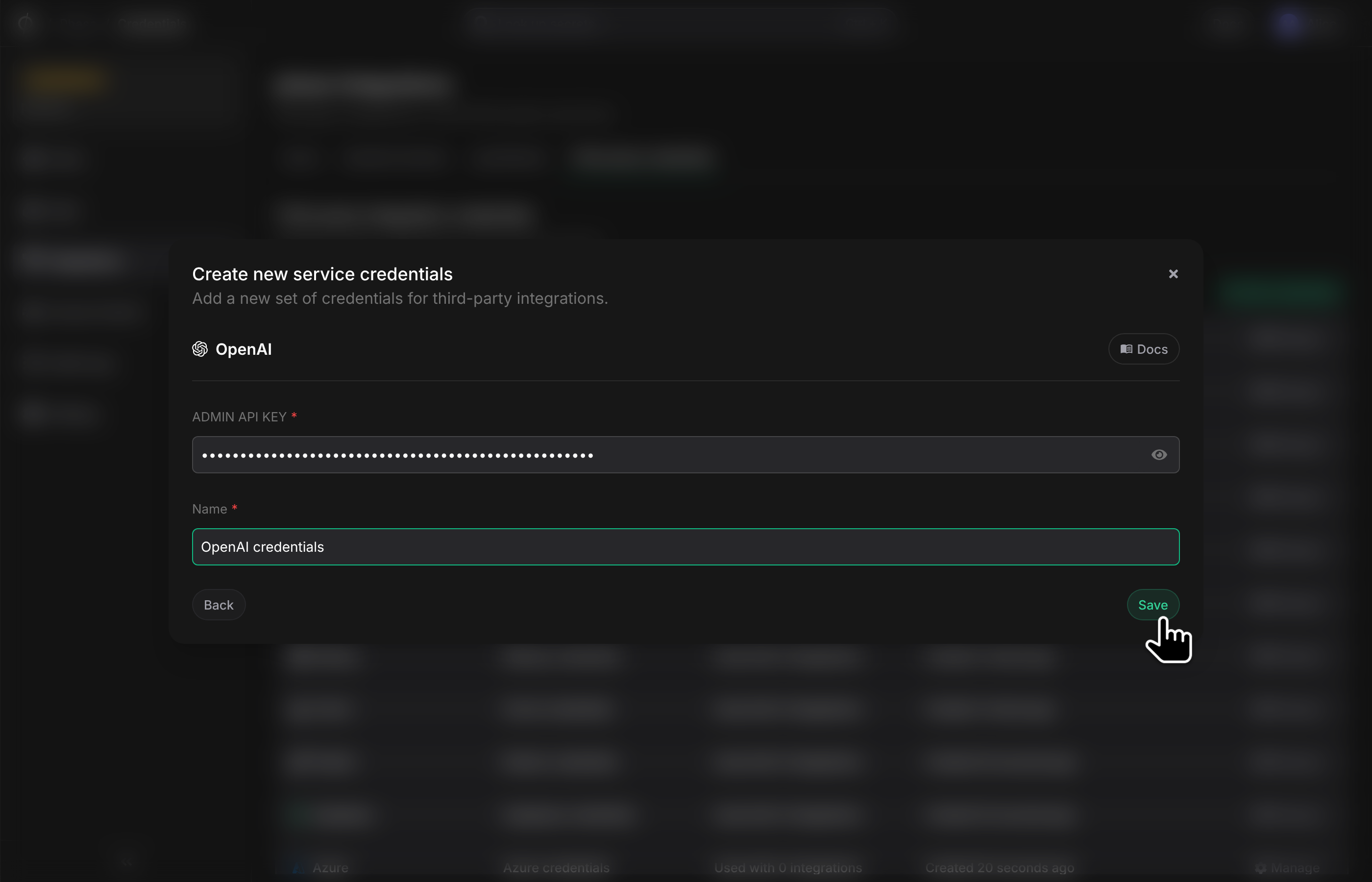
In the Phase Console, go to Integrations → Third-party credentials and click Add credential. Choose OpenAI and paste your admin key into Admin API Key. Phase validates the key against OpenAI before saving — a bad key is rejected up front.
Create a Rotating Secret for OpenAI
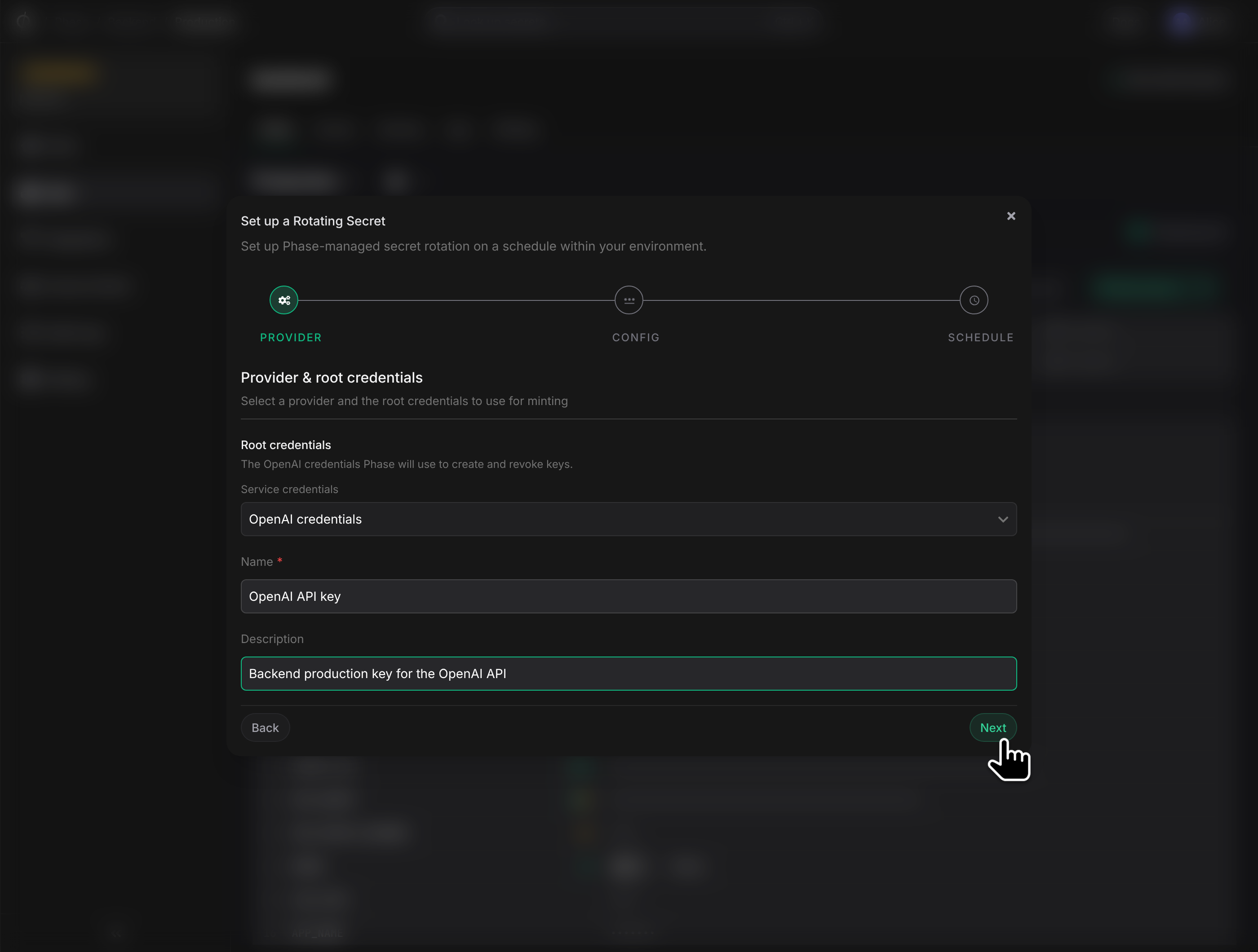
Open an Environment, click New Secret → Rotating Secret, and pick OpenAI.
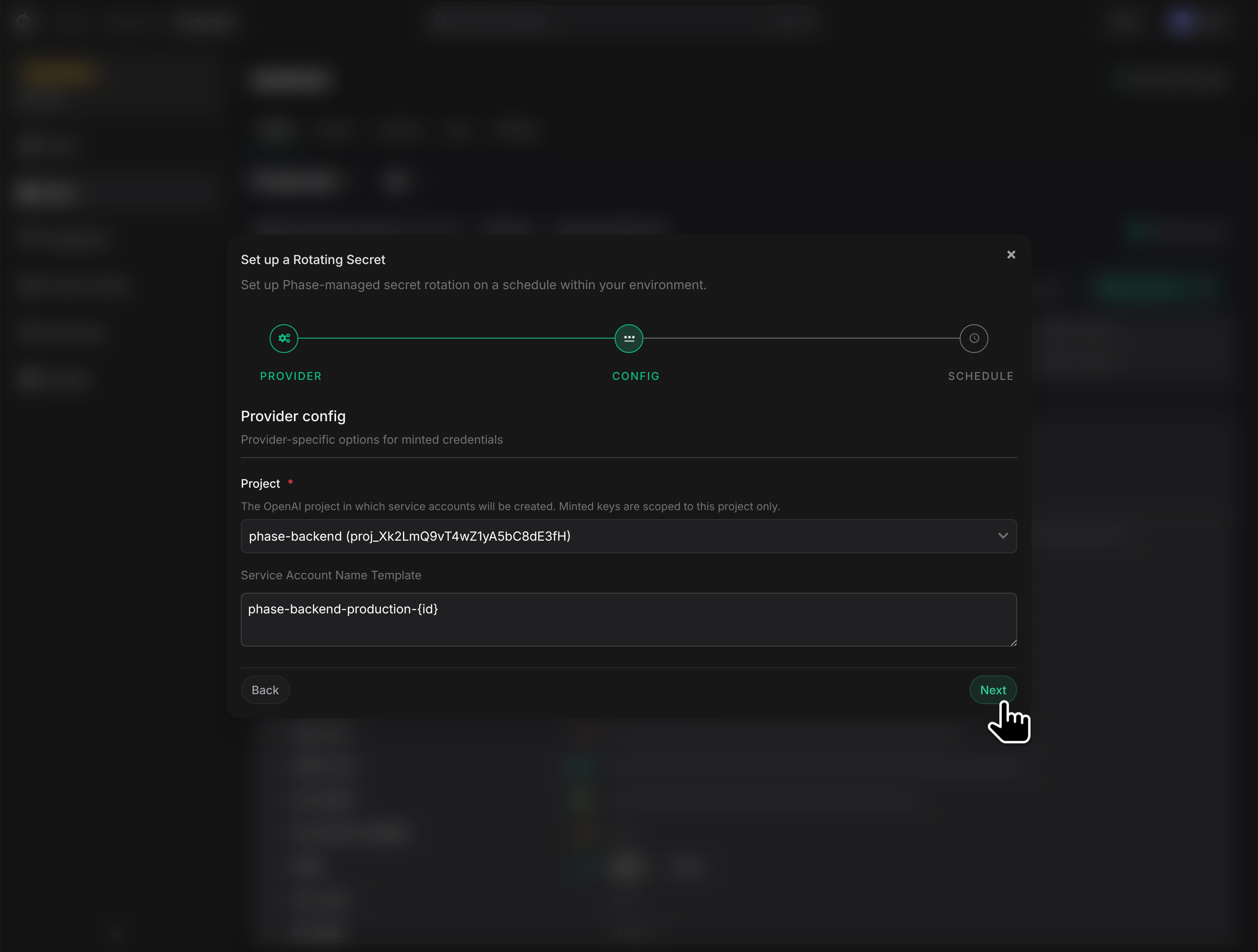
Provider config
- Project — dropdown of every active project in your organization. Pick the project the minted service accounts will belong to. The minted API key is scoped to this project only; it has no access to other projects or to org-level admin operations.
- Service Account Name Template — defaults to
phase-rs-{id}, where{id}expands to<rotating-secret-id>-<unix-epoch>on every mint. Deterministic naming makes orphaned service accounts (if any) easy to identify in the OpenAI dashboard.
Outputs
OpenAI yields three values per minted service account. Choose env-variable names in the Outputs step:
- api_key — the secret
sk-…value your application uses. TypicallyOPENAI_API_KEY. - key_id — the OpenAI-side api_key id.
- service_account_id — the OpenAI-side
svc_acct_…id used internally by Phase for revocation.
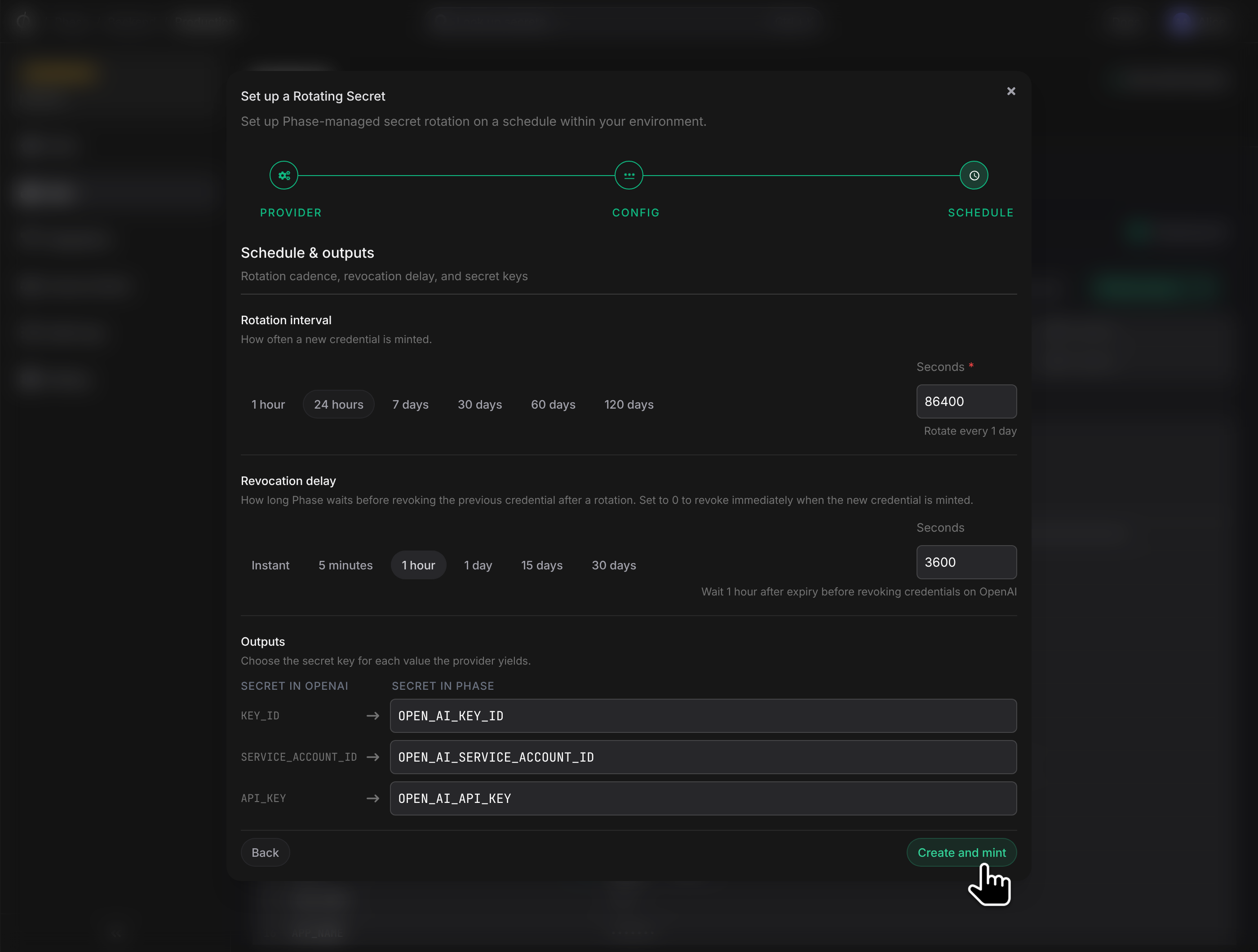
Click Create and mint. Phase calls POST /v1/organization/projects/{project_id}/service_accounts and the first credential's API key appears under the name you chose.
Operational notes
- The minted key is project-scoped. Unlike admin keys, the minted API key cannot create more keys, manage projects, or read other projects' data. Its blast radius is the one project you selected.
- Rotation creates a fresh service account each cycle. OpenAI's API has no endpoint to mint a new key on an existing service account, so each rotation is a create-new-then-delete-old pattern. The deterministic
phase-rs-…naming makes the trail clean. - Revoke is automated. When an
Expiringcredential's delay elapses, Phase callsDELETE /v1/organization/projects/{project_id}/service_accounts/{service_account_id}. A 404 is treated as success. - Admin key rotation at OpenAI. If the admin key Phase uses gets revoked, the next mint fails with
Provider authentication failedand the schedule pauses. Update the credential in Phase, then Resume in the management dialog.
Troubleshooting
401 Unauthorized— the admin key is invalid or has been revoked at OpenAI. Mint a new admin key and update the credential.403on mint — the admin key lacks Organization Administration: Write. Re-create the key with that scope.Project not found— the project was archived or deleted at OpenAI. Create a new rotating secret for an existing project.