Account Management
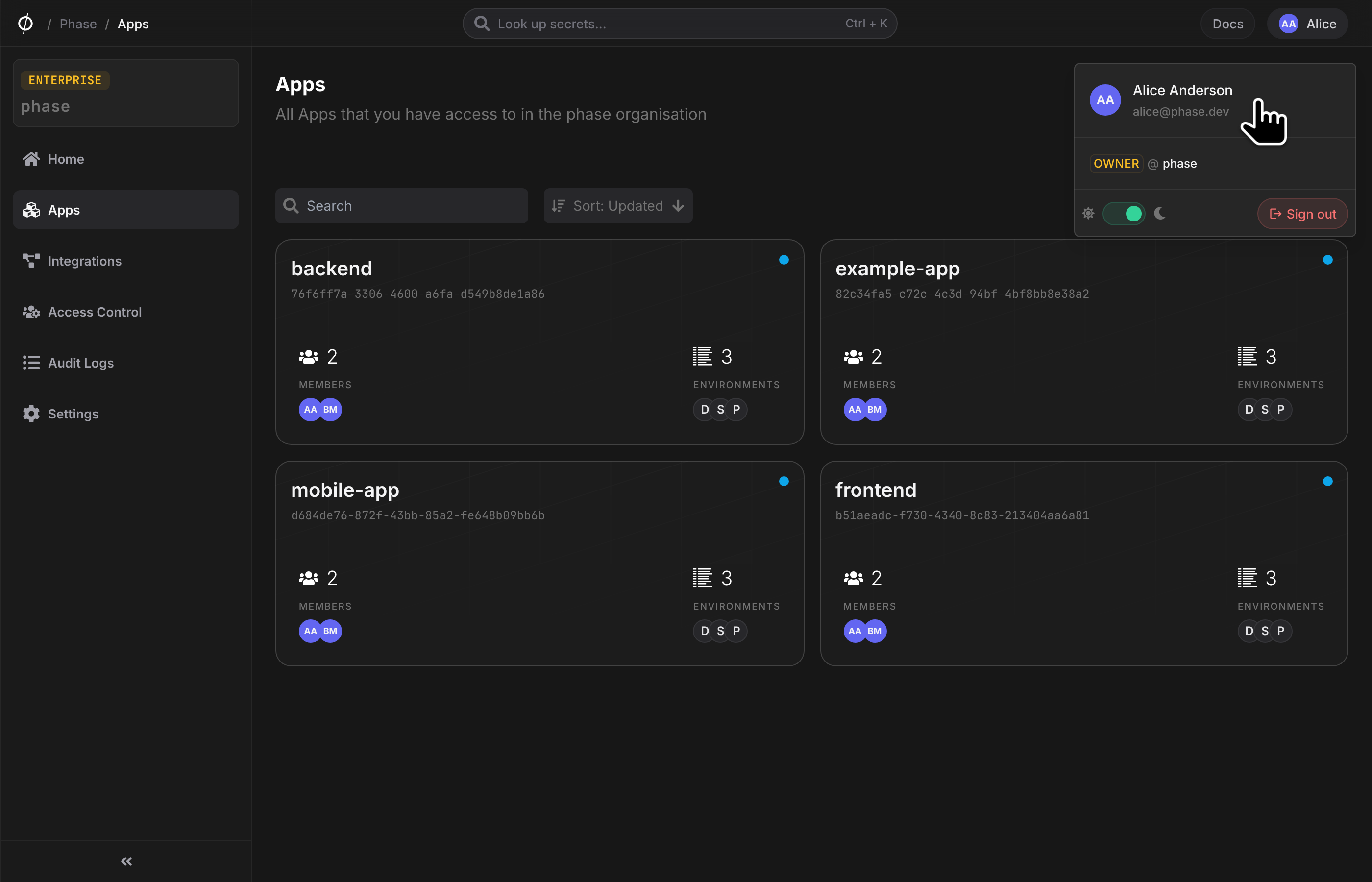
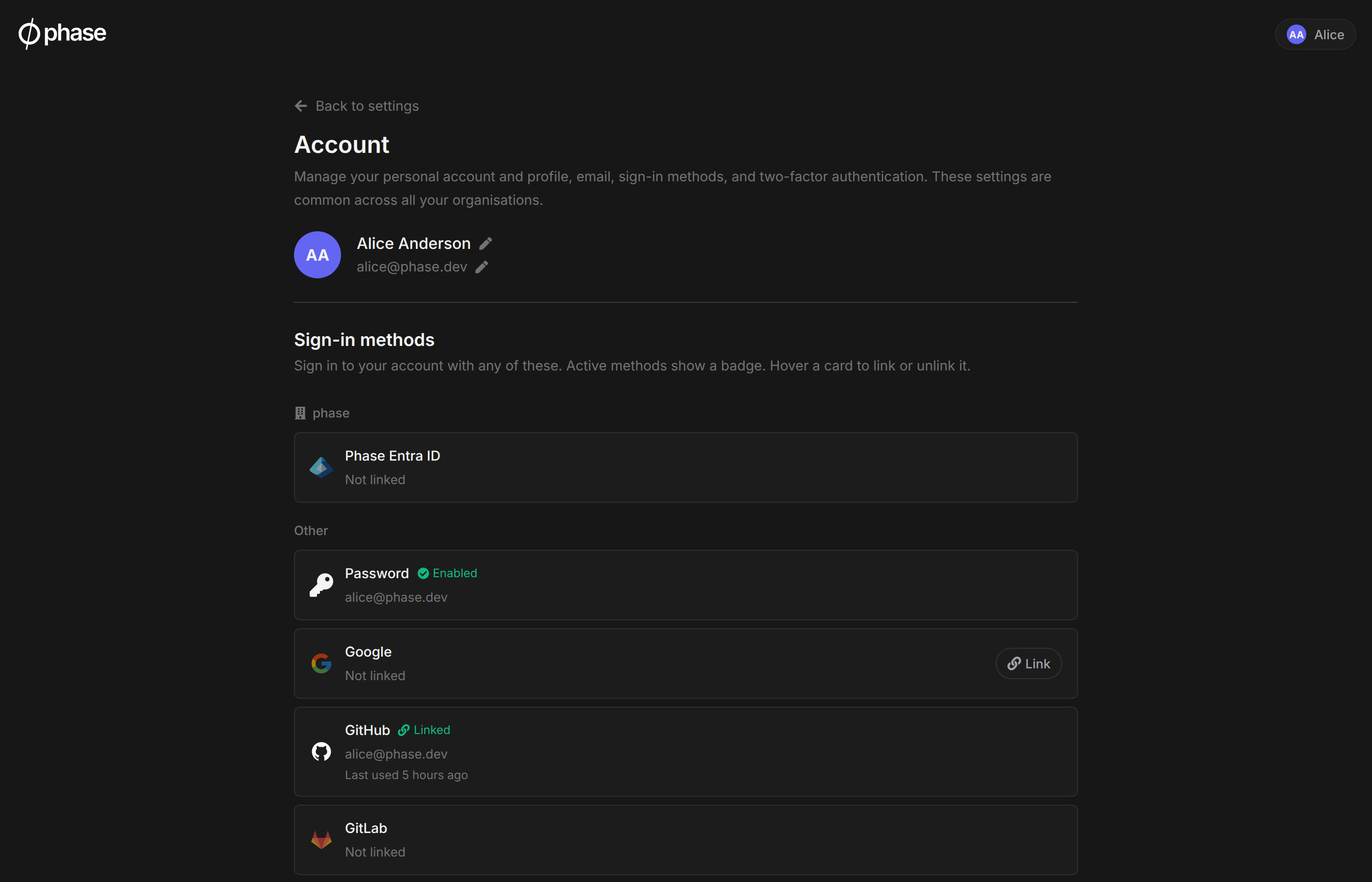
The Account page lets you manage everything about how you sign in to Phase. It is personal to you and applies across all of your organisations. Open it from the user menu in the top right corner of the Console: click your avatar, then click your profile card (your name and email) at the top of the menu.
Sensitive action re-authentication
Changes to your sign-in methods, email address, two-factor authentication, and account deletion require a recent sign-in. The default window is 15 minutes. Self-hosted operators can tune it with the AUTH_FRESHNESS_MAX_AGE_SECONDS environment variable.
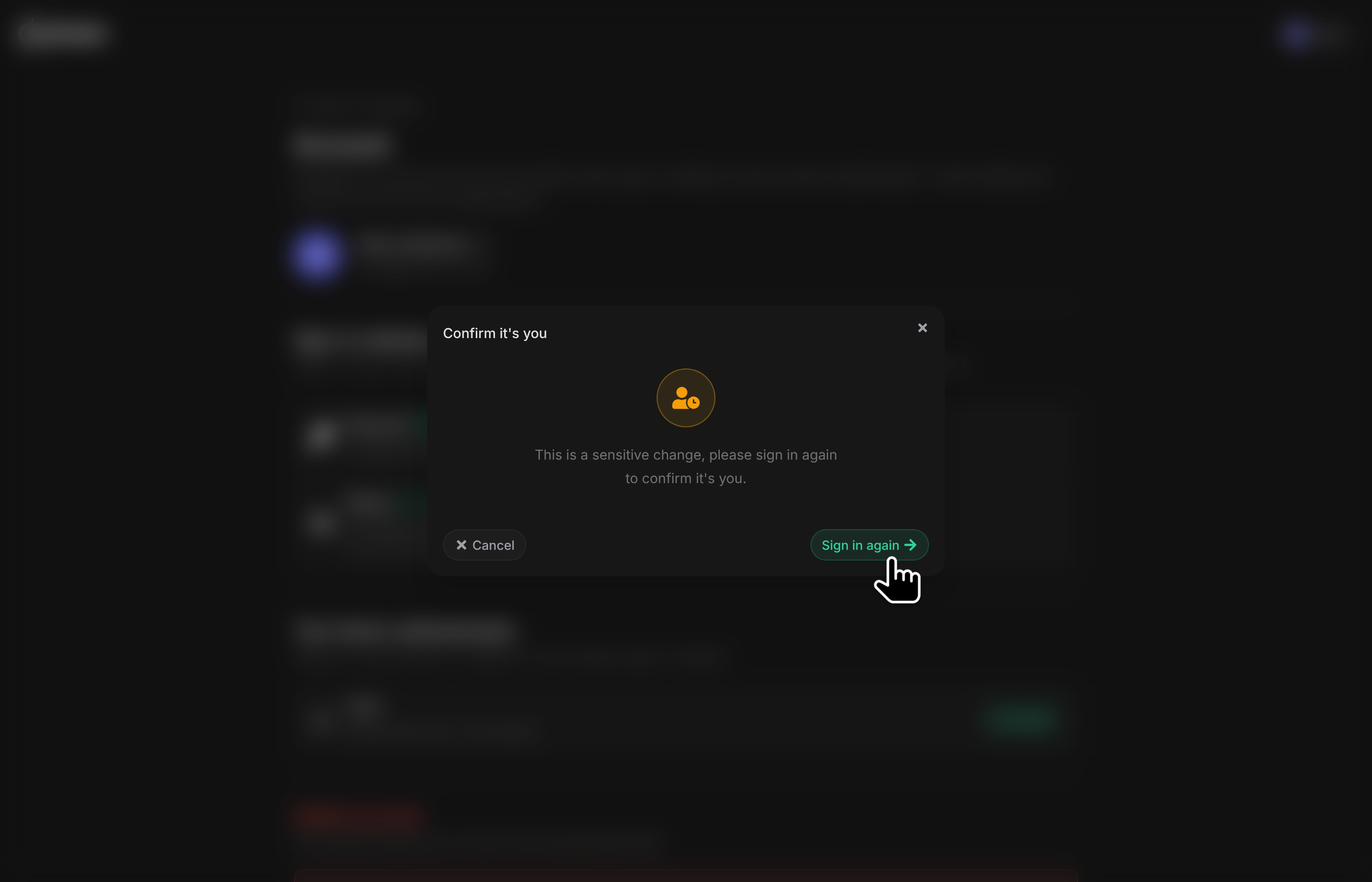
If your last sign-in is older than that, a Confirm it's you dialog appears when you start the change. You can cancel, or sign in again to continue. This limits what a stolen or unattended session can do.
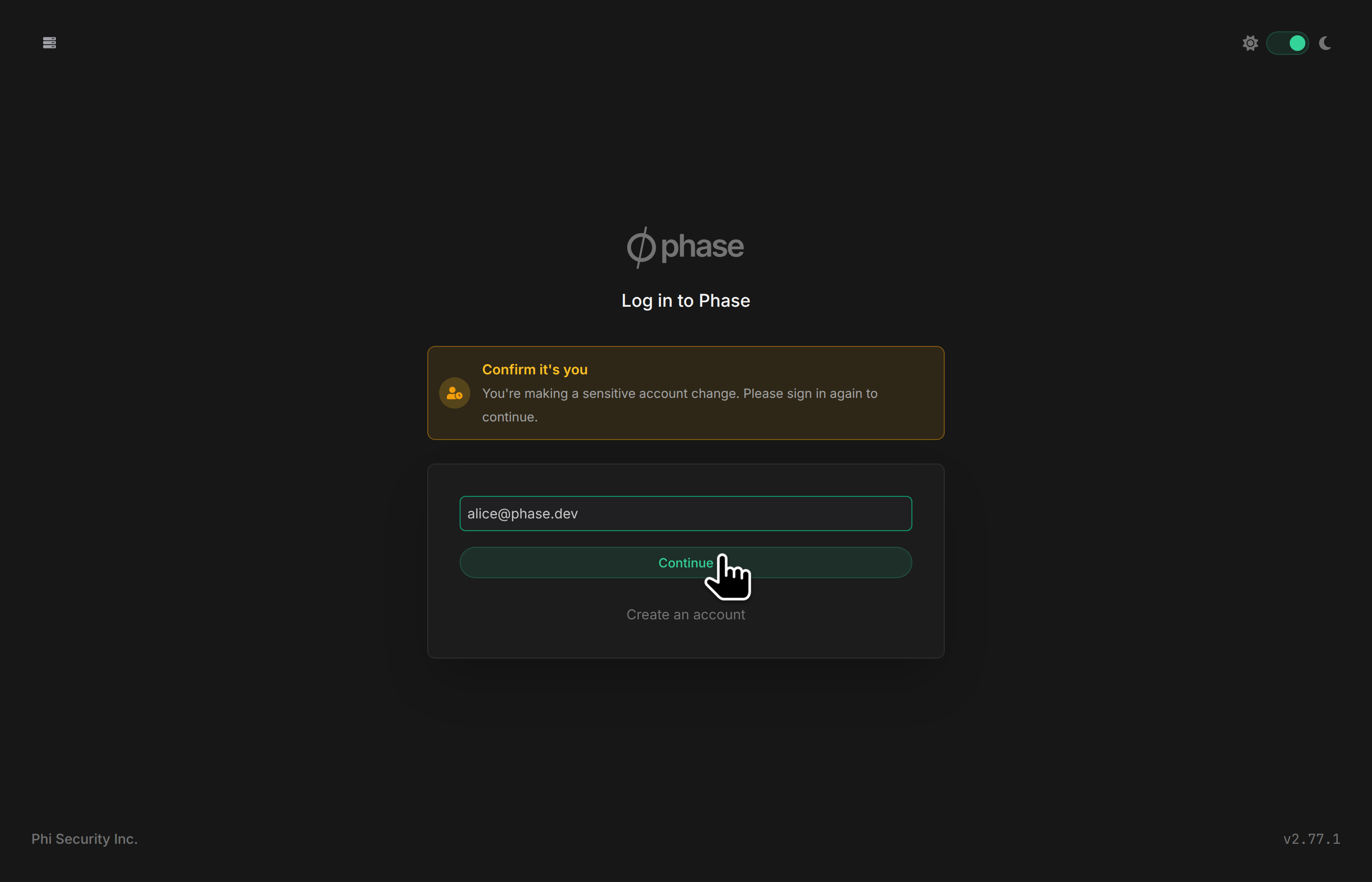
The login page shows why you are back, and offers only the sign-in methods linked to your account.
Signing in again does not lose your place. Phase returns you to the Account page and restores the interrupted flow: the same dialog, the same step, and anything you had entered. Codes and passwords are never carried over, so you enter them again.
Sign-in methods
Your account can have multiple sign-in identities linked to it, for example a Google account and a Microsoft Entra ID identity. You can sign in with any linked identity, and they all resolve to the same Phase account, keyrings, and organisation memberships.
Linking a new sign-in method
-
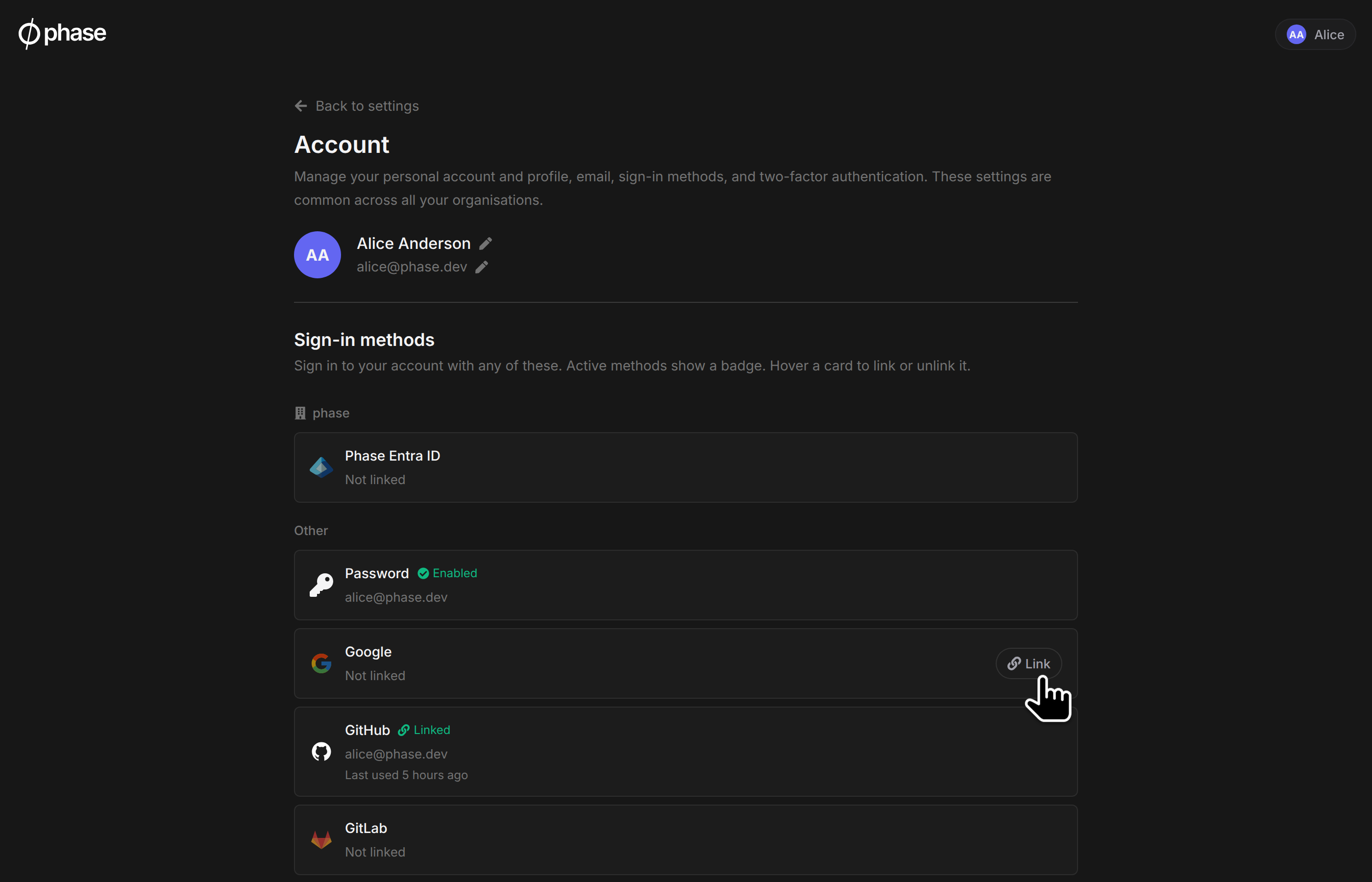
On the Account page, find Sign-in methods. Providers configured on your instance are shown, along with any organisation-level SSO providers for organisations you are a member of. Active methods show a badge: Linked for identities, Enabled for a password.
-
Hover the card of an unlinked provider and click Link.
-
Authenticate with the provider. You will be returned to the Account page with the new identity linked.
Identities are matched by the provider's stable account ID, not by email address. The email on the linked identity does not need to match your Phase account email. This makes linking the right tool for moving to a new identity provider. For example: you signed up with Google, and your organisation later adopts Microsoft Entra ID SSO. Link your Entra ID identity from the Account page, and you can sign in with either from then on.
If you see "An account with this email already exists" when signing in with a new provider, this is Phase's account takeover protection: a new sign-in identity is never automatically attached to an existing account based on a matching email. Sign in with your existing method and link the new provider from the Account page instead. If you hold a pending invite to the organisation, the message directs you to accept the invite with your existing sign-in method first. The organisation's SSO works after you join.
Linking an identity that is already attached to a different Phase account is refused. Phase never merges accounts. Linking is also refused when the provider reports the identity's email as unverified. Verify it with your provider first, then try again.
You will receive an email notification whenever a sign-in method is linked to or unlinked from your account.
Migrating an organisation to enforced SSO
If your organisation plans to enforce SSO, have every member link the new provider from their Account page before enforcement is switched on. Members who have not linked the organisation's provider cannot sign in to the organisation after enforcement. Admins can track linking progress in the organisation's audit log. Each link creates a member audit event.
Unlinking a sign-in method
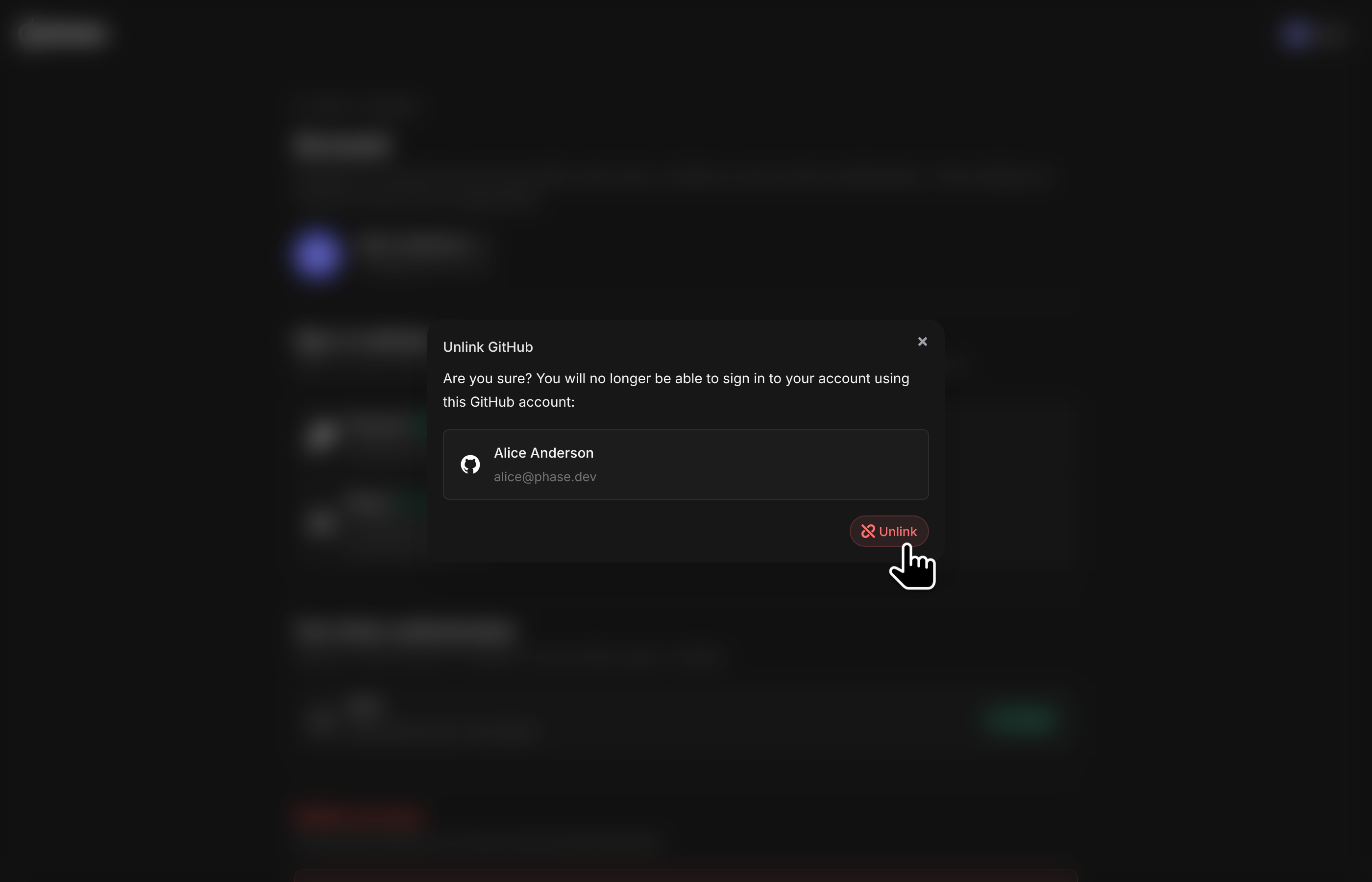
Hover the card of a linked identity, click Unlink, and confirm. You can no longer sign in with that identity afterwards. Unlinking is blocked when:
- It is your only sign-in method (a password counts as a method when password authentication is enabled on the instance).
- The identity belongs to an organisation SSO provider that is currently enforced for an organisation you are a member of.
- Your membership is SCIM-provisioned. Your identity provider is the source of truth for your access.
Display name
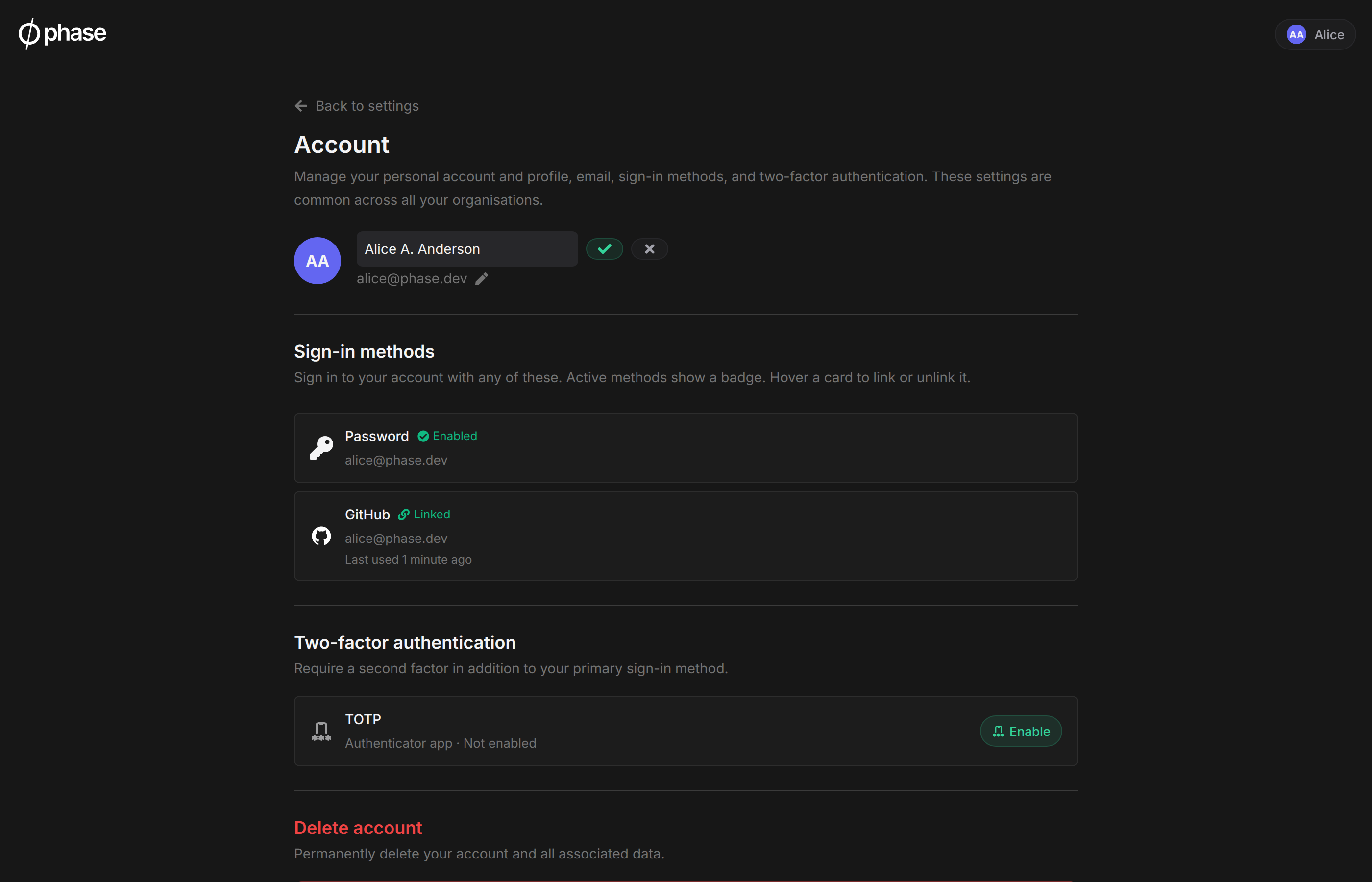
Your name and profile picture are initially taken from the identity provider you first signed up with. To set a custom display name, click the pencil icon next to your name on the Account page. A custom name takes precedence over provider-reported names and is used in emails and member lists. It survives unlinking the identity it originally came from.
Changing your email address
Your account email is used for sign-in identification, notifications, and organisation invites. To change it:
-
Click the pencil icon next to your email address on the Account page.
-
Enter the new address. Phase sends a verification code to it. The code is valid for 15 minutes.
-
Enter the code, along with your password (or sudo password if your account has no login password), to confirm the change.
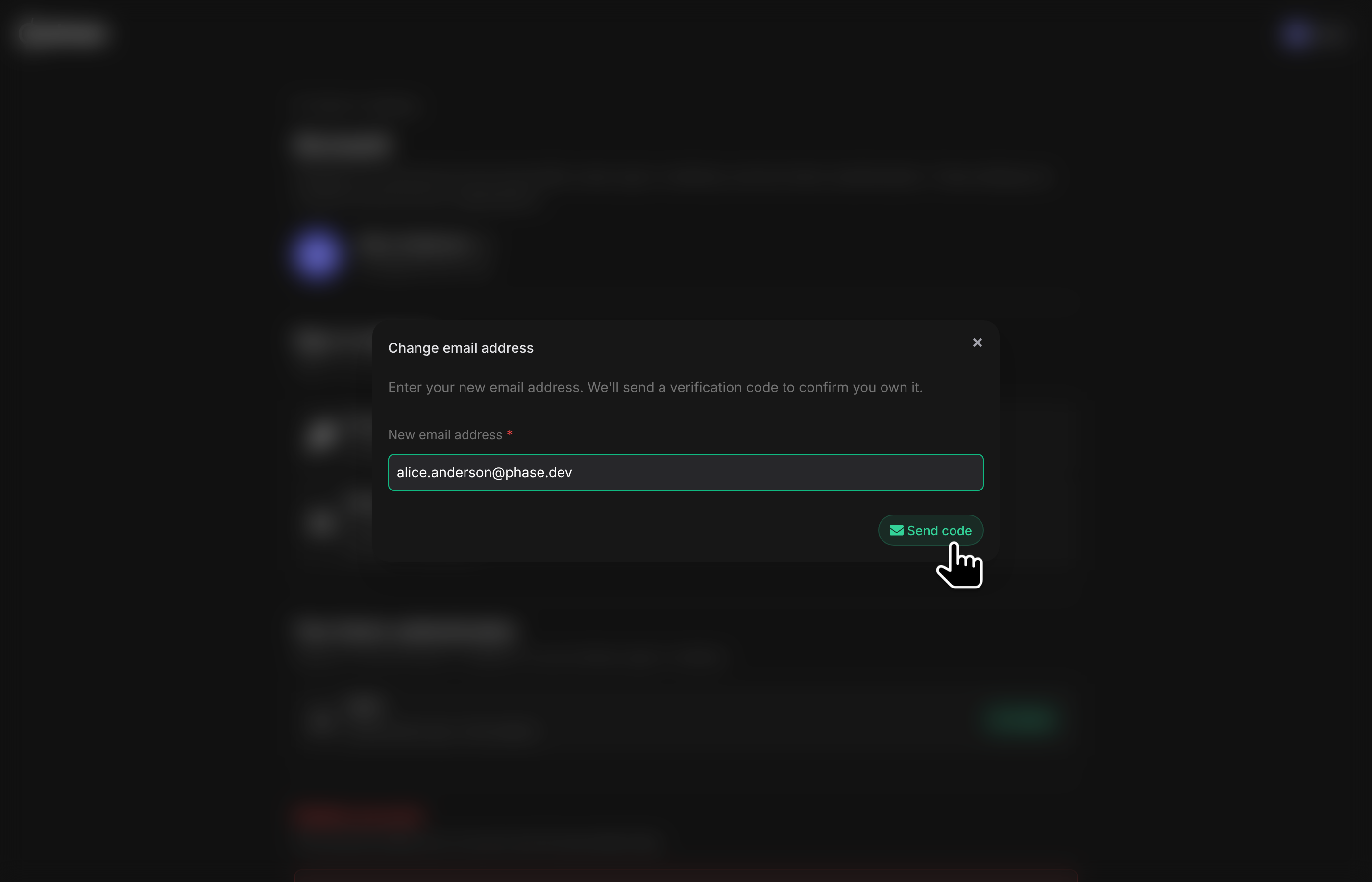
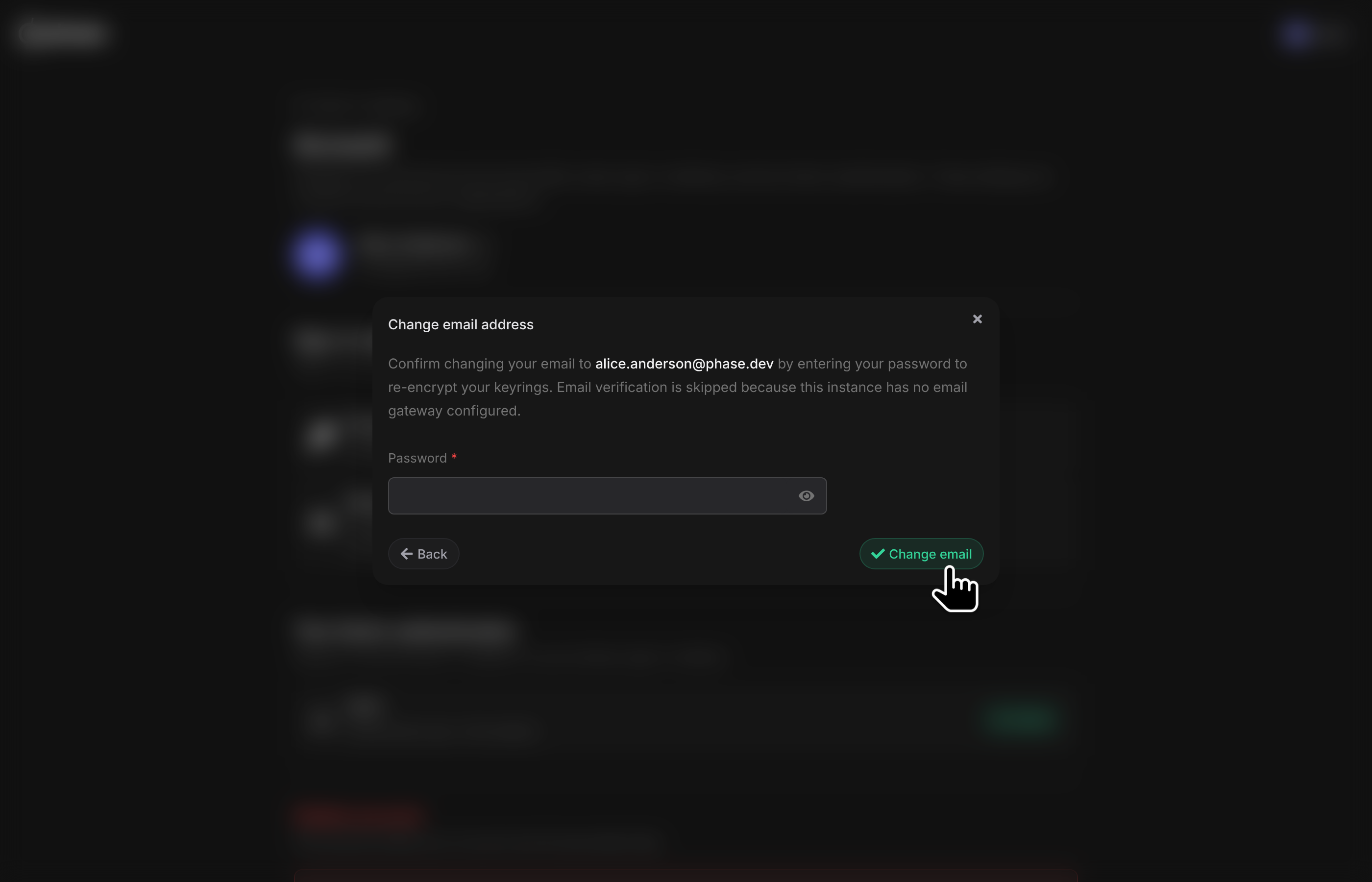
The new address does not need to match a linked sign-in identity. An address already used by another account is refused. On self-hosted instances with an email domain allowlist, the new address must be in the allowlist. A security alert is sent to your old address whenever the change completes.
Your account email is a cryptographic input to your local device key. Confirming the change therefore re-encrypts your account keyrings for all of your organisations in one step. This is why your password or sudo password is required. Nothing changes about your organisation keys or secrets; only the encrypted wrapper is rotated.
Email changes are not available for SCIM-provisioned accounts, where the identity provider manages the email address.
On self-hosted instances without an email gateway configured (or with SKIP_EMAIL_VERIFICATION set), the verification code step is skipped, the same convention as password signup.
Deleting your account
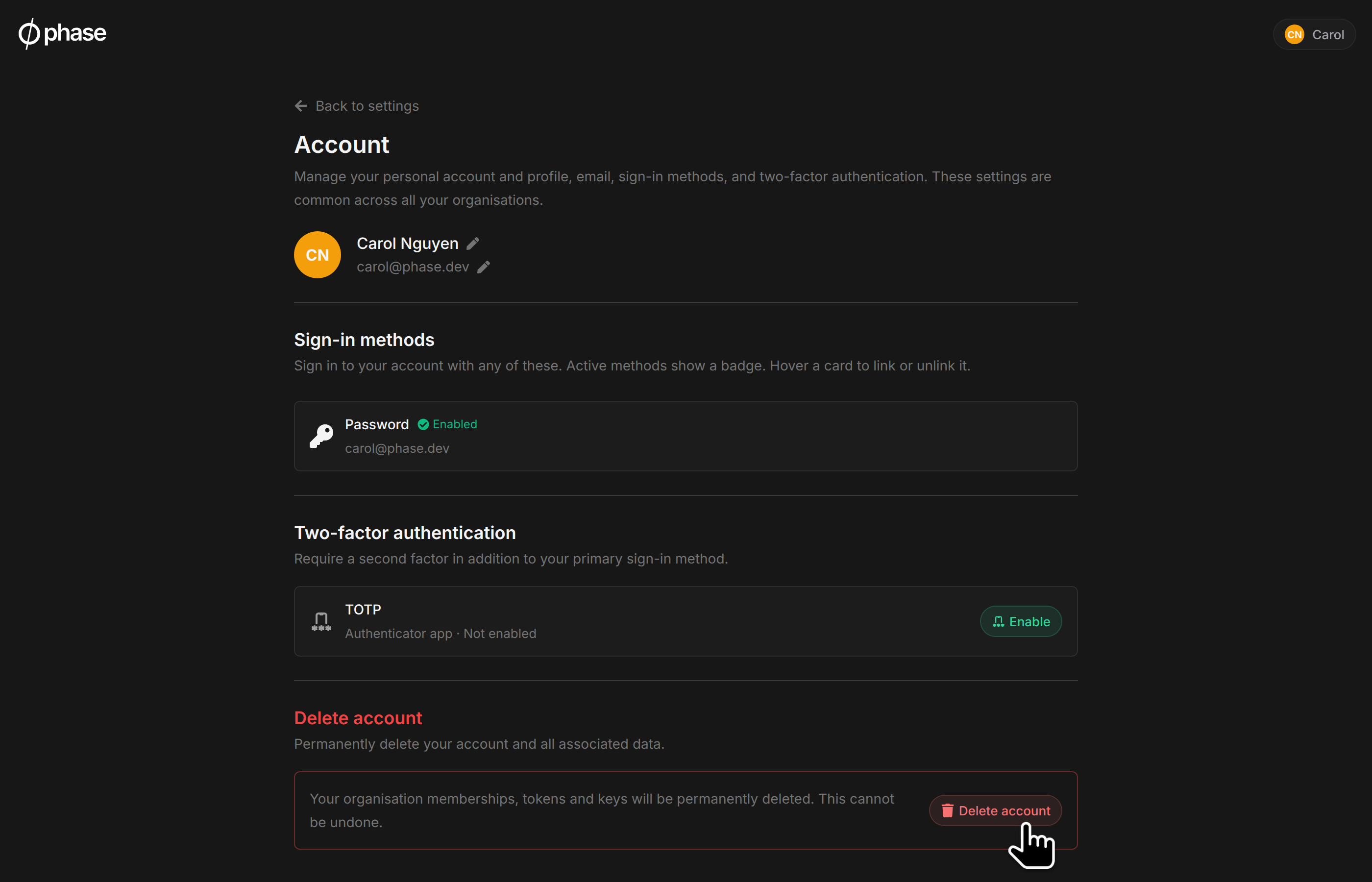
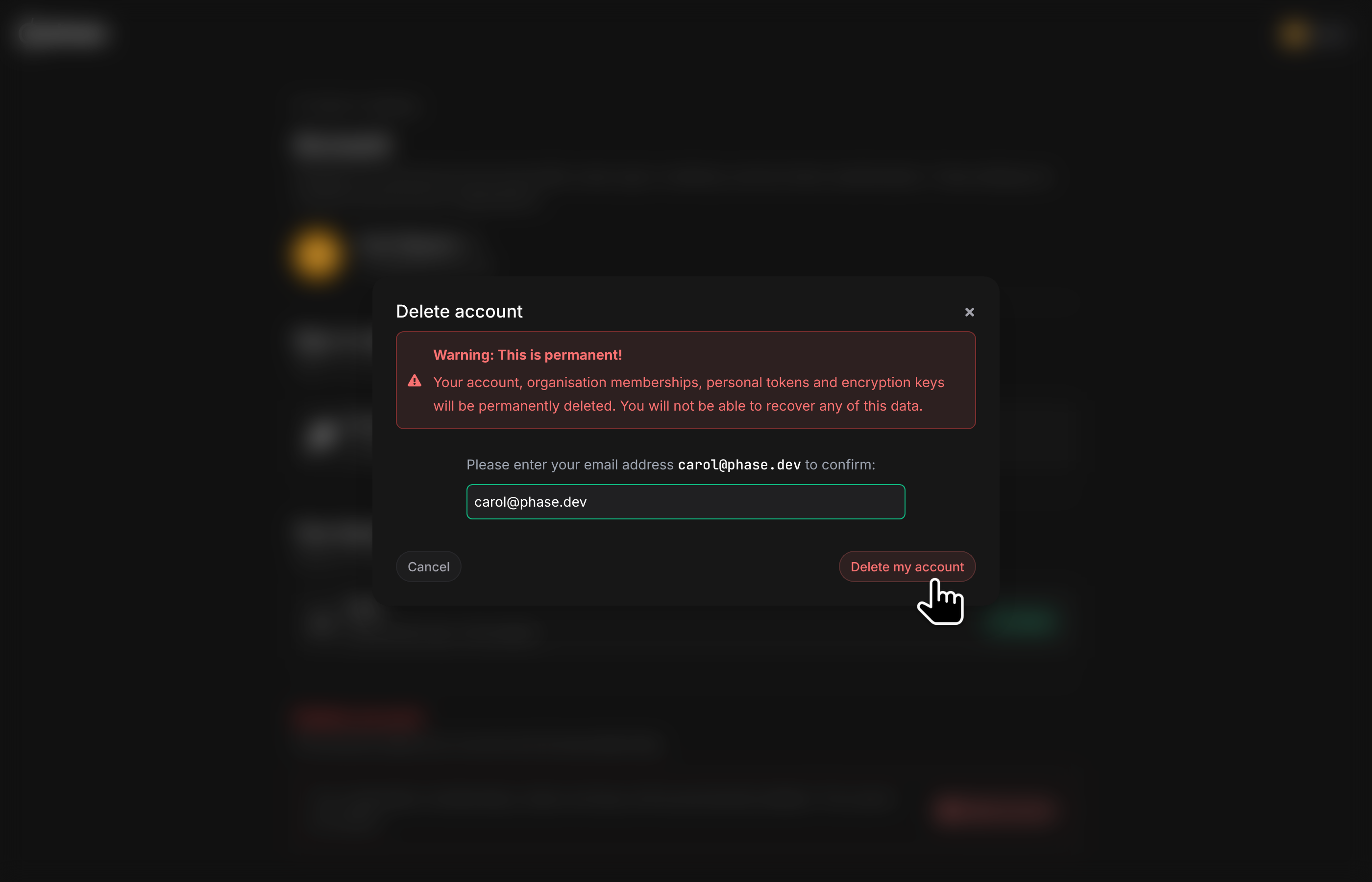
You can permanently delete your Phase account from the Delete account section on the Account page. Deletion is immediate and irreversible: your organisation memberships, encryption keys, personal access tokens, and personal data are permanently removed.
Deletion is blocked while:
- You are the only owner of an organisation. Transfer ownership to another member first. Organisations with another owner do not block deletion.
- Your account is SCIM-provisioned in any organisation. Ask your administrator to deprovision you from the identity provider instead.
On self-hosted instances, accounts with Django staff or superuser access cannot be deleted from the Console.
When deletion completes, Phase sends a confirmation email to the deleted address.
To confirm deletion, type your email address into the confirmation dialog.
Organisation audit logs are preserved for compliance. Events you performed remain in your organisations' logs, with the actor shown as "Deleted account". Your account and its personal data are removed. Audit records can still contain identifying fields captured at the time of each event.
Any active dynamic secret leases you hold are revoked at the provider before your account is removed. Existing service account tokens and organisation resources you created, such as network policies, are unaffected: they belong to the organisation, not to you.